
In this update4
Full notes
Full SUPER METBOY! update
Read the full published notes in a cleaner layout. The original post stays linked below.
Repeated intro
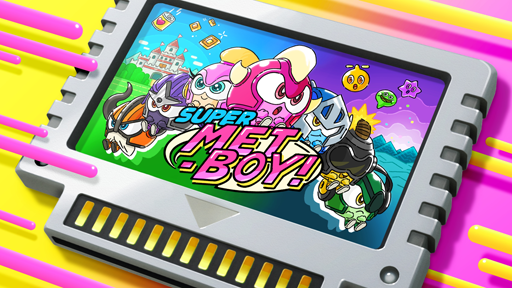
Hello, everyone. It's Kou from Flyhigh Works. Today, we are presenting 「SUPER METBOY!」, which has been positively received and is currently available on Nintendo Switch and STEAM! In issue#5, Asaba Aki from Rebuild Games will talk about various aspects related to the SUPER METBOY!'s「Menu Design」!
What changed
- UI and audio
- Maps
SUPER METBOY! changes
Menu Design Presentation
One of the features that stands out in SUPER METBOY is the arcade sign from the bright menu design. In this issue #5, I will present the menu design.
About the Menu Design
With the main menu, we aimed for an exciting screen that looks like a toy box turned upside down. This is the first screen that the Player experiences, so the screen was handled with great care like the main parts of the story. If you have played the game, you'll probably have a strong impression of this screen and the BGM's intro, right?
The main game button is the game cassette, and the VS Mode button is an upright cabinet because it was a taste/preference of the graphic designer in charge.
Upright casing's model is firm. The buttons match METBOY's controls, allowing a maximum of 4 Players.
About the Character Select
On the left is the released version of the character select screen, and on the right is the character select screen during development. At that time, the background color was pink, the same color as the main menu.
At the final stage of development, the character selection was part of the connection hub to the main menu and game, resulting in the space-like warp background.
As a result, I think the transitions on-screen were more lively, and the screen became great overall. If they were conformed/unified, it would be boring/dull. The Menu Design is deep……
Secrets of Secret Characters
Here is the final part of the presentation about the menu secret cheat. There is a secret hidden in the character selection. Input the following commands below……!?
◇Switch Version Move the cursor to Metknight and push the L and R buttons simultaneously while quickly pushing the upper right and lower-left corners of the analog or d-pads (one rotation from the top), then push the decision button.
◇Steam Verison Move the cursor to Metknight, hold the up button on the d-pad, and then push the decision button.
Enemy character Pufferpom joins in battle! He is quirky, has a fluffy jump, an easygoing face, and will fight for Metland's crisis. It's great to have a secret character that requires a command input! As one would expect, this time around, the command judging is much more lenient, as we want people to be able to enjoy the game casually.
This specification is based on my experiences with video games back in the day. The games I played as a child had strict command inputs, so I left it to my trusted friend, who was skillful at it. As expected, the command rule is more fun, accessible, and casual to use this time.
...Now then, are there any other secret characters? Please feel free to try the commands with other various characters.
A few more words from the developer/h3] Lead Game Designer Asaba Aki
The results of the overall menu design were due to the process of trial and error by our graphic designer. At times, there must be flexibility to make bold changes and not forget about determination and playfulness. I thought about that and devoted myself to it too.
Source
Changelog.gg summarizes and formats this update. How we read updates.