
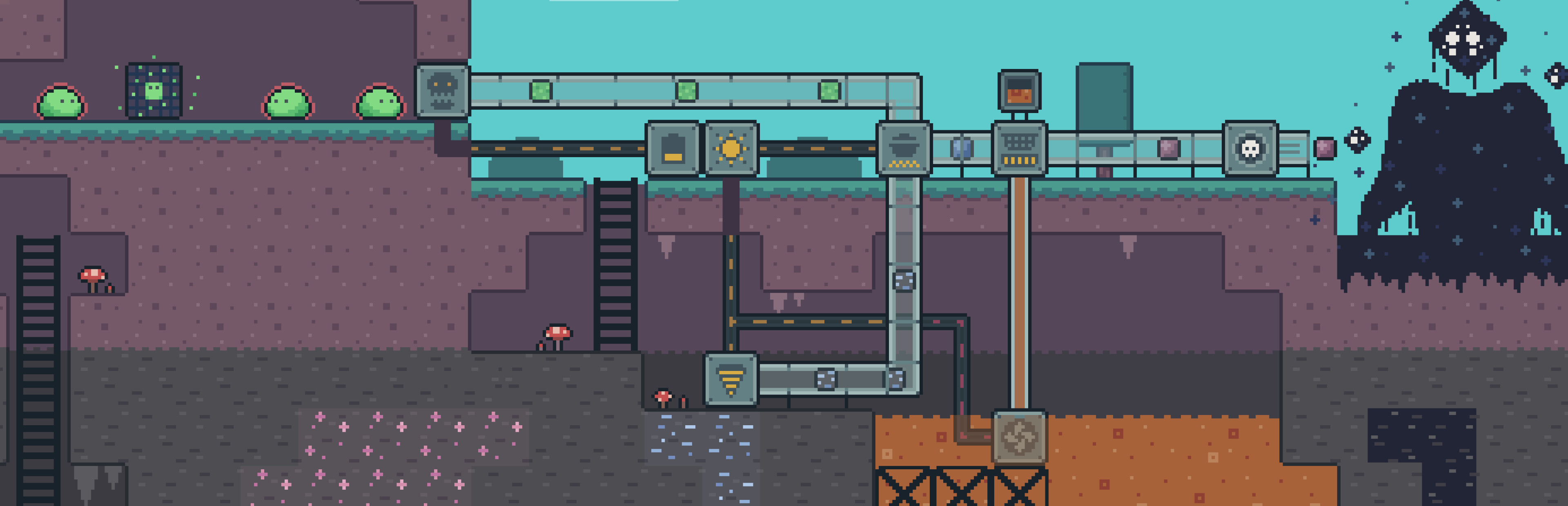
Full notes
Full Snacktorio update
Read the full published notes in a cleaner layout. The original post stays linked below.
Repeated intro
Hello Chefs!
What changed
- Store
- Workshop
- Gameplay
- Maps
- Fixes
Mostly fixes for this patch, but I've made a few tweaks to how gamepad works thanks to some feedback from a few players, hopefully this is another step in the right direction!
So first up, smaller thing but have seen a few people mentioned about overlapping layers and some clarity when placing, so I've made a small change to the rendering that I think will help give some more options on viewing stuff. When you use item pipes, liquid pipes, or wires, that layer will be kept at full opacity, while the other 2 layers will be faded out. Here I'm cycling between the 3 items in my hotbar:
I've done the same thing also when using the hammer modes (R/Y), so when set to wire hammer mode, the other 2 will be faded. All 3 will be faded in the hammer util mode. Hopefully this helps make things a bit clearer as you're building! Holding any other items or tools will have all layers shown normally.
After that quicker change, I got more stuck in with some gamepad stuff. After going through some feedback and talking more with players, I think the biggest issue seems to be equipping and using stuff on gamepad taking too long - normal tool usage is mostly fine, but then when you need to place a one-off crop you're having to open inventory, equip crop, use crop, open inventory and revert hotbar item.
I played with a few options for this, but what I've settled on for now is adding the ability for you to just swap between all 3 rows of your inventory as your hotbar. While in build-mode, you can just press R2 to toggle between the 3 rows (color-coded as blue, yellow, and red).
This means to access and equip any item you don't ever need to open your inventory, you can just cycle through hotbars. You can also arrange your inventory to have seperate hotbars as you want (i.e. a utility hotbar vs a tools hotbar).
For PC players, fret not! I had a feeling that perhaps you would also want this ability (though it is easier to just use anything from any inventory slot with a mouse) - so you can also access this too by using shift+mouse wheel. I felt that was the best option to match the existing mouse wheel usage which changes your equipped slot, so with shift and scroll you can get to any item in your inventory now without opening it.
For both MKB and gamepad, you can't swap hotbars until you're out of the tutorial - I didn't want people doing it by accident early on. Hovering over your hotbar tells you the controls, and on gamepad you'll see R2 added to the key prompt. In future I'll add an infoblock and put it in a few early levels just to make sure everyone gets the memo!
Back to gamepad changes - I've also made it that closing menus will 'drop' any held item back to your inventory, so for stuff like sorters if you want to take the item with you, you no longer need to put it up into your inventory just close the sorter and it'll be back in your inventory automatically (same as 'Q' usage on MKB).
You can also now use R2 to swap between the inventory and the open menu for selection, so if you're moving items between you two you can just R2 over to the other menu. I've also changed splitters so that you can configure them just using DPAD to select up/right/bottom/left, and then you can use A/X as increase/decrease.
That's everything really! Though some final small bits include adding some softlock respawns for a couple levels, if you just left the level rather than respawning, a small range highlight for overclockers to see their area-of-effect, and the ability to use right-shift as shift in MKB controls - you can see all the full changes below.
To all gamepad + steam deck chefs, I appreciate all of your patience and feedback, and hopefully these changes help improve on things even more! See how you get on with it and let me know if there's any issues as always, either here, the form, or by email - ell@tngineers.com If you've enjoying playing, be sure you leave a review! <3
~ Ell
1.5.0
When using item pipes, liquid pipes or wires, the other 2 layers will be faded while building to focus the current layer you're building on
Same as above, but for the hammer modes when using wire/pipe layer modes (hammer util mode will fade all 3)
You can now cycle through the 3 rows of your inventory as seperate hotbars using shift+mouse scrollwheel (not usable in tutorial levels)
You can now use right-shift for left-shift actions on MKB
You can now view overclocker range when hovering active overclockers
On gamepad, you can now cycle through hotbars with R2 while you're in build mode
On gamepad, closing your menus will return any 'held' item back to your inventory
On gamepad, while menus are open, you can now use R2 to swap between the two open menus quickly
On gamepad, splitters are now a bit quicker to configure, DPAD for direction, and then A/X for increase/decrease
Added some backup respawning when respawning in [T-5], [W1-M], [W2-2], and [W3-B4] if you save+quit rather than used respawn
Tweaked Mellanj (W2 spice) color on map
Fixed dialogue in bonus levels sometimes having ingredients visible if you used the recipe book to look at ingredients
Fixed MacOS accent character toggle showing while playing the game
Fixed not being able to hammer wires placed through beasts
Fixed trees not having a target item shown in the target GUI of harvester menus
Fixed [W4-B1] needing secret star door open to talk to J1N at the end
Fixed pepto step not listing it makes 10 pepto
Fixed 'steam' icon in recipe steps not having a tooltip
Fixed some machine placements not reset to normal when overclockers are removed
Fixed clash with LSTICK with fav+machine select
Fixed help info on gamepad overlapping trash slot
Fixed gamepad selection of levels on the custom level map
Fixed LSTICK up opening menu help as well as dpad up
Fixed pump/furnace showing overclocker icons when they are not effected by overclocking
Fixed "game/classes/cl_door.lua:274: attempt to index field 'menu' (a nil value)"
Fixed "game/modules/md_draw.lua:214: attempt to index a nil value"
Fixed "game/ui/ui_level.lua:193: attempt to index local 'level_shortcuts' (a nil value)"
Levels Changed
[W5-1] Fixed top level of void pool minor visual issue in beast pool [restart-only]
[W5-2] Fixed wrong bg tile for a couple tiles [restart-only]
Source
Changelog.gg summarizes and formats this update. How we read updates.