
In this update6
Full notes
Full Skyfear update
Read the full published notes in a cleaner layout. The original post stays linked below.
What changed
- Gameplay
- Balance
- UI and audio
- Fixes
- Maps
- Server
Skyfear changes
This update brings over 200+ changes and improvements to the game. We’re building on the Spring update and putting the game in a better state for later 2026 content. Flying speed has been increased btw.
Please read below for the full list of new things!
Practice mode
Practice mode is a dedicated space that allows you to test & learn the game. There’s a tools menu that let’s you add bots, reset health, try out every perk, magic, and ability, and more. This will likely be expanded in many ways later on, so if you have any feedback please share. New players will be recommended to spend some time in Practice. Minutes spent in practice will also be a new stat, and after spending your first 5 minutes there, you’ll earn a bonus 1,500 Material for doing so.
Guide
Skyfear’s in-game “How to play” menu has gotten a full refresh, with newer and better descriptions, easier to read, more images, and renamed to “Guide”. The Guide can be accessed from the Pause menu now, and Main Menu, and in the middle of gameplay, by pressing F1 or clicking a button on the screen for it if present. By making the Guide accessible anywhere, it should be an aid for you while you’re playing, whether you’re new or not. Also, most pages in the Guide now also have bonus Material that you can claim simply by clicking on them.
Whether you are new or played since launch, I highly recommend going through the Guide and Practice mode on your next play. You may get a better understanding of the game’s mechanics and have a better time if you struggled before.
Tracers
Another new thing in the interest of helping you learn is projectile tracers. This is a visual effect that will follow the trail of your bolts, to show you how their physics and homing works. These can be turned on or off in Options menu, but by default they will be visible in Practice mode only.
Notable Changes (There's a lot)
Gameplay, Magic, Combat:
When spawning in Lairworld, overall speed is slightly increased
Max accelleration on ground changed to 2048, from 512
Max accelleration in air changed to 4096, from 5625
Max flying speed increased from 1400 to 1900
Max flying speed when dashing increased from 3000 to 3900
Re-arranged Ability unlock order: now Death Rune, Bloodsight, Cloak, then Shroud
Significantly reduced magic cost of sprays (all magic types)
Improved magic properties tooltips
Refactored and improved how magic properties ratings bars work
Bolts will now use a fixed damage instead of a range based on a curve by distance, as this mechanic was very unreliable
Lowered the damage of bolt attacks (all magic types) by almost half
Lowered the magic cost bolt attacks (all magic types) by almost half
Ghost perk now affects footsteps, as it always should have
Refactored Ghost’s implimentation of making character movement quieter
Sensitivity when dashing reduced from 33% to 22%
Changed melee to 375 damage, from 500
Fusion rate of fire reduced slightly
All camera shaking reduced by about 30%
Removed X and Z location from firing camera shakes, and all rotation but roll, preventing camera shake from impacting aim
Hitboxes of players expanded very slightly in all directions
Increased homing accelleration from 60% to 200% -- This will undergo further changes later
Adjusted enemy target trace radius from 340 to 360
Increase radius of all magic type bolts
Updated/improved procedural firing animation to be easier on the eyes
Attached roar particle effects to head instead of body
Slightly improved roar particle effects visibility
Slightly reduced intensity of procedural jaw animation on roar
Added camera roll to look axis when on ground (can be tuned down with existing camera tilt intensity option)
Verified certain gamepad bindings were not failing – Steam Input should be working fine
Added slightly flashing particle effect to pickups orbs respawning
Fixes/Bugs:
Fixed an issue where Loadout screen button selection with Keyboard would bring you to the incorrect menu
Fixed various edge case issues with selecting “Back” on Pause menu
Removed an out of date degeneration timer was causing magic to deplete additional values when spraying and shooting bolts, which was not intended
Fixed an issue where loadout changes in the Main Menu didn’t apply to your Lairworld visits
Removed the small delay on spray starting up. Spray attacks are now instant.
Removed an out of date map-range clamp placement was causing Spray rate of fire and drain to be clamped to out of date values
Fixed an issue where Ghost perk’s effects would not be removed from a character sometimes
Fixed some issues with footsteps, jumping and landing sounds, and improved sound mixing
Take flight check now ignores invisible navigation actors placed in maps, resolving an issue where sometimes taking flight would be prevented seemingly for no reason
Fixed chat being placed beneath some widget layers, making it unreadable through some menus
Fixed various issues with shadows on some UX elements
Fixed an issue with Material gain widget/animation
Fixed an issue or two with mouse collisions on some Main Menu elements
Fixed an issue where leaving session would fail sometimes
Changed flight camera setting to “Right” by default when reset with the Reset to defaults option, previously was not the same as Config’s actual default
Fixed reseting interface settings to default set Friendly color to an unknown blueish color; it is now one of the official colors, “Leaf Green”
Fixed some menu 2D assets not covering bottom of Main Menu screen
Fixed an issue where selecting Air / Ground spawn choice would be ignored and mostly always spawn you in the air
Fixed an issue where pressing ESC on Code of Conduct menu removes the contents but not the menu
Adjusted position of map and game mode details underneath map image on game setup, was not centered for some reason
Changed:
Improved LOD configuration and shading issues on Wintertide’s snow piles
Reworded entire Basic Controls / Help widget to be simpler and more reflect its new implimentation
Changed Basic Controls / Help widget to have the same visibility bevahior as projectile tracers
Removed “Grid” map from map list
Renamed “CHARGE” on HUD to “ABILITY”
Renamed several settings under Interface category, for clarity
Re-arranged a couple of Main Menu buttons to put Practice and Guide together Improved visibility on input feed widgets
Shortened overall lifespan of chat messages, game feed messages 10s, player messages 20s, down from all at 30s
Suggested servers now only update after fixed 5 minutes since last refresh, avoids server browser looking very random
Reduced total number of suggested servers
Online player count request/functions given more leniency
Session names will now default to “yourplayername’s Game”
Match feed contents are now being sent through the game chat feed
Spawns have been removed from the match feed, not needed
Adjusted font size and window size of game chat/feed
Match feed turned off (now just one game chat/feed)
Turned off chat notification sounds, probably not necessary
Adjusted positions of performance stat and looking for players widgets
Renamed “Game” to “Mode” on server browser categories
Adjusted styling of some buttons to accommodate new & future changes
Removed/changed some animation on buttons due to hitbox issues it causes
Improved points/kill confirm UI animation and contents clarity
Set description of suggested servers with “This is an example listing. Joining this server will create this server with you as host.”
Renamed “Message…” to “Find Players”
Renamed “Create Server” to “Host Game”, more in line with what players expect from client-server MP games
Adjusted server suggestion generation balance and details logic
Updated/improved player count logic on server browser
Added:
Added “Low Magic” indicator on HUD that appears when magic is considered too low for effective action
Created a dragon “effort” sound cue, that plays occasionally when doing physical things like landing and cancelling dashing
Added new guide page: Customization
Added new guide page: Practice
Added new guide page: Bolt attack
Added new guide page: Spray attack
Increased geyser speed boost effect slightly
Increased spore count per level up algo
Updated guide pages with latest info + added images
Added Show Tracers option to config and settings menu, with three options: Off, Training Only,
Always, default to Training Only
Leaderboard entry of the client user now highlights gold, the rest are more transparent
Added Guide keybinding to Pause, Main Menu, and when in battle
Added lots of new loading screen tips related to the latest game additions/changes
Added “Recommendation” notifications to Guide and Practice buttons on main menu
Added practice minutes stat to stat screen
Added new stat: Minutes spent in practice mode
Updated Protoria Studios intro logo assets
Added “Last login” (days) to Leaderboard
Added a button to launch straight into a Practice mode session on the Guide menu
Added “total” next next to post game material earnings total count, making it just a bit more clear what that number is
Added the definitive Spore icon next to the number of new spores provided on the Lairworld button in Main Menu
Added more to the Quit message for Host players: “players looking to play may no longer have a server to join! Are you sure?”
Added cursor animation when focusing game chat
Added recent death indicator on player deaths
Added match feed message to listing out your loadout when you spawn
Added little green ‘light’ icon next to network status indicating connection confirmed or not
Added status property to servers, defaulted to “waiting for players”
What’s next?
(in the next 2-3 updates)
New magic types. Several new magic types have been in design and development for some time now, but some changes were needed under the hood to bring them in. This update takes care of most of it, so one of the next couple updates will bring new magic types.
Single player challenges. Working on a feature where the game gives you single player challenges to complete daily, with bonus rewards that may include cosmetics. About half of this is done and being tested internally.
New maps. There’s plenty of half-finished maps I could finish and add. Currently just need to settle on which ones, and how often there should be new maps.
UI polish, consistency, and better support for ultra-wide or rare screen sizes.
New cosmetics and cosmetic types.
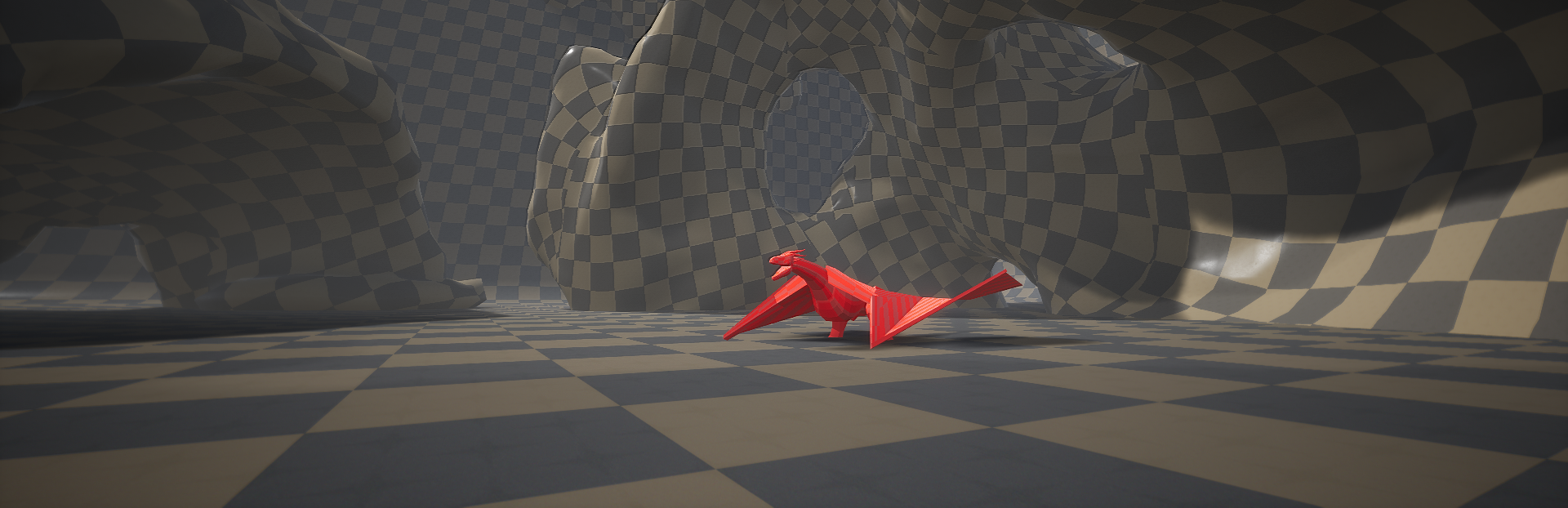
Dragon model & animation. Since a lot of people are asking about this: The model & animation are handled outside of the game’s editor/source code, it’s almost a separate project. It will be implimented as a replacement for the current model once it’s done. So it is being developed alongside the game updates. That is why you’re getting updates like this where the dragon model doesn’t appear much different. I’m estimating it will be ready at least 2-3 updates down the road. I plan on making a separate blog post + video highlighting the latest on this very soon.
Feedback
Please keep the feedback coming! I won’t stop working on this game until it’s awesome for as many of you as possible. Right now the servers may be a bit quiet, but that’s largely due to the regional and time zone spread. Long-term support was always the approach – eventually the population will solidify. Let’s stick with it!
See ya in the arenas, telekrex (lead dev)
Source
Changelog.gg summarizes and formats this update. How we read updates.