
Full notes
Full Sketchy Fables update
Read the full published notes in a cleaner layout. The original post stays linked below.
What changed
0 fixes1 addition0 changes0 removals
- UI and audio
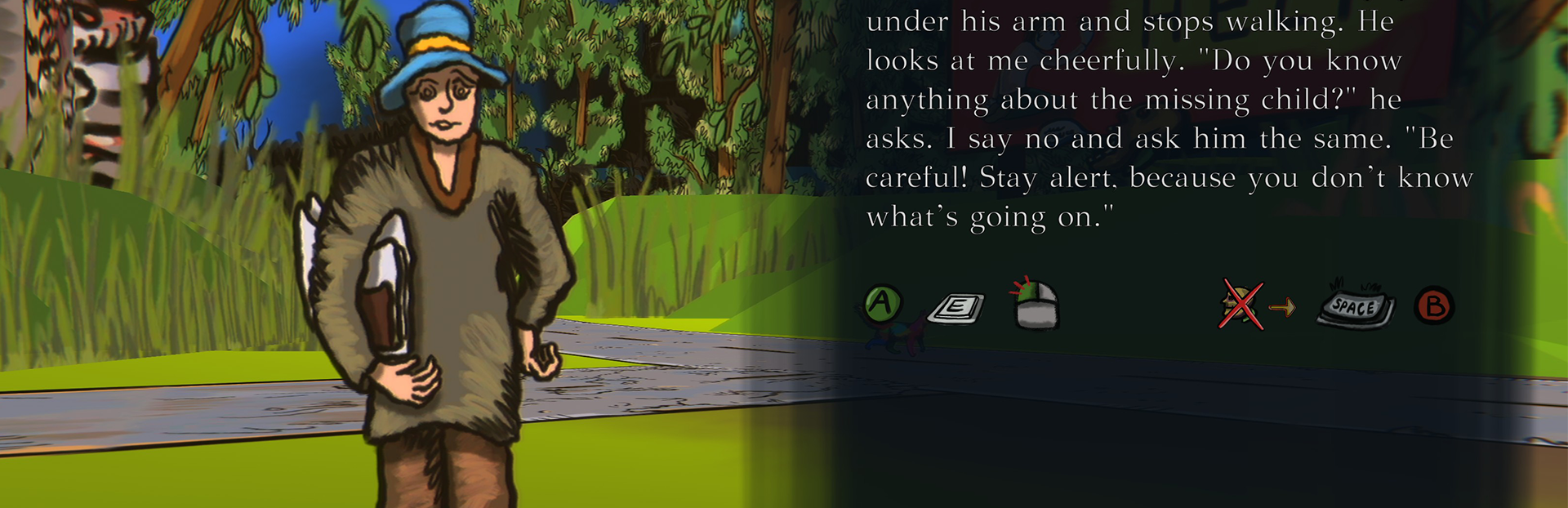
addedSteam post imageI updated the dialogue controls after player feedback. Dialogue can now be confirmed and continued with both the left mouse button and the E key on the keyboard.
Sketchy Fables changes
addedSteam post imageI updated the dialogue controls after player feedback. Dialogue can now be confirmed and continued with both the left mouse button and the E key on the keyboard.
Steam post imageI updated the dialogue controls after player feedback. Dialogue can now be confirmed and continued with both the left mouse button and the E key on the keyboard.
This small update should make conversations feel smoother, faster, and more natural to control.
Thanks for the feedback and for testing!
Source
Changelog.gg summarizes and formats this update. How we read updates.