
Full notes
Full RUMBLE BLAZING update
Read the full published notes in a cleaner layout. The original post stays linked below.
What changed
- Gameplay
- UI and audio
- Balance
RUMBLE BLAZING changes
We noticed a mistake during debugging—
I forgot to add a camera for the “punishment” scene after a match ends.
That said, there are fewer motions here compared to during the match. Especially since there are fewer intro, exit, and release animations, it shouldn’t take too much time.
For the past few days I’ve been working on this extra task, and about 90% is done— just one motion left to go.
So, while I originally planned the update for the 20th–25th, now that things are more concrete, I’ll be aiming for August 26th as the update date.
And there’s another addition: While debugging the new camera system, something really started bothering me.
…The UI is in the way!!
Because the new camera sometimes zooms in pretty close, things like the HP bar end up being really distracting.
I already made it possible to hide the command list, but I figured it would be better if the whole UI could be hidden. Since it’s not too hard to implement, I went ahead and added that feature too.
Now, you can hide the UI by pressing the L trigger on the controller. (It also works on keyboard.)
So with that, I’ll be working toward the 26th update release. Thanks for your patience!
Here’s a video compiling some of the debugging footage:
Oh, and while working on the camera, I stumbled across an unfinished “punishment” motion, so I added a prototype version of that as well.
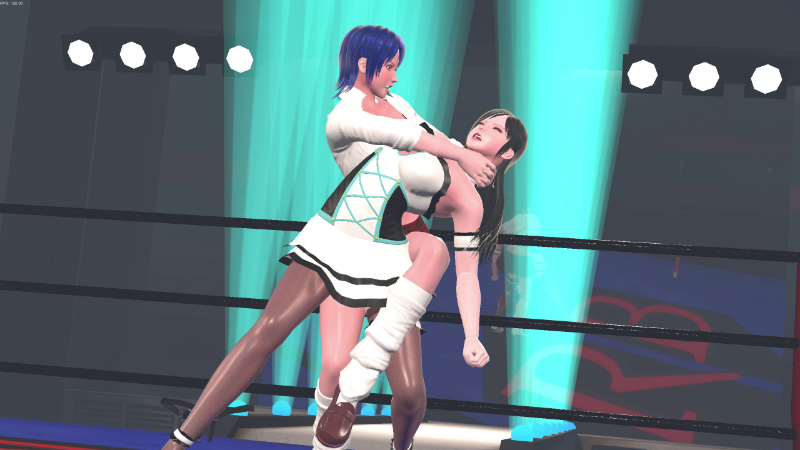
Finally, here are some screenshots taken during debugging— all showcasing the new camera angles. Steam post image Steam post image Steam post image Steam post image Steam post image Steam post image
More images and videos are available on Ci-en.
Source
Changelog.gg summarizes and formats this update. How we read updates.