What changed
0 fixes2 additions1 change0 removals
- Balance
- Compatibility
- Gameplay
changedLong time no see! The heat lately has been brutal. Recently, I’ve been going for walks early in the morning and around sunset to stay active and take care of my health. Also, food and nutrition are so important! I've been making sure to eat balanced meals and supplementing what’s lacking with vitamins. Thanks to that, I’ve been feeling great lately! DHA and citrulline supplements might actually be working pretty well for me. 😄 It looks like the hot weather will continue for a while, so please take good care of yourselves!
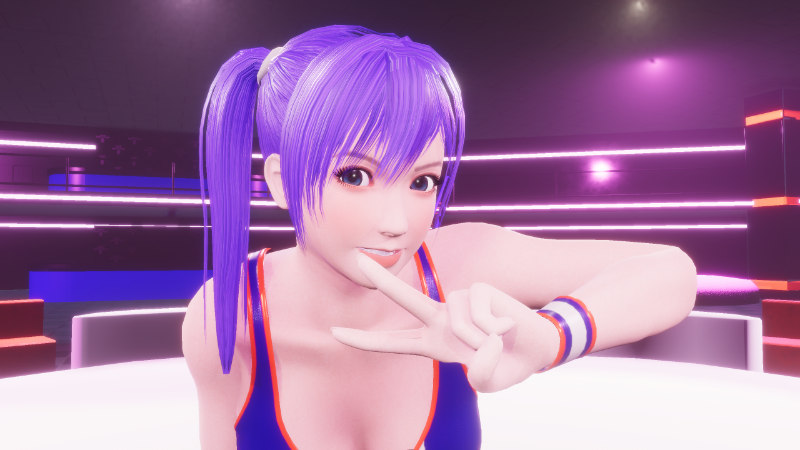
addedA Quick Progress UpdateI’ll go into more detail in the progress report at the beginning of August, but since I’ve reached a good stopping point, here’s a quick update. Earlier this month, I was working on creating a new system for axes and cameras. The camera system is now complete, and I’ve applied axis adjustments and added camera settings to all existing moves. Currently, there are about three more moves that need fine-tuning. After that, I’ll run some debugging and plan to release an update. Since the system has changed quite a bit, I’ll probably include the old version alongside the new one. The new one will likely be labeled as a “Beta Version.” If possible, I’d like to make use of Steam’s beta features too. Thanks for your patience! For now, here’s a video I posted on YouTube as part of the update. New Camera System This was during the prototype phase, so the camera was being changed using debug mode or the editor. Currently, it’s set to change with the W key on keyboard and RB on controller.
addedA Quick Progress UpdateSetting the New Camera in MAYA (a 3D modeling and animation tool)
RUMBLE BLAZING changes
changedLong time no see! The heat lately has been brutal. Recently, I’ve been going for walks early in the morning and around sunset to stay active and take care of my health. Also, food and nutrition are so important! I've been making sure to eat balanced meals and supplementing what’s lacking with vitamins. Thanks to that, I’ve been feeling great lately! DHA and citrulline supplements might actually be working pretty well for me. 😄 It looks like the hot weather will continue for a while, so please take good care of yourselves!
addedI’ll go into more detail in the progress report at the beginning of August, but since I’ve reached a good stopping point, here’s a quick update. Earlier this month, I was working on creating a new system for axes and cameras. The camera system is now complete, and I’ve applied axis adjustments and added camera settings to all existing moves. Currently, there are about three more moves that need fine-tuning. After that, I’ll run some debugging and plan to release an update. Since the system has changed quite a bit, I’ll probably include the old version alongside the new one. The new one will likely be labeled as a “Beta Version.” If possible, I’d like to make use of Steam’s beta features too. Thanks for your patience! For now, here’s a video I posted on YouTube as part of the update. New Camera System This was during the prototype phase, so the camera was being changed using debug mode or the editor. Currently, it’s set to change with the W key on keyboard and RB on controller.
addedSetting the New Camera in MAYA (a 3D modeling and animation tool)
Long time no see! The heat lately has been brutal. Recently, I’ve been going for walks early in the morning and around sunset to stay active and take care of my health. Also, food and nutrition are so important! I've been making sure to eat balanced meals and supplementing what’s lacking with vitamins. Thanks to that, I’ve been feeling great lately! DHA and citrulline supplements might actually be working pretty well for me. 😄 It looks like the hot weather will continue for a while, so please take good care of yourselves!
A Quick Progress Update
I’ll go into more detail in the progress report at the beginning of August, but since I’ve reached a good stopping point, here’s a quick update. Earlier this month, I was working on creating a new system for axes and cameras. The camera system is now complete, and I’ve applied axis adjustments and added camera settings to all existing moves. Currently, there are about three more moves that need fine-tuning. After that, I’ll run some debugging and plan to release an update. Since the system has changed quite a bit, I’ll probably include the old version alongside the new one. The new one will likely be labeled as a “Beta Version.” If possible, I’d like to make use of Steam’s beta features too. Thanks for your patience! For now, here’s a video I posted on YouTube as part of the update. New Camera System This was during the prototype phase, so the camera was being changed using debug mode or the editor. Currently, it’s set to change with the W key on keyboard and RB on controller.
Setting the New Camera in MAYA (a 3D modeling and animation tool)