
In this update5
Full notes
Full Rogue Wizards update
Read the full published notes in a cleaner layout. The original post stays linked below.
What changed
- Gameplay
- Maps
- UI and audio
- Fixes
- Performance
Rogue Wizards changes
Rogue Wizards v1.2.387
Magic can now be cast at anytime
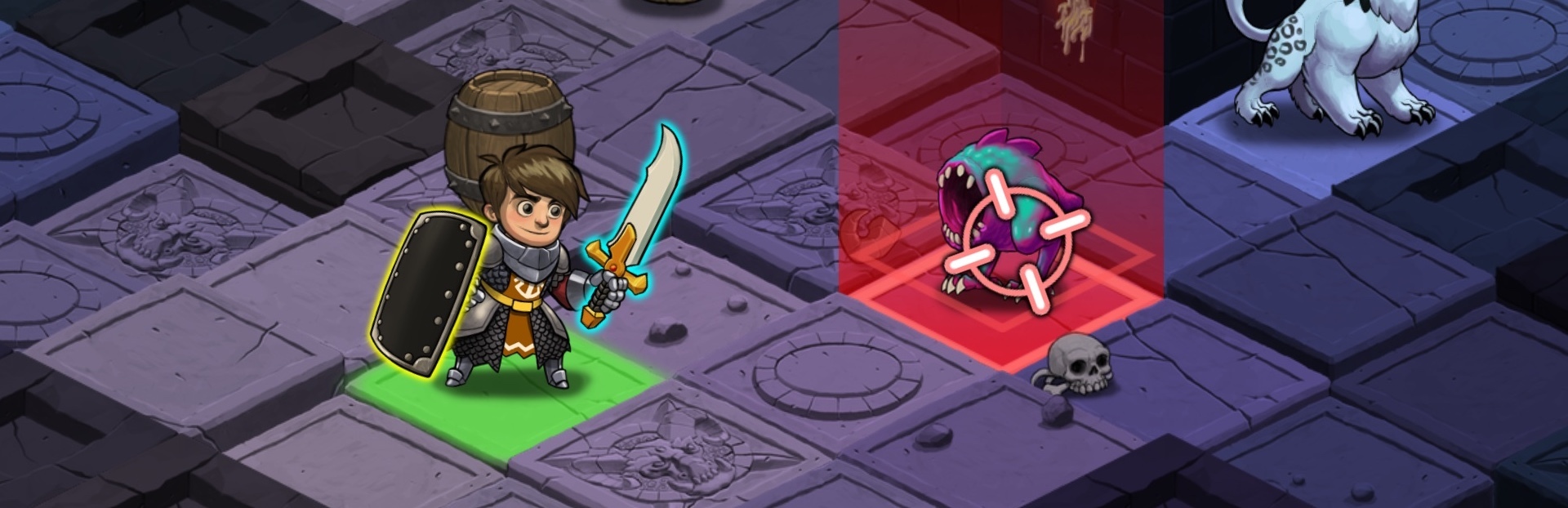
No need to ever equip the runes. This is the first step in making magic more interesting and relevant in the game. This is accomplished with the new two stage targeting mouse cursor or gamepad input support
Fabled Items now available to all.
Red Dragon / Silence Owl pet now available to all
Cursors Galore
Cursors are now dynamic and consistent size on all displays including 4K+ displays
Detailed Update Information
Features
Fabled magic items are now available for all players
Fire dragon pet now avaible for all players
Silence owl pet now available for all players
Spells no longer ever need to be equipped to be cast
Target required spells now use an animated two stage targeting mouse cursor when using mouse/keyboard or the gamepad smart/manual target selection
Added a "hand" mouse cursor during item drag and drop in inventory
Removed the hardware cursor, this is too small on Windows and ultra small on 4K+ displays of any platform
All mouse cursors are now done in software allowing for animation and are now a consistent size on all displays on all platforms
Added a "Out of Range" and "Blocked" mouse tooltip when hovering a target that you can't actually target a spell at for those reasons
In story mode, spell upgrades can now only be done at your tower. The character UI no longer has an element to access it at anytime.
Tweaked the gamepad sticks to make movement easier
Added a visual indicator of where a slight movement of the gamepad left stick will move the character in combat mode, pushing the stick further will actually execute the move
The camera can now be zoomed with the gamepad shoulder triggers
Gamepad right stick manual targeting is now possible while the bottom shortcut ui is up so you can target and select/change spells easily and then press A to cast at the target
Decreased the magic material drop rate
Fixes/Tweaks
Fixed not being able to use a wand via gamepad controls
Fixed infinite daggers when you did a level transition with dagger quantity of 1
Close from the options menu via gamepad now acts like "accept" instead of "cancel" for any button
Moved shop buyback button to other side of UI to make gamepad UI navigation easier
Hide close button on spellbook UI in gamepad mode
Tweaked the zoom and scroll settings of the full map ui
Auto target/select higher quality items over lower ones with gamepad auto/smart selection
Added audio for shortcut ui show/hide
Added audio feedback for cell selection during manual targeting
Decreased footsteps volume
Fix crash when wireless gamepad goes to sleep and is disconnected while playing
Fix cell selection graphics rendering on top of cavern walls in some instances
Better tooltip for experience and level on the character UI
Tweak the animation ease when moving from town building to building
Core
File system abstractions for porting to consoles
Gamepad input abstractions for porting to consoles
Upgrade to Unity 2020.1.2
Source
Changelog.gg summarizes and formats this update. How we read updates.