What changed
2 fixes0 additions1 change0 removals
- Gameplay
- UI and audio
- Fixes
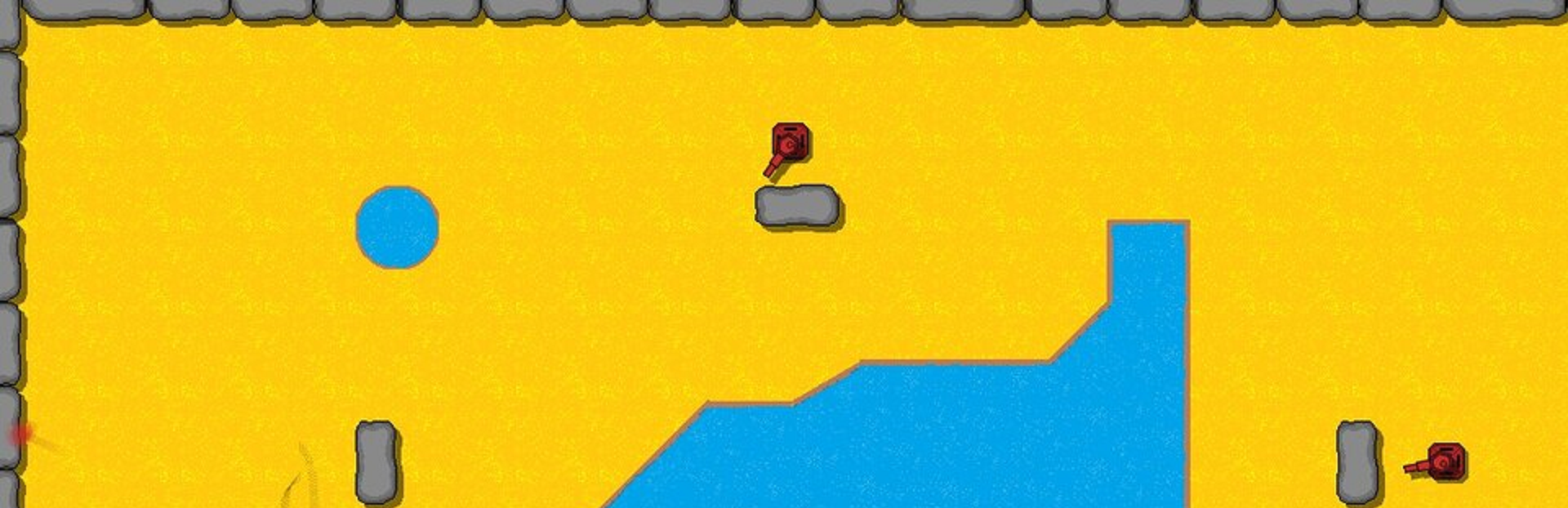
changedThis update brings shadows to nearly everything in the game: tanks, bullets, missiles, enemies, walls, upgrade cards, and text. More fixes are detailed below.
fixedGameplay Changes: - Made the invader and mole challenge rooms a little harder. - Changed the fire restriction after picking an upgrade to be based on time rather than re-clicking the mouse. This should still prevent firing immediately after picking an upgrade, but you can also hold the mouse button to continue firing as soon as possible. (This has no effect on gamepad controls) - Corrected mouse selection to only take effect when mouse is over the selected item, not just taking whatever menu item is highlighted (my bad, it should've been this way to begin with 😅).
fixedVisual Changes: - Every object is given a shadow, done by giving depth to each object, which meant I had to rewrite the pause function and test shadows weren't overlapping any way they shouldn't. This took some time. - Fixed P1 upgrade text display error on final level. - Fixed display timer for battle mode so it is offset, no longer covering P2's score. - Added Steam screenshot function (I didn't realize I had to add this code myself 😉)
Rogue Tanks changes
changedThis update brings shadows to nearly everything in the game: tanks, bullets, missiles, enemies, walls, upgrade cards, and text. More fixes are detailed below.
fixedGameplay Changes: - Made the invader and mole challenge rooms a little harder. - Changed the fire restriction after picking an upgrade to be based on time rather than re-clicking the mouse. This should still prevent firing immediately after picking an upgrade, but you can also hold the mouse button to continue firing as soon as possible. (This has no effect on gamepad controls) - Corrected mouse selection to only take effect when mouse is over the selected item, not just taking whatever menu item is highlighted (my bad, it should've been this way to begin with 😅).
fixedVisual Changes: - Every object is given a shadow, done by giving depth to each object, which meant I had to rewrite the pause function and test shadows weren't overlapping any way they shouldn't. This took some time. - Fixed P1 upgrade text display error on final level. - Fixed display timer for battle mode so it is offset, no longer covering P2's score. - Added Steam screenshot function (I didn't realize I had to add this code myself 😉)
This update brings shadows to nearly everything in the game: tanks, bullets, missiles, enemies, walls, upgrade cards, and text. More fixes are detailed below.
Gameplay Changes: - Made the invader and mole challenge rooms a little harder. - Changed the fire restriction after picking an upgrade to be based on time rather than re-clicking the mouse. This should still prevent firing immediately after picking an upgrade, but you can also hold the mouse button to continue firing as soon as possible. (This has no effect on gamepad controls) - Corrected mouse selection to only take effect when mouse is over the selected item, not just taking whatever menu item is highlighted (my bad, it should've been this way to begin with 😅).
Visual Changes: - Every object is given a shadow, done by giving depth to each object, which meant I had to rewrite the pause function and test shadows weren't overlapping any way they shouldn't. This took some time. - Fixed P1 upgrade text display error on final level. - Fixed display timer for battle mode so it is offset, no longer covering P2's score. - Added Steam screenshot function (I didn't realize I had to add this code myself 😉)