
Rezarus
Steam News 8 November 20256mo ago

Mouse Aiming Added!

Mouse Aiming While it was never intended for Rezarus to be played like a modern first-person game, maybe the best course of action is to allow users to choose between a more modern control set and the retro keyboard onl…

Update log

Full Rezarus update

The complete published notes, normalized for clean reading and source attribution.

Extracted changes

0 fixes2 additions1 change0 removals
  • Gameplay
  • Performance
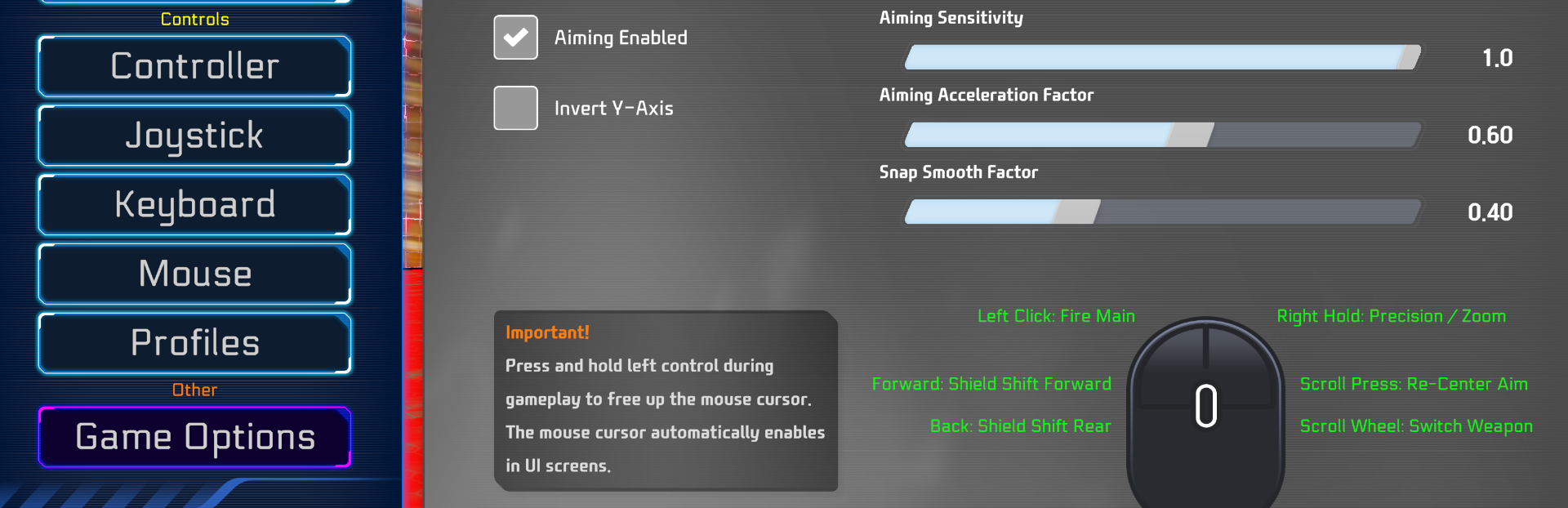
addedMouse AimingWhile it was never intended for Rezarus to be played like a modern first-person game, maybe the best course of action is to allow users to choose between a more modern control set and the retro keyboard only style mode. Thus, based on new user feedback, mouse control/aiming has been officially added to Rezarus for testing! It will be fine-tuned in the coming week based on player feedback.
addedDefault ConfigurationsThe new default configuration for new players, or config resets enables mouse aiming. If you do not wish to play with mouse aiming - you must disable it in the game's options under Mouse settings. Additionally, you may wish to rebind arrow key driving to WASD instead.
changedOther NotesAdditional updates include more performance improvements, particularly in the CPU bottlenecked Y2K and Low overall graphics quality modes. You may now also adjust the opacity of the game's HUD in the graphics settings. More arenas will be optimized for performance soon as well.

Mouse Aiming

While it was never intended for Rezarus to be played like a modern first-person game, maybe the best course of action is to allow users to choose between a more modern control set and the retro keyboard only style mode. Thus, based on new user feedback, mouse control/aiming has been officially added to Rezarus for testing! It will be fine-tuned in the coming week based on player feedback.

Default Configurations

The new default configuration for new players, or config resets enables mouse aiming. If you do not wish to play with mouse aiming - you must disable it in the game's options under Mouse settings. Additionally, you may wish to rebind arrow key driving to WASD instead.

Bindings

It's not yet possible to bind mouse buttons outside of their current defaults - this will become possible in a coming soon update once the Mouse Binder controller is finished.

Other Notes

Additional updates include more performance improvements, particularly in the CPU bottlenecked Y2K and Low overall graphics quality modes. You may now also adjust the opacity of the game's HUD in the graphics settings. More arenas will be optimized for performance soon as well.

Source

Steam News / 8 November 2025

Open original