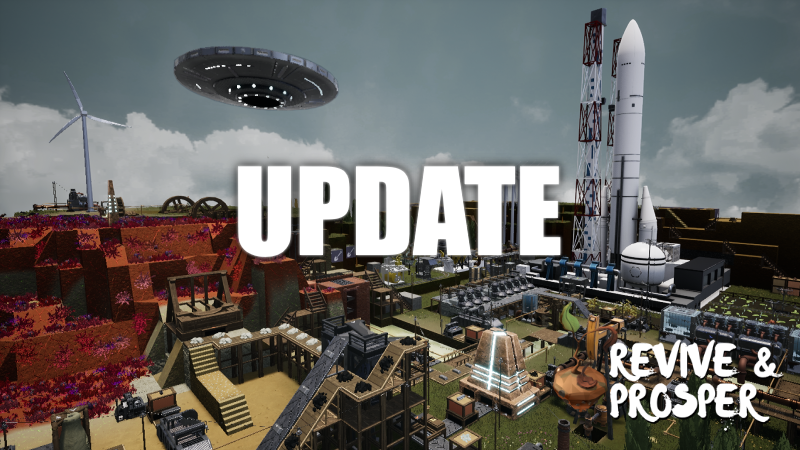
Hi Revivers, let me introduce you to the Overseer! What is the Overseer feature? Players have an inventory and can pick up items from the map, place items back onto the map, and store them inside buildings.
In this update4
Full notes
Full Revive & Prosper update
Read the full published notes in a cleaner layout. The original post stays linked below.
What changed
0 fixes0 additions3 changes0 removals
Maps
UI and audio
Balance
changedWhat is the Overseer feature?Players have an inventory and can pick up items from the map, place items back onto the map, and store them inside buildings. They can perform various tasks such as cutting trees, planting food, and constructing buildings. These actions take time, similar to the in-game characters. This feature works similarly to games like Factorio or Satisfactory but from a third-person perspective. It’s optional, and players can choose whether to enable it.
changedHow it worksYou can turn the feature on by clicking on the Hand icon in the bottom middle of the screen. After enabling it, you’ll see an inventory in this spot. You can use this tool either by clicking on the Hand button in the right window or by switching your cursor to the Overseer hand by pressing the Tab key and then performing actions while hovering over objects. Pressing keys 1-9 on an English keyboard selects slots in your inventory. You can delete items from your inventory by moving them into the bin.
changedBecoming a Super MutantWith the Overseer feature on, you’ll become part of the mutant crew – a super mutant who can reach any spot on the map, have a larger backpack capacity, and doesn’t need to sleep or eat. This feature is especially useful at the beginning of the game when you’re working towards automation. Once you manage job priorities for your crew, automate production lines, and construct excavators and trains, you won’t need to be as involved. This is an automation game, so remember that your goal is efficiency, even though it’s fun to build everything yourself. 🙂
Revive & Prosper changes
changedPlayers have an inventory and can pick up items from the map, place items back onto the map, and store them inside buildings. They can perform various tasks such as cutting trees, planting food, and constructing buildings. These actions take time, similar to the in-game characters. This feature works similarly to games like Factorio or Satisfactory but from a third-person perspective. It’s optional, and players can choose whether to enable it.
changedYou can turn the feature on by clicking on the Hand icon in the bottom middle of the screen. After enabling it, you’ll see an inventory in this spot. You can use this tool either by clicking on the Hand button in the right window or by switching your cursor to the Overseer hand by pressing the Tab key and then performing actions while hovering over objects. Pressing keys 1-9 on an English keyboard selects slots in your inventory. You can delete items from your inventory by moving them into the bin.
changedWith the Overseer feature on, you’ll become part of the mutant crew – a super mutant who can reach any spot on the map, have a larger backpack capacity, and doesn’t need to sleep or eat. This feature is especially useful at the beginning of the game when you’re working towards automation. Once you manage job priorities for your crew, automate production lines, and construct excavators and trains, you won’t need to be as involved. This is an automation game, so remember that your goal is efficiency, even though it’s fun to build everything yourself. 🙂
Hi Revivers, let me introduce you to the Overseer!
What is the Overseer feature?
Players have an inventory and can pick up items from the map, place items back onto the map, and store them inside buildings. They can perform various tasks such as cutting trees, planting food, and constructing buildings. These actions take time, similar to the in-game characters. This feature works similarly to games like Factorio or Satisfactory but from a third-person perspective. It’s optional, and players can choose whether to enable it.
How it works
You can turn the feature on by clicking on the Hand icon in the bottom middle of the screen. After enabling it, you’ll see an inventory in this spot. You can use this tool either by clicking on the Hand button in the right window or by switching your cursor to the Overseer hand by pressing the Tab key and then performing actions while hovering over objects. Pressing keys 1-9 on an English keyboard selects slots in your inventory. You can delete items from your inventory by moving them into the bin.
Becoming a Super Mutant
With the Overseer feature on, you’ll become part of the mutant crew – a super mutant who can reach any spot on the map, have a larger backpack capacity, and doesn’t need to sleep or eat. This feature is especially useful at the beginning of the game when you’re working towards automation. Once you manage job priorities for your crew, automate production lines, and construct excavators and trains, you won’t need to be as involved. This is an automation game, so remember that your goal is efficiency, even though it’s fun to build everything yourself. 🙂
V 0.15.11 Patch Notes
Can select production in a factory by clicking on the name of a product instead of checking a box.
Golem factory is now simplified to one production mode.
Beam from the sky points to a job done by the Overseer.
The Overseer can perform all the jobs a character can.
All resources mined, harvested, or dug by the Overseer are directly stored in the inventory.
The Overseer can take items from the ground and storage into the inventory.
The Overseer can delete items from the inventory.
The Overseer can produce items in factories.
The Overseer can build objects.
We hope you’ll enjoy the Overseer as much as we do. Let us know in the comments or on Discord!