v[1.1.005] New Products, New Store & Warehouse Expansions
1- New Products 5 new products have been added. Hats, bags, sunglasses, and watches.
Full notes
Full Retail Company Simulator update
Read the full published notes in a cleaner layout. The original post stays linked below.
What changed
2 fixes4 additions0 changes0 removals
Gameplay
UI and audio
Fixes
Store
added1- New Products5 new products have been added. Hats, bags, sunglasses, and watches. Steam post imageSteam post imageSteam post imageSteam post imageSteam post image
added4- Main Menu (Single Player and Multiplayer Buttons)Now there are two new buttons on the Main Menu: "Single Player" and "Multiplayer". You can switch your "Single Player" game mode to the "Online Co-op" mode while loading your save file anytime. Steam post image
added5- Thief and Cleaning"Thief" and "Cleaning" can be turned on or off just before you start a new game or before you load a save file. (As you know, you can still disable it in the Options - Gameplay settings.)
fixed5- Thief and CleaningFixed X-button not working on the Desktop-Customer Reviews
addedHere is my new game, Sporting Goods Shop[dynamiclink href="https://store.steampowered.com/app/3653250/Sporting_Goods_Shop/"] Please add to your wishlist to get notified when it's released ;)
Retail Company Simulator changes
added5 new products have been added. Hats, bags, sunglasses, and watches. Steam post imageSteam post imageSteam post imageSteam post imageSteam post image
addedNow there are two new buttons on the Main Menu: "Single Player" and "Multiplayer". You can switch your "Single Player" game mode to the "Online Co-op" mode while loading your save file anytime. Steam post image
added"Thief" and "Cleaning" can be turned on or off just before you start a new game or before you load a save file. (As you know, you can still disable it in the Options - Gameplay settings.)
fixedFixed X-button not working on the Desktop-Customer Reviews
5 new products have been added. Hats, bags, sunglasses, and watches. Steam post imageSteam post imageSteam post imageSteam post imageSteam post image
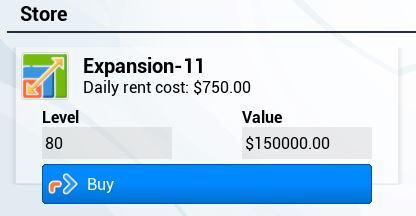
2- New Store Expansion
3- New Warehouse Expansion
4- Main Menu (Single Player and Multiplayer Buttons)
Now there are two new buttons on the Main Menu: "Single Player" and "Multiplayer". You can switch your "Single Player" game mode to the "Online Co-op" mode while loading your save file anytime. Steam post image
5- Thief and Cleaning
"Thief" and "Cleaning" can be turned on or off just before you start a new game or before you load a save file. (As you know, you can still disable it in the Options - Gameplay settings.)
Fixed X-button not working on the Desktop-Customer Reviews