
Full notes
Full Raw Metal update
Read the full published notes in a cleaner layout. The original post stays linked below.
Repeated intro
Hey Scavengers!
What changed
- Gameplay
- UI and audio
- Balance
- Security
- Performance
- Fixes
Raw Metal changes
We've got one last major update for ya before we move onto our next game! Sorry for the wait. Watch the devlog for a quick rundown of all the new stuff!
New Animations
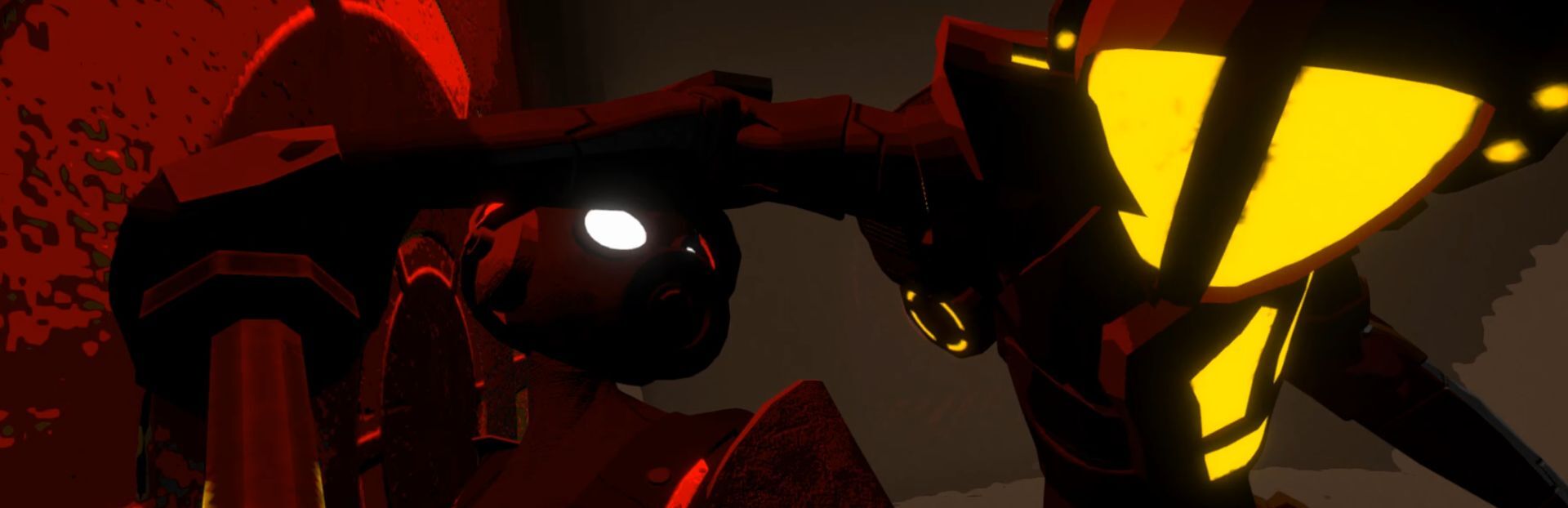
We felt the existing six combat start animations were a bit repetitive, so I took the time to make some more and ended up doubling the number of takedowns! Not only that, but all of the new animations are environmentally contextual, meaning they've been carefully animated and placed to interact with walls, tables, closing bulkheads, and just about anything else that's solid.
Steam post imageSteam post imageSteam post imageSteam post image
We're really happy with how these turned out, and they're sure to add a lot of variety to the gameplay loop even if it's only flair. I spent a long time animating, placing, and adjusting the frequency of these cutscenes to provide the best experience, so I hope you enjoy!
New Features
Added a screen that displays after you get scrapped, before returning to the title screen. We felt like there was a bit of a gap in the game in this department; players were abruptly booted to the title screen without their gear after losing, and this could be quite jarring. A lot of people’s first reaction to this would be “oh, it’s a roguelike,” especially if they lost before reaching the first contraband station or just didn’t realize what it was for beyond being a special-lookin’ loot chest. We hope this new screen will make things more clear to new players and provide some quality-of-life improvements to everyone.
The level you lost on is displayed, and an animation shows your gear being taken to the contraband station.
Some information about how far you got, how many guards you KO’d, etc. is displayed, similar to on the screen that appears when you extract successfully.
You can choose to immediately head back to any level you have unlocked directly from this screen, similar to the title screen’s quick start option, or you can return to the title screen like before if you want to gear up.
To keep in line with the level select UI used in the new Scrapped screen, we have removed the old UI for selecting your starting level which displayed when highlighting the “New Run” or “Quick Start” buttons and added a separate level select screen that appears either immediately after selecting “Quick Start” or after you have geared up.
Added a lightly pulsating vignette effect that appears when sneaking.
Added some new features and polish to the enemy health bars.
Added an element layered behind the normal health bar that displays when the enemy takes permanent damage, similar to the element that shows normal damage.
Health bars now shake slightly when taking permanent damage.
Sneak attack damage is now dealt in sync with an attack in the sneak attack animation—that is, after the health bar has already appeared, so that you can clearly see the damage being done, as previously it could be difficult to gauge the actual damage of sneak attacks.
A “Mission Success” screen now appears after beating the game so that you can see your stats like you usually can after extracting. The stats shown here are totals for your entire save rather than just for the current attempt. In addition to total values for all the stats that are normally displayed on the Escape Success screen, the following stats are displayed (note that these totals and new stats were not tracked in previous versions of the game, so they will be inaccurate for any saves started prior to this update):
Successful Extractions
Times Scrapped
Favorite Gear: The piece of gear you equipped for the longest amount of time.
Total Gear Investment: The amount of grymite invested into improving your gear by repairing or upgrading it.
Total Gear Value Lost: The sum value of all gear that you lost. If you retrieve lost gear from the Contraband Station, it won’t contribute to this total.
Total Haul Value: The sum of the value of all owned gear plus your owned grymite.
Added the following new style meter actions:
Auditory Provocation (angering an enemy by using a noisemaker in combat, making them attack immediately): 40 points
Concussion Grenade: 30 points (per enemy hit)
Concussed (when the player is hit with a Concussion Grenade): -30 points
Trapped Enemy (with an Electromagnet): 75 points
Trapped (when the player gets trapped in an Electromagnet): -75 points
Taser Parry (when the player parries an enemy’s taser dart): 100 points
Added a new Reset All Data option to the Data tab of the Options menu that resets all data excluding settings (the previous reset button, which keeps your unlocked tips & tutorial completion status, has been renamed to Reset Progression). Also added a Reset Settings button that resets all settings to their default values.
Added controller rumble. This feature can be toggled in the Controls tab of the Options menu. Keep in mind this feature may not work with all gamepads.
You can now replenish the armor of your owned gear in the Hideout menu accessible from the title screen for 150% the cost that it would be at the forge.
Adjustments
Improved the tutorial level by removing excess popups and text and adding clarification to certain concepts.
Prevented the player from targeting security cameras during combat since they are already disabled.
Removed the progression difficulty setting that controlled whether you are reset to the start of the current Sublevel, Layer, or to the surface, as it felt redundant with the new loss screen and caused some complications. To keep the Story Mode preset functioning the same, we’ve made it so that you will automatically restart the current Sublevel when you get scrapped if the “require keycard to extract” and “lose items when scrapped” settings are both disabled, since in that case there’s little functional difference between automatically retrying the level and having to choose to do so on the loss screen. You lose out on the option to quickly start from another level without extracting first, but we felt it was important to preserve the simplicity of Story Mode’s gameplay loop.
Some wording changes on the title screen. Notably, we’ve changed “New Run” to “Gear Up” which communicates its function better at a glance.
Changed the Quick Start button to always be available once you have started a save file, and made the Gear Up button be hidden unless you have some gear in your hideout (previously, the Quick Start button was hidden if you didn’t have any grymite or gear).
Increased the text scrolling speed for the title screen menu button descriptions.
Made the fade to black when skipping the tutorial significantly faster.
Changed tear module visual effect.
Increased style points multiplier on Normal and Easy combat difficulty presets.
All boss intro and phase 2 cutscenes can now be skipped.
Adjusted text spacing on the Escape Success screen (also applies to the new Mission Success screen).
Improved the way that combat initiation cutscenes are selected when starting combat.
Increased animation speed of bulkhead doors closing when certain combat initiation cutscenes are played.
Adjusted the animation of special bulkhead doors in Layer 3.
Minor adjustments to how the camera moves during the transition out of a combat initiation cutscene and during combat in general.
Improved manual camera movement.
Made additional guards (those that are present in combat but are not the main guard combat was initiated with) have an extra ~1.5s of attack cooldown time at the start of combat.
Increased the style points gained when hitting an enemy with a taser dart to 50 points.
Gear balance adjustments:
Decreased Grymite Boots’ and Grymite Gauntlets’ grymite cost effect.
Increased Bare Suit’s base dodge invul time effect, decreased its max effect slightly, and decreased its upgrade cost.
Changed Low Profile Armor’s effect from a guard sight range decrease to a detection rate decrease, adjusted its effect value, and decreased its upgrade cost. The effect is now always applied (previously was only while not running), but the effect is lessened when not sneaking. Also increased the number of weight mod slots from 2 to 3.
Changed Stealth Mesh Hood’s effect from a detection rate decrease to a guard sight range decrease, adjusted its effect value, and decreased its upgrade cost. This effect is more noticeable off the bat and is intended to make the HP decrease a more viable tradeoff.
Made it so Loading Brace’s effect always applies but is much stronger in fights with multiple enemies, and adjusted the effect value slightly.
Increased the effect of Ergonomic Shoes.
Slightly decreased the max effect of Streamlined Helmet as it was on the edge of increasing the dodge distance to an inconvenient degree and was too strong when combined with certain other items.
Changed Multi-Threat Targeting System and Lockdown Boots’ effects so that they apply per enemy in combat, rather than per additional enemy/vs. multiple enemies respectively. This change gives these items utility in 1v1 battles, making them viable for a wider range of builds and giving them a purpose in boss fights. As Lockdown Boots’ effect now increases cumulatively per enemy, its max effect has been decreased. Also increased the base effect value of Multi-Threat Targeting System.
Changed the effects of Warhead Gauntlets and Warhead Boots. They now both create an explosion that can hit multiple enemies in a large area when using the corresponding running attack, with the gauntlets creating a longer cone in front and the boots creating a circular blast. The blasts created by Warhead gear deal a significant amount of permanent damage to the enemy directly hit by the attack, and a smaller amount to enemies hit by the blast but not the hitbox of the attack itself. Additional knockback is also applied.
Increased base effect and decreased max effect of Rage Plate.
Added visual and sound effects for when Emergency Shock Rig’s effect activates.
Put a cap on the duration of dodge invulnerability. The way this works is that the invulnerability will be forcefully deactivated when you start an attack or another dodge (clarification: dodge invulnerability does not start instantly upon dodging, so this change does not cause subsequent dodges to lack invulnerability). Previously, it may have been possible to extend your dodge invulnerability duration using gear effects to the point where you could be permanently invulnerable by spamming dodge, particularly on Easy combat difficulty. Rather than putting a hard cap on the total time the dodge invulnerability can last, this change still allows you to become nigh-untouchable with the right build, but prevents total trivialization of the combat system.
Adjusted the curve that controls how quickly guards detect you to prevent decreased guard sight range effects from also decreasing detection speed.
Changed the increase in the volume of noise you make when moving through water from a multiplier to an additive, and made the amount by which it increases your volume lower when you are sneaking.
Removed doppler effect from all character voices to prevent unwanted pitch anomalies.
When playing on New Game+, Forgekeeper Lyla now drops gear that can otherwise only be obtained from bosses.
Changed Concussion Grenade sound effect.
Enemies who are in the process of being teleported with a Tear Module can no longer be targeted (for attacks and the taser) and can’t be hit by other Tear Modules until the teleportation is complete.
When one or both of the “Require Access Card to Extract” or “Lose Items When Scrapped” options are disabled, selecting “Gear Up” or “Quick Start” on the title screen will allow you to keep your gear and grymite from your current run, sending them back to the hideout. Also, the “Gear Up” button will become available if you have an in-progress run where you have gear/grymite, even if your hideout is empty, since you will be able to equip those items after they are sent back to the hideout.
Adjusted stick deadzone for navigating menus with a gamepad.
Toned down fog in boss training arenas.
Hid the heat indicator of a certain enemy.
Changed the input for interacting with audio logs from the kick input to the punch input.
Updated engine version.
Minor optimizations.
Bug Fixes
Fixed a bug where at certain points in the tutorial, such as when a popup appeared, the player’s input would get zeroed out and would not be updated properly, requiring the player to release their current inputs and press them again to continue what they were doing.
Fixed certain buttons not changing their text color correctly when being highlighted.
Fixed the “Effect Details” button prompt being displayed while gearing up or in the inventory when no gear was highlighted.
Fixed the camera getting stuck when transitioning out of a combat cutscene while using Manual camera mode.
Fixed the camera not returning to its stealth behavior when skipping the tutorial while in combat.
Fixed portions of a certain boss’ model being rendered with the dithering effect that is meant to display when a character is hidden behind an object even when they weren’t behind anything.
Fixed a certain boss transitioning between states rapidly when electrocuted.
Fixed a certain boss sometimes getting stuck in place when the player was trapped in an electromagnet.
Ensured that electromagnets that would intersect a bulkhead door have their visual effect hidden along with their model when combat starts.
Prevented guards trapped in electromagnets that would intersect a bulkhead door from staying active when combat starts.
Fixed a bug that caused the camera to sometimes be placed incorrectly in the intro cutscene.
Ensured that, in all cases where the screen fades to black, the screen fully fades out before moving on to the next action e.g. loading a level.
Fixed overlapping text when descending to the next Sublevel while the item pickup list still had items displayed.
Prevented seeing inside the bulkhead door meshes when the doors are opening after combat.
Fixed inconsistency in the alpha fading of elements in the elevator HUD across different resolutions.
Fixed a bug where, when starting a New Game or New Game+ without changing any of the difficulty settings from the default presets, the difficulty settings would not be saved, instead retaining whatever settings you had before starting the New Game/NG+.
Lyla’s hammer no longer mysteriously vanishes partway through a certain cutscene.
Fixed a bug where, when a combat initiation cutscene caused a character to be placed on an Electromagnet, the character would freeze in place, unable to act, at the end of the initiation.
Fixed a bug where, when combat ended, guards outside of that combat encounter trapped in an Electromagnet would not play the trapped animation.
Fixed a bug where pressing the cancel input (i.e. Escape on keyboard, B or Circle on gamepad) while the warning dialog for resetting your game data or overwriting a control scheme would close the options menu rather than the warning dialog.
Fixed bugs involving discrepancies between the processes that would occur when completing the tutorial vs. when skipping it using the “Skip Tutorial” option in the pause menu.
Adjusted the condition for Emergency Shock Rig activating so that it will no longer activate when hit with non-damaging attacks while already at 1 HP.
Fixed sound effect timing on a particular combat initiation cutscene.
Additional hit points added on lower combat difficulties now display correctly while gearing up.
Ensured that when the primary target changes during combat, enemy health bars are properly swapped while maintaining their visual state.
Ensured that the auto-dodge/auto-parry indicator always is displayed when it should be.
Prevented enemies from being pushed out of their proper positions by phantom collision during combat initiation.
Fixed a bug where guards’ sight indicators would briefly become visible in certain situations when the player wasn’t visible, such as when ending combat or loading a level.
Fixed inconsistencies in input when using the D-Pad to navigate menus.
Fixed guards playing the wrong “work” animation when combat ends.
Fixed animation transition errors with certain guard animations, which would sometimes cause a sneak attack cutscene to play out of sync.
Adjusted how the default game resolution is picked to be more accurate.
Prevented repeatedly pressing buttons on the title menu.
Thanks so much for all your support as always, Scavengers. We'll see you in the next game!
Corrigan
Source
Changelog.gg summarizes and formats this update. How we read updates.