
Full notes
Full PixPhys update
Read the full published notes in a cleaner layout. The original post stays linked below.
What changed
- Compatibility
- Gameplay
Greeting
Hello Engineers! This is the promised development log, in which we assume and possibly what we have managed to do since the beginning of the development of PixPhys BETA (development began on April 8) and what our plans are. Also at the end of the post, you must apply for participation in closed beta testing.
I would like to note that we have finished making the main "skeleton" of the game, and at present we are filling it with game content: we are restoring the game content of the upgraded version and developing new gameplay features.
Editors
We're especially focusing on editors, as they're the main places where you'll spend your time designing insane devices.
Transport editor
The appearance of the transport editor now looks like this: And Toybox has been completely redesigned: At the moment, there are 77 different characteristics in the game, which are divided into several categories: aerodynamics, decorative, displays, explosives, lighting, fluids, propulsion, mechanics, sensors.
The toolbar has been improved:
Socket Editor
As you know from the publication that was published earlier, the logic system has turned into a socket editor. In the socket editor, you can find two types of nodes:
Dependent
Independent
Dependent nodes are those nodes that belong to the created prop in the transport editor. Independent, respectively, are those nodes that do not belong to props, they can be created through a special menu of a special node. At the moment, there are over fifty unique nodes in the game. Most of them were added according to your wishes. Full list of independent nodes:
Press (mathematics)
Add (Math)
Add (Vector)
AND (logic)
Angle (Vector)
In (String)
Character (String)
Clamp (Math)
Clock Generator (Utils)
Concat (string)
Contains (string)
Counter (Utils)
Delay (Utils)
Delta (mathematics)
Distance (vector)
Divide (Math)
Divide (Vector)
Point (Vector)
Ends with (String)
Equals (Comparison)
Equals (Vector)
Equals (string)
Extender (Utils)
Function (x, y, z) (Math)
Greater Than (Comparison)
Length (string)
Lerp (mathematics)
Lerp (Vector)
Less (Comparison)
Value (vector)
Multiplication (mathematics)
Multiplication (vector)
Negative (Math)
Normalized (vector)
NOT (logic)
OR (logic)
Analysis (string)
Perpendicular (vector)
Strength (mathematics)
Pulse (Utilities)
Randomizer (Utilities)
Reading (Composite)
Reflection (Vector)
Replace(String)
Root (mathematics)
Round (Math)
Divide (Vector)
Sqr value (vector)
Starts with (String)
Subtraction (mathematics)
Subtract (vector)
Switch block (Utils)
Threshold (Comparison)
To string (String)
Toggle (Utilities)
Vector (Vector)
Write (Composite)
XOR (logic)
You can also choose 4 styles for displaying links for the editor in a running game:
- Basic:
- Axis:
- Linear:
- Curved:
Fuel system
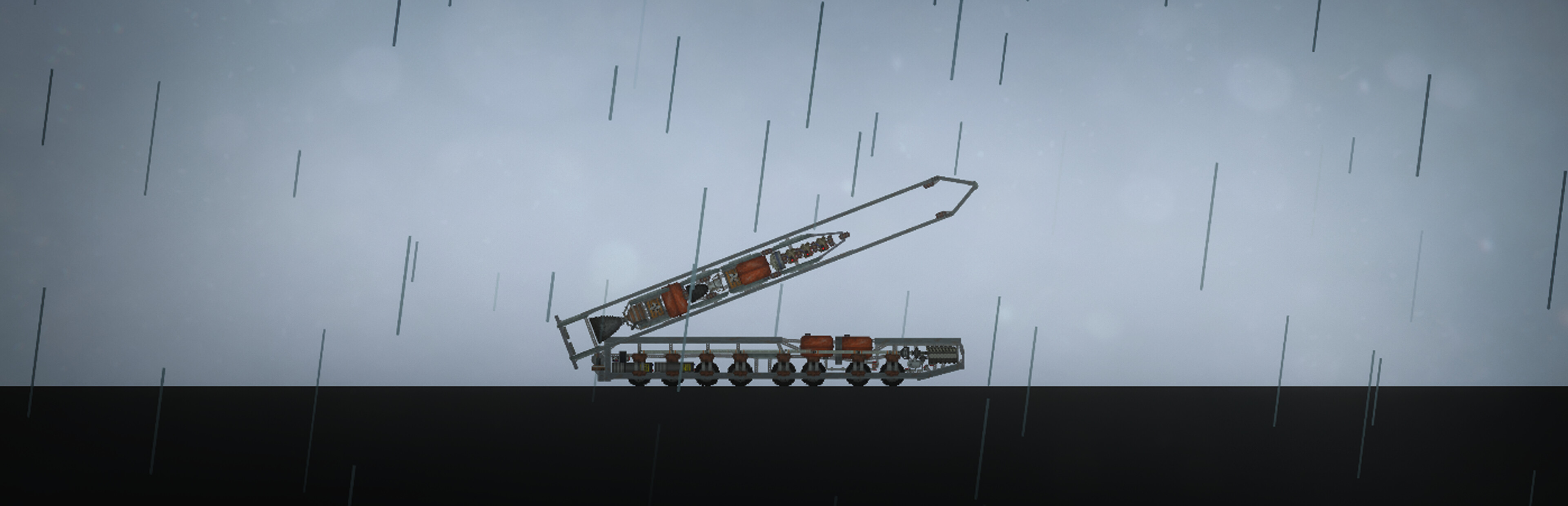
Now, in order to start the engine, you will probably need its fuel. In the screenshot above, you can see the fuel tanks that connect to the rocket engine through a separator to connect these 3 components to each other, which are routed by themselves, using solid collision joints.
Temperature
The temperature system has been introduced into the game. Now objects are warmed up from phenomena with emissions and energy emissions.
Some materials may ignite due to high temperatures:
Weather conditions
In the new version, we decided to work out the liveliness of the world. The first step was to add the weather. Now, in addition to changing the time of day, the weather cycle is changing, which includes precipitation and nebula.
Testing
At
Source
Changelog.gg summarizes and formats this update. How we read updates.