
Full notes
Full Pixel Poops update
Read the full published notes in a cleaner layout. The original post stays linked below.
What changed
- UI and audio
- Performance
- Store
- Events
Pixel Poops changes
What is Pixel Poops 64?
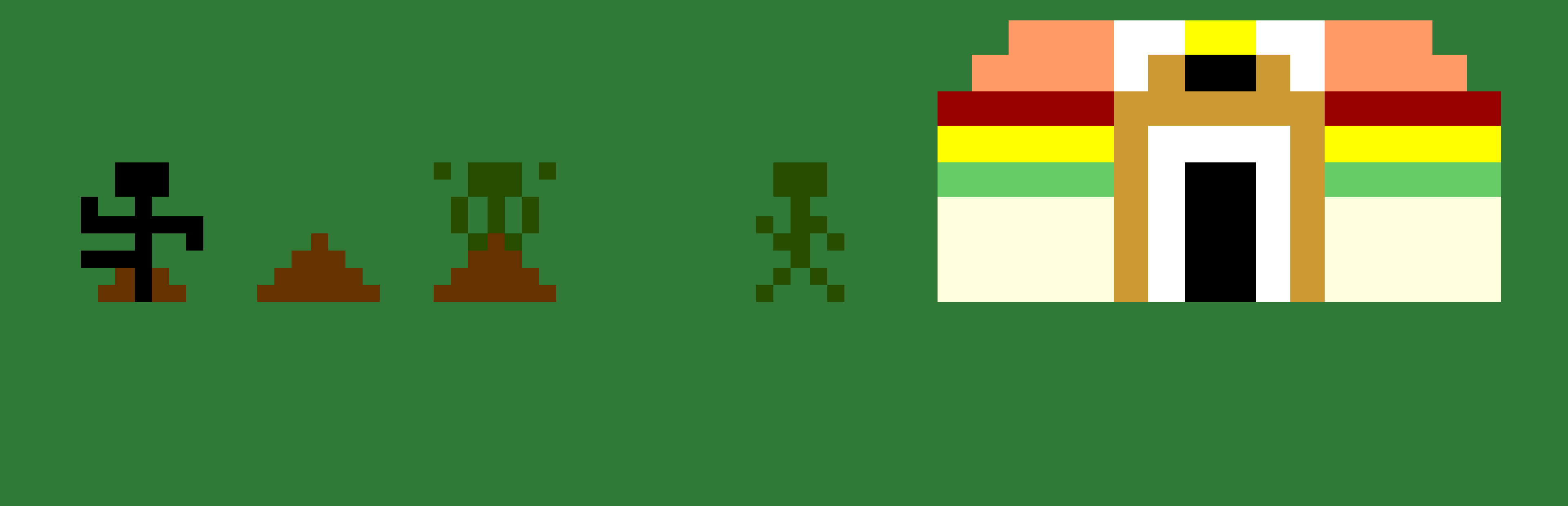
Developed exclusively for Commodore 64, Pixel Poops 64 is a reimagining of Pixel Poops that plays somewhat differently. It features brand-new graphics, sound effects, and music, and it's got some pretty fast action, especially when things speed up! I hope you enjoy this brand-new game running on 30+ year old hardware!
Getting Started (Windows)
When you launch Pixel Poops on Steam, if you also own Pixel Poops 64, a menu will appear asking you which game you wish to play. Choose either “Play Pixel Poops 64 (higher quality)” or "Play Pixel Poops 64 (faster performance)". The VICE emulator will launch and automatically load Pixel Poops 64; please allow approximately 20 seconds for the game to load. You’ll then proceed to the title screen.
At this time, it’s strongly recommended to go to Settings > Settings... > Input devices > Joystick (HQ version), or Settings > Joystick settings (performance version), and configure your keyboard or gamepad the way you like. Or you can use the default controls: arrow keys to move and Z to poop.
Finally, press LEFT or RIGHT to change the characters' skin color, if you wish. Press the button to begin.
Getting Started (Mac): See below.
Controls
Joystick Port 2 Up/Down/Left/Right: Move around Joystick Port 2 button: Poop Space Bar: Reset game (this cannot be disabled, sorry)
How To Play
Objective: Get the highest score possible by trapping the advancing joggers in your poops!
You begin the game with 20 food, and a desire to stop motivated joggers from meeting their fitness goals. Use the joystick to move around. Press the button to poop. Each poop costs 1 food to make, but unlike the original Pixel Poops, there is only one size of poop in this game. You can poop at any time, except when you're standing on a poop already, or your food is at 0.
Joggers will enter the screen from either the left or right side, and will attempt to jog across the entire length of the screen. If they encounter a poop before they get there, they'll first slow down, then disappear into the poop. A few seconds after this happens, that poop will disappear.
Joggers are also your food source. They'll drop food occasionally, and you'll want to pick it up. Each item you pick up is worth 1 food. Joggers cannot drop food if they're currently falling into a poop.
Every so often, a giant boulder will appear and roll from one side to the other. It is harmless to the joggers, but it will flatten you for a short time. You won't be able to move while you're flat. Hold the joystick in one or more directions to shorten the amount of time that you're stuck.
If a jogger is able to escape the screen, you will lose one "miss." You begin the game with 5. The game ends when your "misses" are gone.
Tips/Issues
Food appears more frequently when you're running out, so don't feel like you have to stockpile it.
When touching poop, joggers slow down first, before they get eliminated. If the poop disappears in between the two events, the jogger will remain in the slowed-down state. Watch out for this!
Be careful about eliminating joggers immediately as they enter the screen. If you do this, they can't drop any food.
Only the joggers wearing blue and orange shirts will drop food.
You may notice that the player speed seems to speed up and slow down
Source
Changelog.gg summarizes and formats this update. How we read updates.