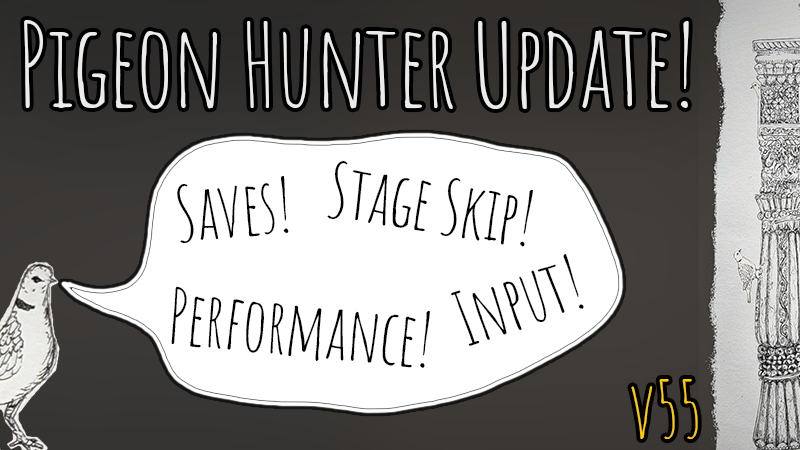
First of all, a big thank you to everyone who's taken the time to play the game. We've thoroughly enjoyed reading the reviews and have listened to lots of your feedback.
Full notes
Full Pigeon Hunter update
Read the full published notes in a cleaner layout. The original post stays linked below.
What changed
2 fixes2 additions3 changes0 removals
Fixes
UI and audio
Maps
Gameplay
Performance
Compatibility
fixedFirst of all, a big thank you to everyone who's taken the time to play the game. We've thoroughly enjoyed reading the reviews and have listened to lots of your feedback. In our first big update we've addressed:
changed💾 A save system! If you haven't quite found all the animals and need to stop, don't fret. Your progress now saves and if actually wanted to start again there's always the reset button in the menu.
changed➡️ A skip system! Really can't find that last pigeon and it's driving you crazy? Just bring up the menu and click skip and it will unlock the next stage. Think that's boring? Click any locked stage 10 times from the menu to force unlock it.
added🕹️ Additional controls! If the traditional "click & drag" and mouse control system isn't for you, we’ve added: WASD / Arrow Keys to pan. Q & E / +/- to zoom.
fixed📈 Performance improvements! Fixed the stuttering issues caused by rapid clicking. V-Sync is now enabled by default to eliminate screen tearing and stabilize frame rates.
added🎮 Steam deck support! We've added Steam Deck controller integration and an official scheme! (For some currently unknown reason you may need to manually specify a proton version for it to download and run)
Pigeon Hunter changes
fixedFirst of all, a big thank you to everyone who's taken the time to play the game. We've thoroughly enjoyed reading the reviews and have listened to lots of your feedback. In our first big update we've addressed:
changed💾 A save system! If you haven't quite found all the animals and need to stop, don't fret. Your progress now saves and if actually wanted to start again there's always the reset button in the menu.
changed➡️ A skip system! Really can't find that last pigeon and it's driving you crazy? Just bring up the menu and click skip and it will unlock the next stage. Think that's boring? Click any locked stage 10 times from the menu to force unlock it.
added🕹️ Additional controls! If the traditional "click & drag" and mouse control system isn't for you, we’ve added: WASD / Arrow Keys to pan. Q & E / +/- to zoom.
fixed📈 Performance improvements! Fixed the stuttering issues caused by rapid clicking. V-Sync is now enabled by default to eliminate screen tearing and stabilize frame rates.
First of all, a big thank you to everyone who's taken the time to play the game. We've thoroughly enjoyed reading the reviews and have listened to lots of your feedback. In our first big update we've addressed:
💾 A save system!
If you haven't quite found all the animals and need to stop, don't fret. Your progress now saves and if actually wanted to start again there's always the reset button in the menu.
➡️ A skip system!
Really can't find that last pigeon and it's driving you crazy? Just bring up the menu and click skip and it will unlock the next stage. Think that's boring? Clickany locked stage 10 times from the menu to force unlock it.
🕹️ Additional controls!
If the traditional "click & drag" and mouse control system isn't for you, we’ve added:
WASD / Arrow Keys to pan.
Q & E / +/- to zoom.
📈 Performance improvements!
Fixed the stuttering issues caused by rapid clicking. V-Sync is now enabled by default to eliminate screen tearing and stabilize frame rates.
🎮 Steam deck support!
We've added Steam Deck controller integration and an official scheme! (For some currently unknown reason you may need to manually specify a proton version for it to download and run)
To check you have the latest version, open the options menu and the bottom right corner should say version 55 or higher.
We really hope these quality of life updates help you enjoy the game more. We're very keen to fix any bugs or issues, so if you find any please report them with the in game feedback form, or post on the steam discussion board.