
Full notes
Full Penkura update
Read the full published notes in a cleaner layout. The original post stays linked below.
What changed
- Gameplay
- Performance
- UI and audio
- Maps
Penkura changes
Dev-Com
Welcome, members of the Accord!
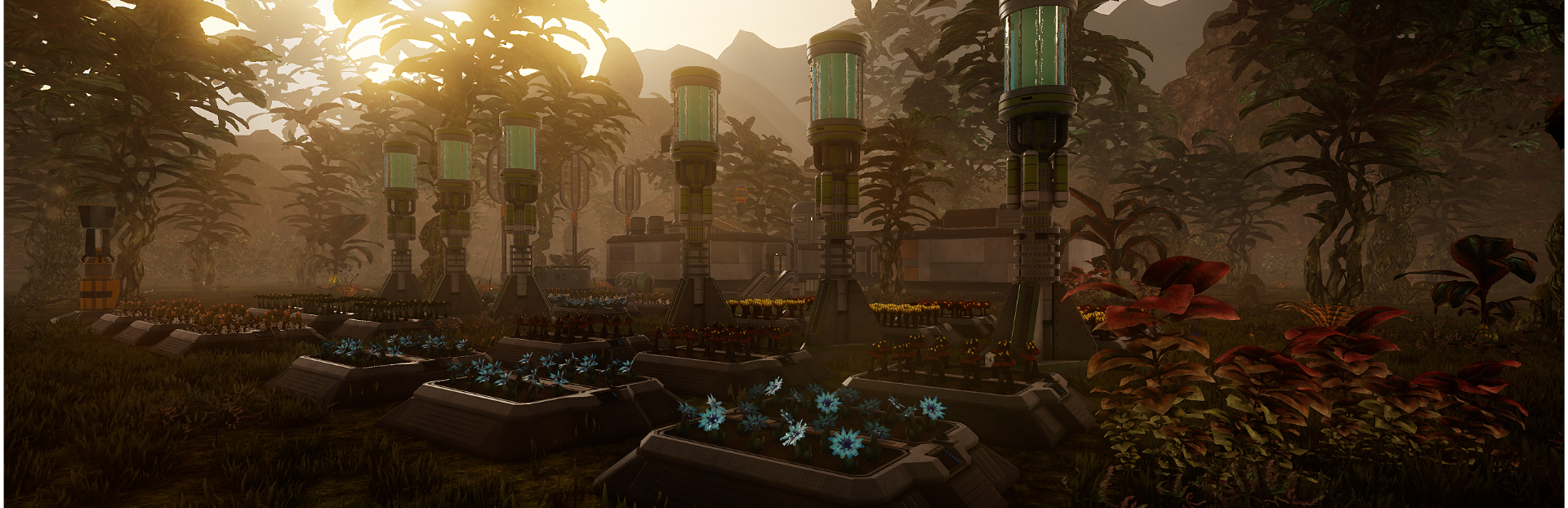
In this patch, we are introducing a new PRAWIA code chunk that will allow bots to use Growbeds not only for harvesting, but also for planting. This simple code chunk, called >Plant, handles dozens of functions and showcases that bots are now able to perform much more complex mechanics in the game than simply going somewhere and picking something up.
This is an important step toward even more advanced code chunks, allowing bots to, for example, keep track of M.M.C. or C.A.T. requirements. That, however, will come in the near future.
With the addition of this new code chunk, we are also optimizing the code system to make it much simpler to use. From now on, nearly all code chunks understand building name IDs, and they will use the >Go function automatically if the system detects that the object of interest is beyond its interaction range.
Below is an example of this code optimization:
The old system required the player to specifically set the object of interest and move the bot into interaction range:
>ping(Building)(S262)(Growbed)(save) >set(traget)(load) >Go(target) >Harvest(target)(blufloir)(all) >ping(building)(k912)(container)(save) >set(target)(load) >Go(target) >Deposit(target)(all)
Now, the new system allows this code to be drastically shortened. If the player already knows the building ID, they can simply write:
>Harvest(J113)(blufloir)(all) >Deposit(S221)(all)
Because of all these changes, we are also providing access to PRAWIA bot programming from within the C.C.C. at the start of the game.
Another thing we are adding is something for our community that prefers to use controllers while playing the game. It took a lot of work, but we managed to create a Controller Mouse system, or more precisely, a Mouse Simulation system for controllers.
It allows players to simulate mouse movement using a controller, including left and right mouse button presses, holds, and releases. I have to admit, it was a bit harder to achieve than expected, but thanks to this, about 70% of the game is now supported by controller input. This makes it possible for a future version of the game to be fully playable with a controller.
This still requires some creative work, but it is finally possible.
We still need to do some work on RTS mode for controller support, but that will be added a little later. Of course, as with most things, players are able to adjust the Mouse Simulation settings in the options menu.
Lastly, we want to showcase the new and improved M.M.C. and I.M.M.C. interface, as well as the addition of Materialization Mode. This mode allows players to set the materialization sequence to ignore the list and instead find the first object that can be materialized in case the process gets stuck due to a lack of resources.
Thank you, everybody, for playing the game. And now, I am going back to work, because new buildings and items are waiting for the upcoming patches.
As always, for more information regarding the latest technical support, patches, and updates, please join our Discord Community.
LINK ----> https://discord.gg/2ukYHQm
Till the next Dev-Com over and out.
Penkura Main Branch Adjustment
--------------------- ⊞ Bugs/Errors ⊞ ---------------------
◈ Small fix to Grammatical Errors.
◈ Exit to main menu with save, was using old system to save.
◈ Player was unable to scan Dr. Romek body.
◈ One of the rock formation type didn't get their collision activated.
◈ Removed some incorrectly placed foliage.
◈ Player was unable to scan Natalia body.
◈ Fixed issue with camera movement in World Map.
◈ Fixed issue with mouse cursor staying gray in World Map.
◈ States of some of the locks were not properly saved in the new system.
------------------------------------------------- ⊞ Improvements / changes / additions ⊞ -------------------------------------------------
◈ Ore Extraction site at Givinx is now activatable.
◈ Added experimental simulate mouse movement for controller.
◈ Added experimental simulate left and right mouse button press for controller.
◈ All type of mouse simulation inputs can be set in the Options setting.
◈ UI that from now on, accept mouse simulation for controller. - Atmo-Grower UI. - C.C.C. - All computers with new UI. - Main Menu. - Local Map. - Inventory. - Journal. - P.C.C.C. - Character Window. - M.M.C. - I.M.M.C. - Ore Refinery Interface. - Bio-Reconstruction Interface. - Depot Interface. - Tirix Power Plant Status Station.
◈ Visual update to the M.M.C. and I.M.M.C.
◈ Added new way of crafting in both of the M.M.C. allowing player now, to craft items based on resources availability rather than a strict by the queue list.
◈ Updated both of the M.M.C. help window.
◈ Cancel Program button in P.C.C.C changed to Reset Program to make it more clear.
◈ Pause Program button in P.C.C.C is now removed from the UI, and merged with Activate Program that changes to Pause Program when any player made program is currently active.
◈ Visual Improvements to C.C.C Bot Control UI.
◈ From now on Player is able to program bots from the C.C.C without the need of P.C.C.C mod.
◈ All storages in the game (bots also) understand distance based interaction now, which means that if bot is moved far enough from the player while he is interacting with its inventory, it will force close the inventory.
◈ Added new UI elements to C.C.C bot control. - Manage Programs Button. - Set Program Button. - Run Program / Pause Program Button. - Set program window.
◈ Improved collision triggers on some of the furniture.
◈ >Process can now use ID of the target.
◈ >Deposit can now use ID of the target.
◈ >Loot can now use ID of the target.
◈ >Collect and >Harvest can now be paused.
◈ >Harvest now accepts Growbed ID, it does not require >set target anymore to function if player knows the ID of the growbed.
◈ Improved PRAWIA distance calculation code logic, so that player is no longer required to use the >Go code command before each long distance movement. (for example, >Deposit if the target is further than 50 meters, it will convert the code to auto use the >Go command beacon system).
◈ Minor changes to bot navigation system based on player inputs.
◈ Bot AI is now able to temporarily freeze program and navigation system on it's own, when encountering a door that he can interact with. It also understand if door is already open, or locked.
◈ Increase the C.C.C screen size by 25%.
◈ Improved the C.C.C UI performance.
◈ Increase the M.M.C and I.M.M.C screen size by 20%, and reduce their GPU requirement by around 10%.
◈ Player is now able to pause the game in world map.
Source
Changelog.gg summarizes and formats this update. How we read updates.