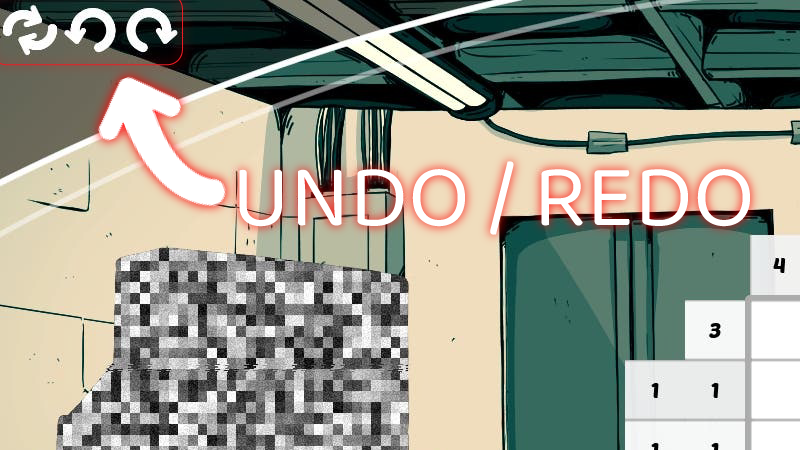
I have heard from multiple players that they'd love to be able to undo/redo their moves. At first I was skeptical, since it's sooo simple to just mark things differently...
Full notes
Full Opus Cortex: A Nonogram Puzzle Story update
Read the full published notes in a cleaner layout. The original post stays linked below.
What changed
0 fixes2 additions1 change0 removals
UI and audio
Gameplay
changedI have heard from multiple players that they'd love to be able to undo/redo their moves. At first I was skeptical, since it's sooo simple to just mark things differently... Until I realized that it's simple to do that using mouse - but on controllers and SteamDeck, navigating to a field that you modified in the other corner of the board actually takes a lot of input to navigate. So now you can simply press the "undo" button and the most recent move will be reverted.
addedAs long as you don't make any new moves, you can move backwards and forwards using the undo/redo functionality, all the way to the beginning of the level. If you do make a new move, the "redo" option becomes unavailable, as at this point you started creating new path.
addedThe input overlay in the game has been updated, the following mapping is for the new actions: - undo - L2 trigger on controllers or Q on keyboard - redo - R2 trigger on controllers or W on keyboard
Opus Cortex: A Nonogram Puzzle Story changes
changedI have heard from multiple players that they'd love to be able to undo/redo their moves. At first I was skeptical, since it's sooo simple to just mark things differently... Until I realized that it's simple to do that using mouse - but on controllers and SteamDeck, navigating to a field that you modified in the other corner of the board actually takes a lot of input to navigate. So now you can simply press the "undo" button and the most recent move will be reverted.
addedAs long as you don't make any new moves, you can move backwards and forwards using the undo/redo functionality, all the way to the beginning of the level. If you do make a new move, the "redo" option becomes unavailable, as at this point you started creating new path.
addedThe input overlay in the game has been updated, the following mapping is for the new actions: - undo - L2 trigger on controllers or Q on keyboard - redo - R2 trigger on controllers or W on keyboard
I have heard from multiple players that they'd love to be able to undo/redo their moves. At first I was skeptical, since it's sooo simple to just mark things differently... Until I realized that it's simple to do that using mouse - but on controllers and SteamDeck, navigating to a field that you modified in the other corner of the board actually takes a lot of input to navigate. So now you can simply press the "undo" button and the most recent move will be reverted.
As long as you don't make any new moves, you can move backwards and forwards using the undo/redo functionality, all the way to the beginning of the level. If you do make a new move, the "redo" option becomes unavailable, as at this point you started creating new path.
It's important to note that the undo history is not saved when you quit the game, it's similar to e.g. text editors, where the history is per session only, and resets whenever you relaunch the game.
The input overlay in the game has been updated, the following mapping is for the new actions: