
HomeGamesUpdatesPricingMethodology
Steam News27 October 20214y ago

Interactive Tutorial Update

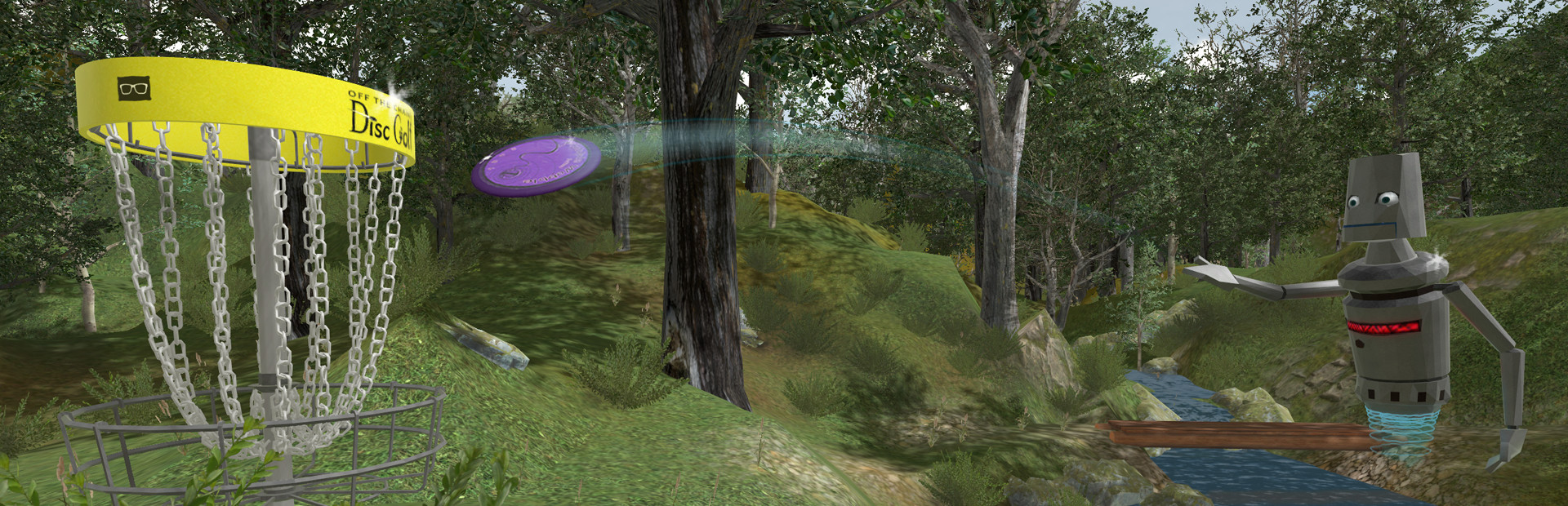
In this update we have an exciting new development! An interactive tutorial was added with a new AI character.

Full notes

Full Off The Chains Disc Golf update

Read the full published notes in a cleaner layout. The original post stays linked below.

What changed

0 fixes1 addition1 change0 removals
  • UI and audio
addedIn this update we have an exciting new development! An interactive tutorial was added with a new AI character. This is mostly for newcomers to the game, but the AI that we developed for the tutorial will also be used with new features in exciting future updates. Beyond that, we’ve done an overhaul to the visual design of all menus and UI elements throughout the game, as well as some graphical improvements throughout. As always, if you have feedback for us or would like to find players to play a match with, please join our discord!
changedAn interactive tutorial was added with a brand new in-game AI character that can throw discs (among other things). The usage of AI characters will be expanded upon in future game content and this is our first example of that. The tutorial is required to play through once and will automatically start when you load the game. It’s 5-10 minutes long. If you want, you can skip playing the game on mount pound at the end of the tutorial, it will still count as completed once you have loaded the map once (but you will of course miss the pointers that pop up at each hole). - Some minor graphical improvements: some shading on the hands, reflectivity on metal objects like the baskets, trash cans, etc - Basket chain racks have been updated to be a brighter more attractive yellow - UI update: we have changed our UI’s overall “branding”. All styling was updated for the menus both in-game and on the main menu. This is still a work in progress and we’re happy to receive feedback on this. - If you aren’t looking at your watch for a couple seconds it will now automatically close - You can now see the reverse side of water if you’re underneath it on Quest. - On PC, we’ve switched to the same water shader that we’re using on Quest for a big performance boost and to unify the look of different versions of the game. We have on the list to do some additional water updates in the future that both PC and Quest will receive. - “Next Tee” signs have been added to all of the maps so it’s easy to tell what direction the next hole is if you’re walking manually.

In this update we have an exciting new development! An interactive tutorial was added with a new AI character. This is mostly for newcomers to the game, but the AI that we developed for the tutorial will also be used with new features in exciting future updates. Beyond that, we’ve done an overhaul to the visual design of all menus and UI elements throughout the game, as well as some graphical improvements throughout. As always, if you have feedback for us or would like to find players to play a match with, please join our discord!

Patch Notes v0.47:

- An interactive tutorial was added with a brand new in-game AI character that can throw discs (among other things). The usage of AI characters will be expanded upon in future game content and this is our first example of that. The tutorial is required to play through once and will automatically start when you load the game. It’s 5-10 minutes long. If you want, you can skip playing the game on mount pound at the end of the tutorial, it will still count as completed once you have loaded the map once (but you will of course miss the pointers that pop up at each hole). - Some minor graphical improvements: some shading on the hands, reflectivity on metal objects like the baskets, trash cans, etc - Basket chain racks have been updated to be a brighter more attractive yellow - UI update: we have changed our UI’s overall “branding”. All styling was updated for the menus both in-game and on the main menu. This is still a work in progress and we’re happy to receive feedback on this. - If you aren’t looking at your watch for a couple seconds it will now automatically close - You can now see the reverse side of water if you’re underneath it on Quest. - On PC, we’ve switched to the same water shader that we’re using on Quest for a big performance boost and to unify the look of different versions of the game. We have on the list to do some additional water updates in the future that both PC and Quest will receive. - “Next Tee” signs have been added to all of the maps so it’s easy to tell what direction the next hole is if you’re walking manually.

Source

Steam News / 27 October 2021

Open original post

Changelog.gg summarizes and formats this update. How we read updates.