
In this update10
Full notes
Full NUMTATE update
Read the full published notes in a cleaner layout. The original post stays linked below.
What changed
- Gameplay
- UI and audio
- Workshop
NUMTATE changes
A complete revamp of the game!
For over one year, I have worked on a complete overhaul of the game. Here is alist of most changes made with this update.
Mechanics
Bad mechanics got cut out, good mechanics got improved, new mechanics got implemented.
Changed Mechanics
There must not be an object on every side of a CORE
CORES (and newly added objects) can now move EVERYTHING; not only CELLS anymore
CORES don't need exactly, but at least, the value displayed on them
Marker-Color can now be chosen by clicking the HUD
Redo-Function got added to the Undo-Function
...
New Mechanics
CORES can now also rotate counterclockwise with the right mouse button
PUSHER that can push objects in front of them away
MAGNETS that can attract objects in the whole row in front of them
BRICKS are the new 0-Cells
ROTATORS can rotate like CORES, but they don't need CELLS
BATTERYS are basicly CORES that can't rotate
PLATES need something on them to solve the level
Optional marking with patterns, for better visibility
...
Removed Mechanics
Stop-CORES
CORES in different sizes
-CORES
0-CELLS
"Help-System"
...
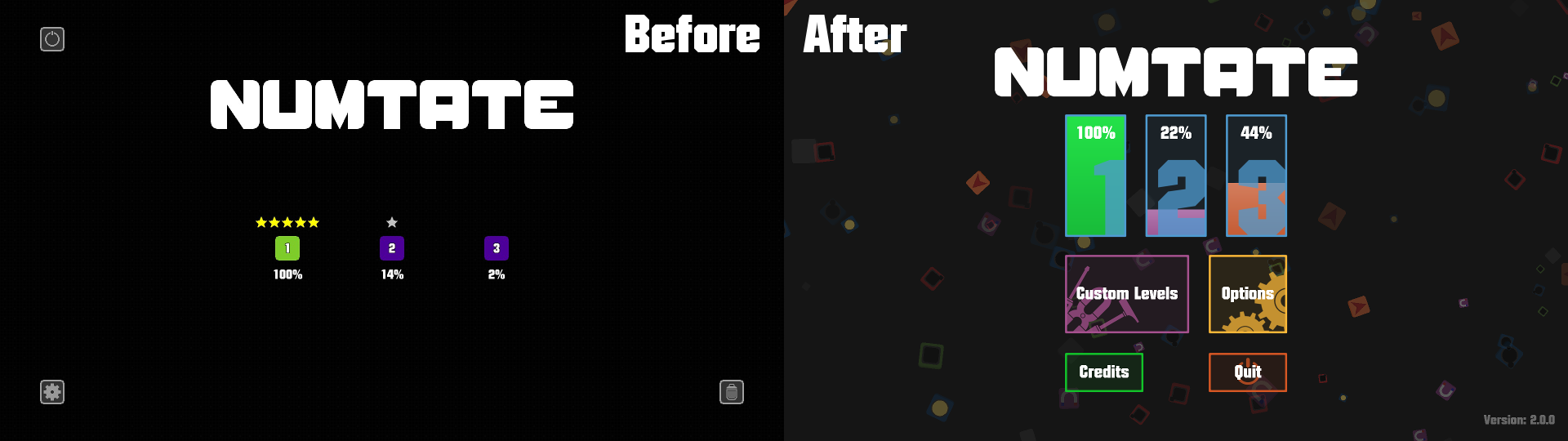
Visuals
The visuals got a big stylish update aswell. Below are some examples:
Main Menu
Level Select
Level 1-1
Options
Level Editor
The newly added Level Editor allows you to make your very own custom level packs. Furthermore, you can upload your levels to the Steam Workshop and download and play the levels of other players. And just in case: you can also export and import levels without the Steam Workshop!
I hope this update will improve the experience the players will have with this game. A lot of work was done, but now, I would consider this game finished...
Of course, I will be still there for bugfixes and some minor tweaks or so... but now, I can move my main focus to a new game project, which will be hopefully even better, thanks to everything I have learned during the development of NUMTATE and it's updates.
I wish you a lot of fun with the game and a great day...
Michael Maas
Source
Changelog.gg summarizes and formats this update. How we read updates.