
HomeGamesUpdatesPricingMethodology
Steam News6 November 20258mo ago

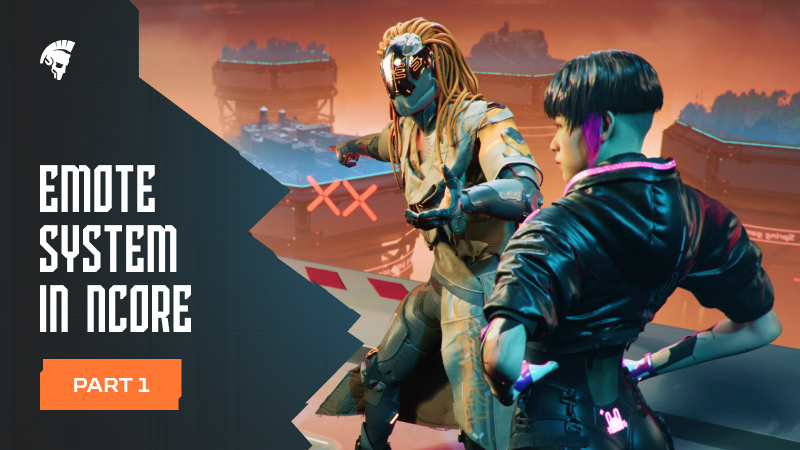
Emote system in NCORE. Part 1

Computer games are a great way to show your personality. What can be cooler than having your gear painted your favourite colors, making your character look like you or, on the contrary, make them look completely differe

Full notes

Full NCORE update

Read the full published notes in a cleaner layout. The original post stays linked below.

What changed

0 fixes2 additions3 changes0 removals
  • Store
  • UI and audio
  • Gameplay
changedNCORE not only allows you to customize your appearance but also choose what animations your character can do to emote.
addedYou can emote at any time during the match. They can be placed into two categories: regular, meant for the player and their team (such as a heroic pose or a sign of approval), and mocks to show your opponent who’s the boss.
addedBasic emotes will be available to all characters. Some can be obtained through completing challenges, others through the in-game store. In the future, some characters might even get their own unique animations.
changedTo emote you can use a hotkey (available for one emote animation) or pick one from the wheel by holding the middle mouse button.
changedEmotes don’t impact the gameplay and can be interrupted by moving, shooting, getting damaged, and so on.

NCORE changes

changedNCORE not only allows you to customize your appearance but also choose what animations your character can do to emote.
addedYou can emote at any time during the match. They can be placed into two categories: regular, meant for the player and their team (such as a heroic pose or a sign of approval), and mocks to show your opponent who’s the boss.
addedBasic emotes will be available to all characters. Some can be obtained through completing challenges, others through the in-game store. In the future, some characters might even get their own unique animations.
changedTo emote you can use a hotkey (available for one emote animation) or pick one from the wheel by holding the middle mouse button.
changedEmotes don’t impact the gameplay and can be interrupted by moving, shooting, getting damaged, and so on.

Computer games are a great way to show your personality. What can be cooler than having your gear painted your favourite colors, making your character look like you or, on the contrary, make them look completely different? However, you don’t always get that. Some more conservative shooters rely heavily on realism, where any small inconsistency like an incorrectly placed sight or camouflage pattern can upset the fans.

NCORE not only allows you to customize your appearance but also choose what animations your character can do to emote.

[carousel]

[/carousel]

You can emote at any time during the match. They can be placed into two categories: regular, meant for the player and their team (such as a heroic pose or a sign of approval), and mocks to show your opponent who’s the boss.

Basic emotes will be available to all characters. Some can be obtained through completing challenges, others through the in-game store. In the future, some characters might even get their own unique animations.

The Emotes menu is accessible through the Personalization tab. There you can check out the animations themselves, how to get them, and set some of your favorites into one of the six chat wheel slots.

To emote you can use a hotkey (available for one emote animation) or pick one from the wheel by holding the middle mouse button.

Steam post image NCORE is still in active development and some details might look different on the next playtests.

Emotes don’t impact the gameplay and can be interrupted by moving, shooting, getting damaged, and so on.

Source

Steam News / 6 November 2025

Open original post

Changelog.gg summarizes and formats this update. How we read updates.