
HomeGamesUpdatesPricingMethodology
Steam News30 October 20241y ago

Build 1029 Hotfix 2 - FSR Toggle and Presets

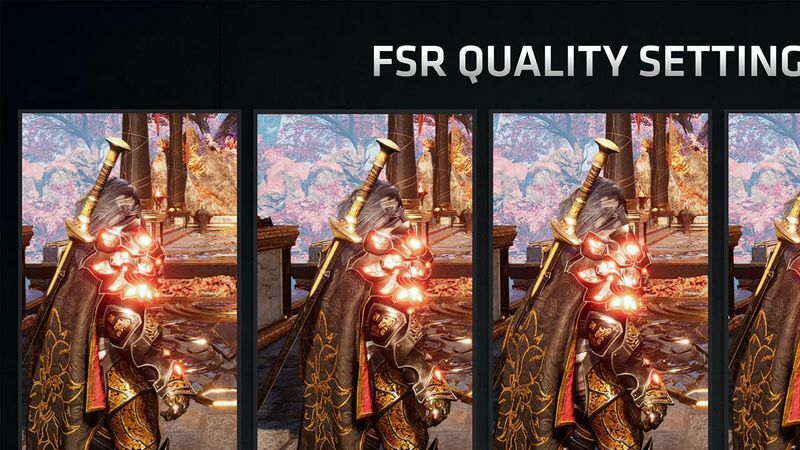
The Settings -> Graphics page in the Main Menu enables the player to automatically change their FSR Quality setting by choosing a different Graphics Quality Tier such as "Simple", "Steam Deck" or "Fantastic".

Full notes

Full MotorCubs RC update

Read the full published notes in a cleaner layout. The original post stays linked below.

What changed

0 fixes1 addition2 changes0 removals
  • Performance
  • UI and audio
changedThe Settings -> Graphics page in the Main Menu enables the player to automatically change their FSR Quality setting by choosing a different Graphics Quality Tier such as "Simple", "Steam Deck" or "Fantastic".
changedThe FSR Toggle button right below them allows the user to override the Quality Presets for FSR set by those graphics quality tiers. So feel free to mix and match Graphics vs FSR quality going forward!
addedAnd yes, Fantastic Quality has screen space ray traced reflections enabled. It's intensive so definitely try toggling FSR to the level that you prefer depending on your graphics card.

MotorCubs RC changes

changedThe Settings -> Graphics page in the Main Menu enables the player to automatically change their FSR Quality setting by choosing a different Graphics Quality Tier such as "Simple", "Steam Deck" or "Fantastic".
changedThe FSR Toggle button right below them allows the user to override the Quality Presets for FSR set by those graphics quality tiers. So feel free to mix and match Graphics vs FSR quality going forward!
addedAnd yes, Fantastic Quality has screen space ray traced reflections enabled. It's intensive so definitely try toggling FSR to the level that you prefer depending on your graphics card.

The Settings -> Graphics page in the Main Menu enables the player to automatically change their FSR Quality setting by choosing a different Graphics Quality Tier such as "Simple", "Steam Deck" or "Fantastic".

These settings have subtle differences, such as Texture quality, Shadow quality, Lighting Method (per vertex or per pixel for secondary lights), Resolution of the Directional Sunlight, etc.

The FSR Toggle button right below them allows the user to override the Quality Presets for FSR set by those graphics quality tiers. So feel free to mix and match Graphics vs FSR quality going forward!

And yes, Fantastic Quality has screen space ray traced reflections enabled. It's intensive so definitely try toggling FSR to the level that you prefer depending on your graphics card.

Source

Steam News / 30 October 2024

Open original post

Changelog.gg summarizes and formats this update. How we read updates.