
In this update7
Full notes
Full Mineral Mining Simulator update
Read the full published notes in a cleaner layout. The original post stays linked below.
What changed
- Gameplay
- UI and audio
- Balance
- Fixes
Mineral Mining Simulator changes
Hi miners, 😄
Thank you very much for your continued support, reports, feedback, and suggestions. We are still reviewing everything you share and using it to determine which areas should be improved first.
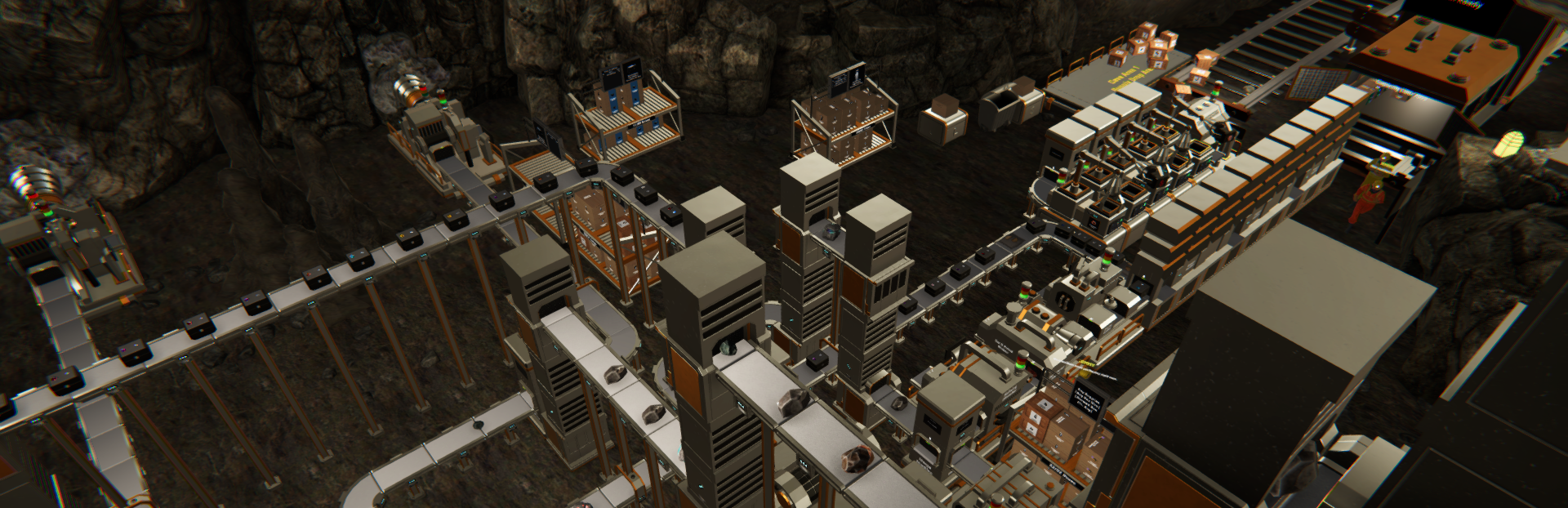
This update focuses on making larger mining facilities easier to organize and manage. Machines can now be given custom names, while Machine Management has been expanded with search, category filters, direct access to machine settings, and centralized speed upgrades.
We have also included several controller improvements and fixes related to boxes, Supply Racks, and machine monitors.
Here is what is available in the latest version.
Main Updates
1. Custom Machine Names
Machines can now be given custom names, making it easier to identify individual machines across larger production facilities.
A custom name can be added or changed in several ways:
Face a machine and press N when using a keyboard
Hold Left Trigger and press North Key when using a controller
Select the edit button on the machine card in Machine Management
Custom names can contain up to 20 characters.
The custom name will appear alongside the machine’s default name in several locations:
The nameplate above the machine
The overlay shown when focusing on the machine
The machine card in Machine Management
The box label after the machine is packed
Custom names remain saved after reloading the game and after a machine is packed and placed again. Clearing the custom name will return the machine to its default name display.
Custom naming is available for all machines except the Survey Machine and Toxic Filter Machine.
2. Expanded Machine Management
Machine Management has received several new tools to make managing larger production facilities more convenient.
a. Machine Search
A new search field has been added to the Machine Management panel.
Machines can be searched using either:
Their custom name
Their default machine name
This makes it easier to locate a specific machine without manually browsing the full list.
b. Machine Category Tabs
The Machine Management panel now includes seven categories:
All
Core Drill Units
Conveyors
Raw Processors
Crate Packers
Utilities
Production Units
These tabs allow players to narrow the list to a specific group of machines before changing settings or applying bulk controls.
c. Direct Access to Machine Settings
Machines with configurable settings now include a settings button on their Machine Management card.
This allows the machine’s settings to be opened directly from Machine Management without requiring the player to walk to the machine first.
d. Filtered Bulk Controls
Bulk controls now apply only to the machines currently displayed by the selected category and search filter.
This applies to:
Turn On All
Turn Off All
Upgrade All
For example, searching for a custom machine name before using a bulk control will limit the action to machines included in those search results.
3. Centralized Machine Speed Upgrades
Machine speed upgrades can now be managed directly through Machine Management.
Previously, players needed to approach and upgrade each machine individually. The updated panel now provides two upgrade options:
a. Individual Machine Upgrade
A machine can be upgraded directly through its Machine Management card.
The individual upgrade option can raise the machine directly to the highest level that:
Has already been unlocked through progression
The player can currently afford
b. Upgrade All
The Upgrade All option raises every currently displayed machine by one level.
The displayed list is determined by the active category and search filter. The total upgrade cost is shown for confirmation before the upgrades are applied.
Increasing a machine’s level improves its current speed-related functions, including processing speed and item movement where supported.
Improvements
1. Controller Building and Navigation Improvements
Several improvements have been made for players using a controller:
Machine placement previews now follow the reticle at the center of the screen
Navigation focus no longer jumps away when a plus or minus control reaches its limit
Focus is retained when the Machine Management list is refreshed
Focus remains more consistent after changing categories, searching for machines, or using Upgrade All
These changes should make building and navigating Machine Management more comfortable with a controller.
Bug Fixes
Fixed an issue where a Box Packer could take a box that was already part of a drop-zone stack. Boxes included in a drop-zone stack will now remain in place instead of being targeted by the machine.
Fixed an issue where the item count displayed on a Supply Rack did not update correctly when an employee merged boxes stored on the Rack. The displayed amount will now update as the contents are transferred.
Fixed an issue where a machine monitor could continue receiving input briefly after it had been closed. Monitor controls will now become inactive immediately when the player exits the panel.
Thank you again for your continued support, reports, and feedback. We are still reviewing everything you share and will continue prioritizing improvements based on feasibility and impact.
Some suggestions may require additional design, testing, or technical work before they can be implemented, but not seeing an idea in the current update does not mean it has been ignored.
If you encounter any issues or unexpected behavior, please report them through the in-game report feature or through the Steam Discussions page so we can investigate further.
See you in the next update!
Source
Changelog.gg summarizes and formats this update. How we read updates.