
In this update13
Full notes
Full Mineral Mining Simulator update
Read the full published notes in a cleaner layout. The original post stays linked below.
What changed
- Performance
- UI and audio
- Gameplay
- Store
- Fixes
- Events
Mineral Mining Simulator changes
Hi miners, 😄
Thank you very much for your continued support, reports, feedback, and suggestions.
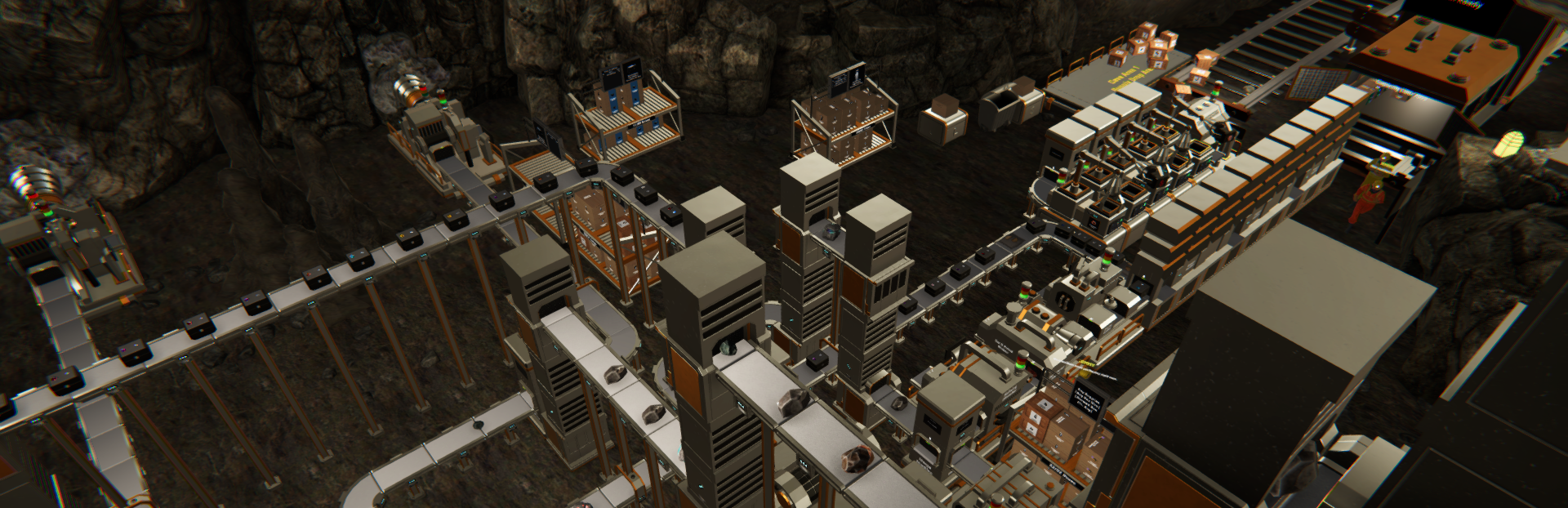
We would also like to thank the players who shared their save files and progression data with us. These files gave us valuable test cases for reviewing performance in large mining facilities with extensive machine networks, conveyors, platforms, boxes, and loose items.
This update focuses primarily on improving performance in larger and more developed saves. Based on our internal testing, these changes provided improvement under several demanding conditions. However, the results may vary depending on hardware specifications, graphics settings, factory complexity, and the number of active objects in each saved world.
Higher-specification devices may show a larger measurable improvement in some conditions, while other devices may still be limited by different hardware factors.
Here is what is available in the latest version.
Performance Improvements
1. Major Performance Optimization for Large Saves
We have made several optimizations intended to reduce persistent lag and stuttering in large saved worlds.
These improvements primarily target saves containing a large number of:
Machines
Conveyors
Platforms
Boxes
Rocks and gemstones
Other loose objects within the mining facility
Objects and systems that are currently inactive now require less continuous processing, reducing unnecessary workload when large parts of the facility are not actively moving or producing items.
Based on our internal testing, this can provide a noticeable performance improvement in heavily developed saves. The exact result will vary depending on the saved world and the device being used.
2. Rock and Loose Object Physics Optimization
We improved the way rocks, gemstones, and other loose objects are handled by the physics system.
Objects that have already settled and are no longer moving will now require less ongoing processing. They can still react normally when moved, collected, or when the objects supporting them are removed.
We have also adjusted how the game handles situations where many rocks fall at the same time. This is intended to reduce sudden performance drops when multiple Core Drill Machines are active or when large object piles begin moving simultaneously.
3. Machine and Conveyor Performance Optimization
Machine and conveyor processing has been optimized to reduce the workload generated by large production networks.
Inactive conveyor sections now require less continuous processing while no items are moving through them. They will continue operating when activity resumes.
We have also reviewed pipeline recovery behavior to ensure that production can continue after a previously blocked destination becomes available again.
These changes are intended to make large factories with extensive machine and conveyor networks run more smoothly without changing their expected production behavior.
4. Graphics Quality Settings Improved
The Low, Medium, and High Quality settings now apply more distinct graphics configurations.
Previously, lowering the Quality setting did not provide the intended difference in several graphical areas. Each setting now applies a more appropriate visual profile:
Low reduces several demanding graphical effects
Medium uses a more balanced graphics configuration
High retains the higher visual-quality configuration
Shadow rendering for several smaller objects has also been adjusted to reduce unnecessary graphical workload while keeping larger machines, platforms, and the cave environment visually readable.
These settings give players more options for balancing visual quality and performance based on their device.
5. Smoother Machine Monitor Loading
We improved how machine monitors and information panels are activated when entering an area.
Previously, approaching a large group of machines for the first time after loading a save could cause a noticeable stutter while many panels were initialized at once.
These panels are now activated more gradually to reduce sudden performance spikes when moving through areas containing many machines.
6. Save Process Improvements
We made several improvements to the manual save and autosave processes.
The updated process reduces some unnecessary work when writing large save files and moves parts of the operation away from the main gameplay process where possible.
These changes are intended to make saving large worlds lighter than before. However, extremely large saves may still require additional time to complete, depending on the amount of data and the device being used.
We will continue reviewing possible improvements for save and load times in highly developed worlds.
Improvements
1. Steam Links Now Use the Steam Overlay
Links to Steam pages, including the Store Page, Wishlist, and Steam Discussions, will now open through the Steam Overlay when the game is running through Steam.
This allows players to access these pages without being moved out of the game into an external browser.
When the Steam Overlay is not available, the link will continue opening through the default browser.
2. Process Speed Text Updates After Changing Language
The Process Speed information shown on machines will now update immediately after the in-game language is changed.
Previously, this information could remain in the previous language until its displayed value changed or the game was reloaded.
3. Clearer Box Information
The text displayed on boxes has been adjusted to remain clearer and easier to read.
This includes information such as the box title, status, and item grade.
Bug Fixes
Fixed an issue where rocks or gemstones could remain floating after the objects supporting them were removed. Stacked objects will now fall normally when the objects underneath them are collected or moved.
Fixed an issue where the notification related to drilling in a Toxic Area could repeatedly appear. The notification will now appear only once for each Toxic Gas Event.
Fixed an issue where boxes stored on a Storage Rack could suddenly become disorganized after the Storage Rack was moved. Boxes will now remain properly arranged when their Rack is relocated.
Fixed an issue where an employee could become stuck while merging boxes into a target box stored on a Storage Rack if that rack was moved during the task. The employee will now safely stop or update the task when the target Storage Rack is relocated.
Additional Notes for Large Saves
After loading an especially dense save, some stacked rocks, gemstones, or other loose objects may gradually adjust and settle into their updated positions.
The amount of time required can vary depending on the number of objects, the complexity of the saved world, and the device specifications.
This behavior should gradually stop once the affected objects have finished settling.
Thank you again for your continued support, reports, and feedback. The save files and progression data you share continue to help us test conditions that may be difficult to reproduce in smaller development saves.
Performance work will remain an ongoing process, especially for highly developed mining facilities. We will continue reviewing additional improvements based on testing results, player reports, feasibility, and impact.
If you encounter any issues or unexpected behavior, please report them through the in-game report feature or through the Steam Discussions page so we can investigate further.
See you in the next update!
Source
Changelog.gg summarizes and formats this update. How we read updates.