
In this update15
Full notes
Full Mineral Mining Simulator update
Read the full published notes in a cleaner layout. The original post stays linked below.
Repeated intro
Hello miners! 😄
What changed
- Gameplay
- Balance
- Events
- UI and audio
- Fixes
- Performance
Mineral Mining Simulator changes
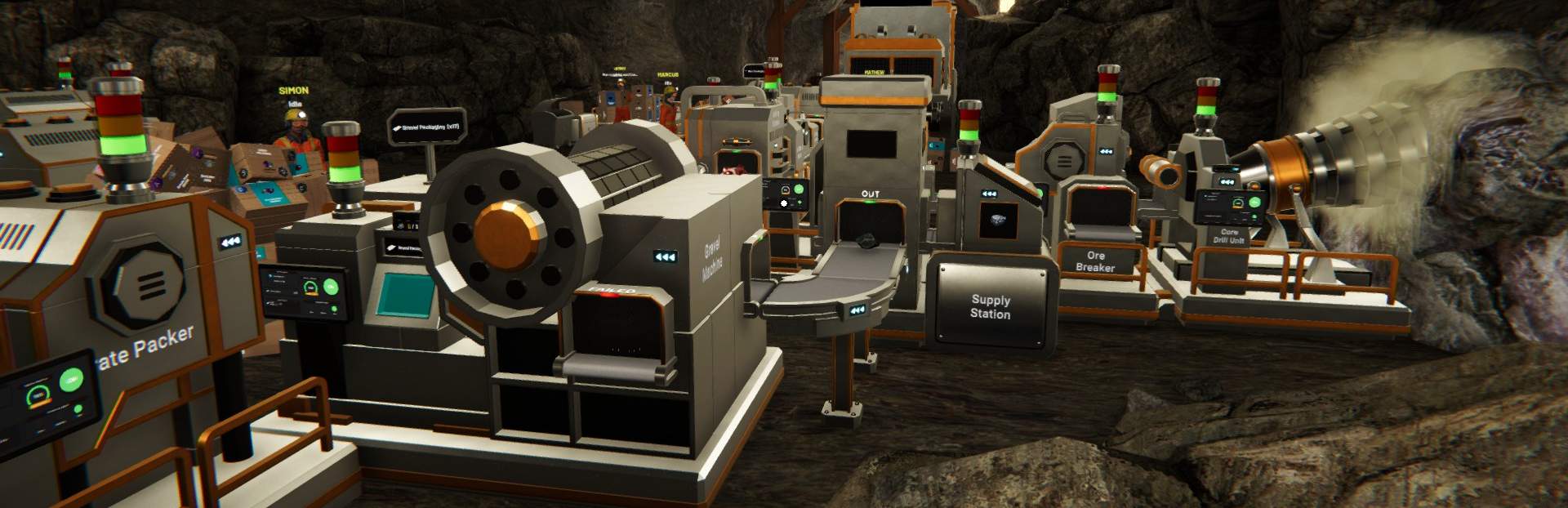
This is our first devlog for Mineral Mining Simulator, our mining and production line simulator where you excavate raw materials and turn them into gems and other processed products through an organized production setup.
Thank you very much for all the support and feedback you have shared so far. We truly appreciate everyone from the Steam community, as well as the influencers who have taken the time to try the game and stream it on their channels. We received a lot of useful input from both the demo and the influencer Early Access version, and we have started reviewing and processing that feedback step by step for future updates.
For this week, we have prepared several updates. Some of these changes can already be experienced in the demo, while some are currently only accessible in the Early Access version. At the moment, the Early Access version is still limited to selected influencers only. Going forward, we will continue to work on regular improvements based on feedback and on what is feasible to implement properly into the game.
Here are the updates we worked on this week:
Main Update
1. Tutorial Page Added
We have added a new Tutorial Page that will show important information whenever you level up. This means new systems and gameplay information will now also appear as part of the level-up information flow. You can also recheck these explanations anytime through Tablet > Tutorial.
2. Employee Updates
We made several changes to improve the employee system:
Train Loader is now assigned as the default task when an employee is hired.
Employee Settings are now set to Any Employee by default, so any available worker can automatically start the assigned task.
Delivery Train Employee Settings now have a default setup to send Any Products with 4 boxes for a total default capacity of 100.
The employee daily cost has been reduced to $100.
3. Toxic Event Information Update
We improved the feedback during Toxic Events so the situation is easier to understand:
The gas visual has been changed to a greener color to make it clearly look toxic.
The HUD will now show a marker when a toxic event is active.
The HUD will also display the information “Toxic leak in area.”
4. Repack and Cancel Move Handling Improved
When repacking or canceling object placement, the item will now automatically return to your hand as long as your hand is not already full. This helps prevent boxes from falling, especially when canceling placement from above a platform.
5. Day Change Transition Improved
We updated the process of changing to the next day by adding clearer information and a more understandable transition flow.
6. Survey Machine Level 1 Information Updated
Survey Machine Level 1 will now provide grade pool information with percentages, making it easier to understand the possible grade distribution you may obtain.
7. Capacity Selection Updated
We added new capacity options:
Medium for 50 items
Large for 100 items
Please note that this change only affects packaging. Survey Kit and Neutralizer Kit remain at 25 capacity.
8. New Equipment Added
We added new equipment:
Box Generator (M)
Box Generator (L)
Improvements
1. Machine UI Icon Improvements
We updated machine icons in the UI by adding visual indicators of the items needed by each machine. This has been applied to machines such as:
Grader Machine
Gravel Processing
Survey Machine
Toxic Filter Machine
2. New Delivery Truck Item Variant
We added Crushed Rock as a new item variant that can be selected for delivery truck loading.
3. Machine Display and Information Improvements
Several machine information displays have been improved:
Dedicated screens now show content amounts for Grader Machine, Gravel Processing, Survey Machine, and Toxic Filter Machine
The generic empty packaging info has been replaced with the actual name of the empty packaging needed
Tower lights have been added as indicators for Survey Machine and Toxic Filter Machine
4. Platform Placement Improvements
We improved the platform placement process by adding better placement markers to help with positioning and depth perception while building.
5. Box Visibility Improvements
We improved the appearance of boxes by:
Adding icons on the top side so they are easier to identify
Changing text colors so they are easier to read in low-light conditions
Bug Fixes
Fixed Tutorial UI blinking when the target amount updates
Fixed gravel progress indicator showing 0/5 on initiate, which is now corrected to 0/3
Fixed platform fences sometimes not generating when a platform is moved
Fixed platforms not being movable when placed exactly above the Grader Machine
Fixed kits in Survey Machine and Toxic Filter Machine being removable while still processing. They can no longer be taken during processing
Fixed speed change information still appearing on some objects that should not support speed changes
Fixed Survey Machine animation continuing to run even when not processing
Fixed employee behavior not working after returning to the main menu and then starting a new game or loading a game
Fixed employee behavior where they did not take action during a toxic event
Fixed an issue where the processing machine appeared empty but was still producing output. This was caused by incorrect information, as the machine actually still contained materials.
Thank you again for all the support, feedback, reports, and suggestions for Mineral Mining Simulator. Your input helps us understand which parts of the game need more clarity, more polish, and more improvement, especially as we continue refining the core mining and production line experience. Known issues as of now is the problem regarding optimization when the production is already massive. We are looking into solving this and hope next week we already have the update regarding it.
If you find any bugs or defects, please send them through the in-game report feature or through the Steam Discussion page. Suggestions and feedback are also very welcome, because they help us keep improving the game step by step.
See you in the next update, and thank you for being part of the early journey of Mineral Mining Simulator.
Source
Changelog.gg summarizes and formats this update. How we read updates.