What changed
1 fix4 additions1 change0 removals
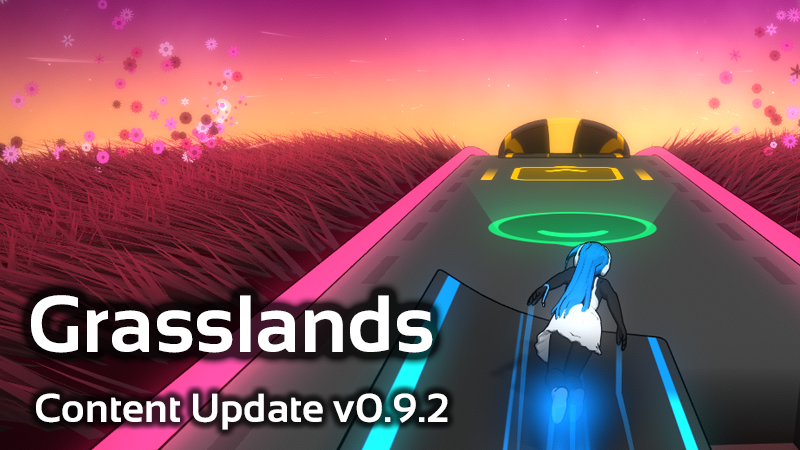
addedPatch v0.9.2: New Track EnvironmentThis patch features a brand new Track Environment, the Grasslands !
changedPatch v0.9.2: New Track EnvironmentThis environment uses a Compute Shader to display hundreds of thousands of grass blades calculated on your GPU, and as such is gonna be more hungry with resources than the other stages. Please consider changing the " Side Visualizer Quality " in "Graphics" Settings if you notice a slow down in FPS. You can also try " Ultra " quality if your computer can handle it, as it features significantly lushier grass!
addedChangesAdded a new Track Environment: "Grasslands"
addedChangesAdded the total score percentage display for your current score at the end of a track (to avoid confusion with the highscore percentage below it)
fixedBug FixesFixed incorrect control tooltips for keyboards using uncommon AZERTY/QWERTZ layouts (like Belgian AZERTY or Swiss QWERTZ)
addedBug FixesPlease join our Discord or the Discussions Forum to share your feedback about this new patch!
Melody's Escape 2 changes
addedThis patch features a brand new Track Environment, the Grasslands !
changedThis environment uses a Compute Shader to display hundreds of thousands of grass blades calculated on your GPU, and as such is gonna be more hungry with resources than the other stages. Please consider changing the " Side Visualizer Quality " in "Graphics" Settings if you notice a slow down in FPS. You can also try " Ultra " quality if your computer can handle it, as it features significantly lushier grass!
addedAdded a new Track Environment: "Grasslands"
addedAdded the total score percentage display for your current score at the end of a track (to avoid confusion with the highscore percentage below it)
fixedFixed incorrect control tooltips for keyboards using uncommon AZERTY/QWERTZ layouts (like Belgian AZERTY or Swiss QWERTZ)
Patch v0.9.2: New Track Environment
This patch features a brand new Track Environment, the Grasslands!
This environment uses a Compute Shader to display hundreds of thousands of grass blades calculated on your GPU, and as such is gonna be more hungry with resources than the other stages. Please consider changing the "Side Visualizer Quality" in "Graphics" Settings if you notice a slow down in FPS. You can also try "Ultra" quality if your computer can handle it, as it features significantly lushier grass!
Changes
Bug Fixes
Please join our Discord or the Discussions Forum to share your feedback about this new patch!