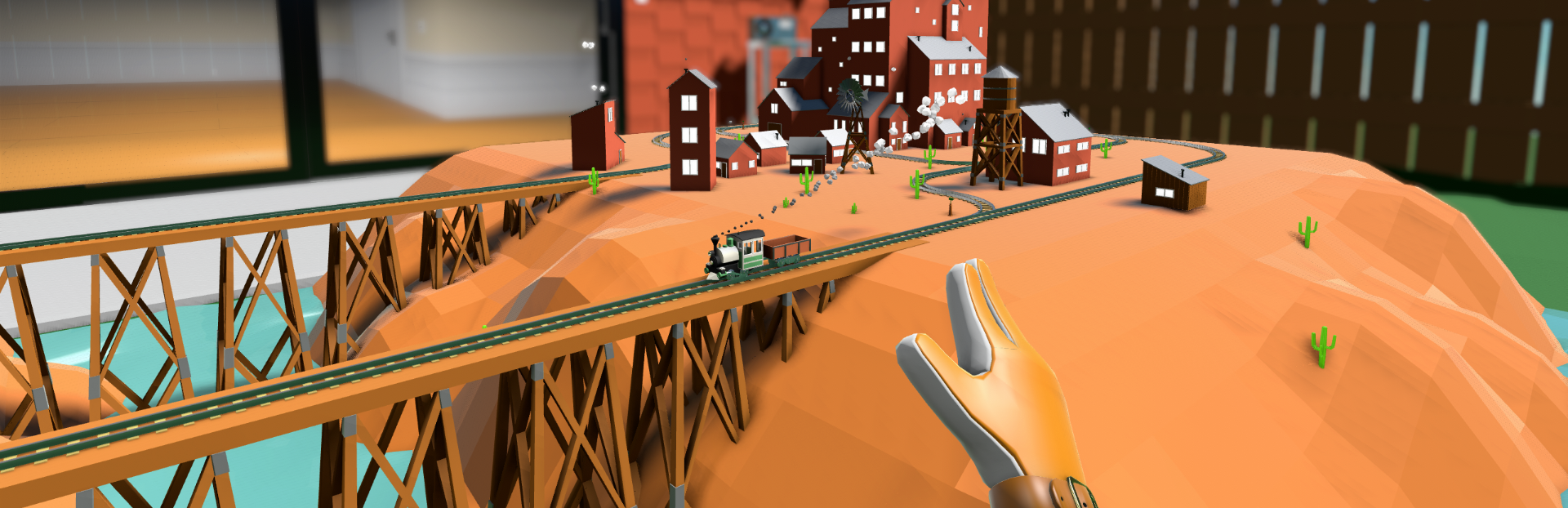
TLDR: The game now has official non-VR support for both keyboard+mouse and controller. It also runs on Steam Deck. For best Steam Deck performance, I recommend forcing it to use Proton instead of the native Linux build.
Full notes
Full Locomancer update
Read the full published notes in a cleaner layout. The original post stays linked below.
What changed
1 fix7 additions0 changes0 removals
Compatibility
Gameplay
UI and audio
Fixes
Store
addedTLDR: The game now has official non-VR support for both keyboard+mouse and controller. It also runs on Steam Deck. For best Steam Deck performance, I recommend forcing it to use Proton instead of the native Linux build.
addedThis update started life as a content update adding some monorails
addedBut then I made the mistake of testing the game on my Steam Deck. It ran well, but the controls were terrible because I had only added non-VR controls to quickly test changes without putting on my headset. I decided to take a crack at improving them and as everyone knows, if you give a mouse a cookie, they're going to want some milk.
addedAdding non-VR support meant that I needed to add a more complete settings panel with input rebinding
addedI also felt like it was finally time to tear out the terrible "first time user experience" because it didn't really work and people mostly ignored it which meant adding a proper tutorial. Which was a long and painful process and made me put the update on hold multiple times.
addedThere were also issues with multiplayer and there wasn't a great interface for that either, so I had to fix that as well. Multiplayer should be better in general. I also added support for different lobby types, you can set your game to public and people can join you via the "Join Game" button on your profile.
Locomancer changes
addedTLDR: The game now has official non-VR support for both keyboard+mouse and controller. It also runs on Steam Deck. For best Steam Deck performance, I recommend forcing it to use Proton instead of the native Linux build.
addedThis update started life as a content update adding some monorails
addedBut then I made the mistake of testing the game on my Steam Deck. It ran well, but the controls were terrible because I had only added non-VR controls to quickly test changes without putting on my headset. I decided to take a crack at improving them and as everyone knows, if you give a mouse a cookie, they're going to want some milk.
addedAdding non-VR support meant that I needed to add a more complete settings panel with input rebinding
addedI also felt like it was finally time to tear out the terrible "first time user experience" because it didn't really work and people mostly ignored it which meant adding a proper tutorial. Which was a long and painful process and made me put the update on hold multiple times.
TLDR: The game now has official non-VR support for both keyboard+mouse and controller. It also runs on Steam Deck. For best Steam Deck performance, I recommend forcing it to use Proton instead of the native Linux build.
This update started life as a content update adding some monorails
But then I made the mistake of testing the game on my Steam Deck. It ran well, but the controls were terrible because I had only added non-VR controls to quickly test changes without putting on my headset. I decided to take a crack at improving them and as everyone knows, if you give a mouse a cookie, they're going to want some milk.
Adding non-VR support meant that I needed to add a more complete settings panel with input rebinding
I also felt like it was finally time to tear out the terrible "first time user experience" because it didn't really work and people mostly ignored it which meant adding a proper tutorial. Which was a long and painful process and made me put the update on hold multiple times.
There were also issues with multiplayer and there wasn't a great interface for that either, so I had to fix that as well. Multiplayer should be better in general. I also added support for different lobby types, you can set your game to public and people can join you via the "Join Game" button on your profile.
I also ended up making a bunch of minor tweaks to things and fixed some bugs.
Then after all of that was done, I decided that the store art needed sprucing up so I made new key art, screenshots, and achievement icons. Steam post imageSteam post image
Sorry it took so long, hopefully someone gets some enjoyment out of it.