
In this update2
Full notes
Full Lichworks update
Read the full published notes in a cleaner layout. The original post stays linked below.
What changed
- Gameplay
- UI and audio
- Server
- Maps
Lichworks changes
Hi everyone, and welcome to the third monthly update for Lichworks!
This month is more of a grab-bag of updates as so much happened this month including an inventory rework and getting more serious about the art by developing a palette and consolidating the art around it. There was also massive work done on the campaign structure but I'm not quite ready to reveal it just yet.
A fresh coat of paint
A big chunk of my month went into (and is still going into) the art, specifically, into pulling the whole game onto a single, deliberate color palette.
This is the v1 of the Lichworks palette. Up until now sprites were drawn fairly ad-hoc, and colors drifted from one asset to the next which adds up to a world that feels noisy and incoherent even when each individual sprite looks fine on its own. So I built some tooling to audit every sprite against this palette and spent a good while bringing them all into line.
Most of the colors here will survive but there is a few that will probably get culled over the next few weeks once every sprite conforms back to the palette, and i look to move the art over to proper indexed colors to enable tooling for instant palette manipulation ingame.
Steam post image Most of the sprites here are updated to conform to the new palette
The idea is that a tight, limited palette does a lot of heavy lifting. it ties the world together, holds the dark-fantasy mood consistent, and — just as importantly for a grid-based game with hundreds of units on screen — keeps everything readable. Clarity over visual noise. It's labelled v1 because I'm sure it'll keep evolving, but having a single source of truth to draw against already makes it feel far more like one cohesive world.
Out of the backpack, into the world
The change I'm happiest with this month is harder to screenshot, but you feel it immediately. For a while the lich's inventory had quietly become a bottomless backpack where you could carry almost everything. Convenient, but it meant resources never really lived anywhere and a large part of the game loop similar to many automation games became about component management within an inventory.
So I shrank it. The lich now carries a more modest amount (visually in his hands too), which immediately raises the question: if you can't hold everything, where do all your resources go? The answer in the early game is the Phylactery, the building you always start with.
It now acts as your first storage, a home for your resources. And more importantly, you can assign minions to it that will wander the area gathering up loose resources and delivering materials to buildings marked for construction.
Steam post image First version of the new build menu. Will also be trying out a grid style with key-binds.
Buildings now visibly fill in trip by trip as materials arrive. It makes those first few minutes flow far better, even without starting resources. This sits inside the broader pass on the moment-to-moment feeling of the early game including cleaner controls for moving around, interacting with buildings, and switching between fighting and managing your base.
Steam post image A few zombies picking up items dropped on the ground nearby.
Another change you might notice is the toolbar has shrunk down. Now with a more limited inventory, we can bundle that into a single key that doesn't require opening the UI (in this case C), binding a few favorite buildings and items with CTRL+[1-4] and a few pocket slots which serve as handy stackable slots for buildings that you will be needing a healthy amount of to ensure things aren't too tedious.
Steam post image New version of the inventory UI, each slot representing a new item and new crafting layout that doesn't require toggling categories.
If you're still a bit worried about the daunting task of building a factory without a proper backpack, fear not as your minions have stepped up to share the load by not only displaying their collective contents in your inventory, but being available to construct buildings with those held resources, automatically following your lead to construct buildings.
Commanding the horde
The other side of that workforce is pointing it at things directly, and I reworked the rally system to make that feel good by ensuring it interacts with as many things as possible.
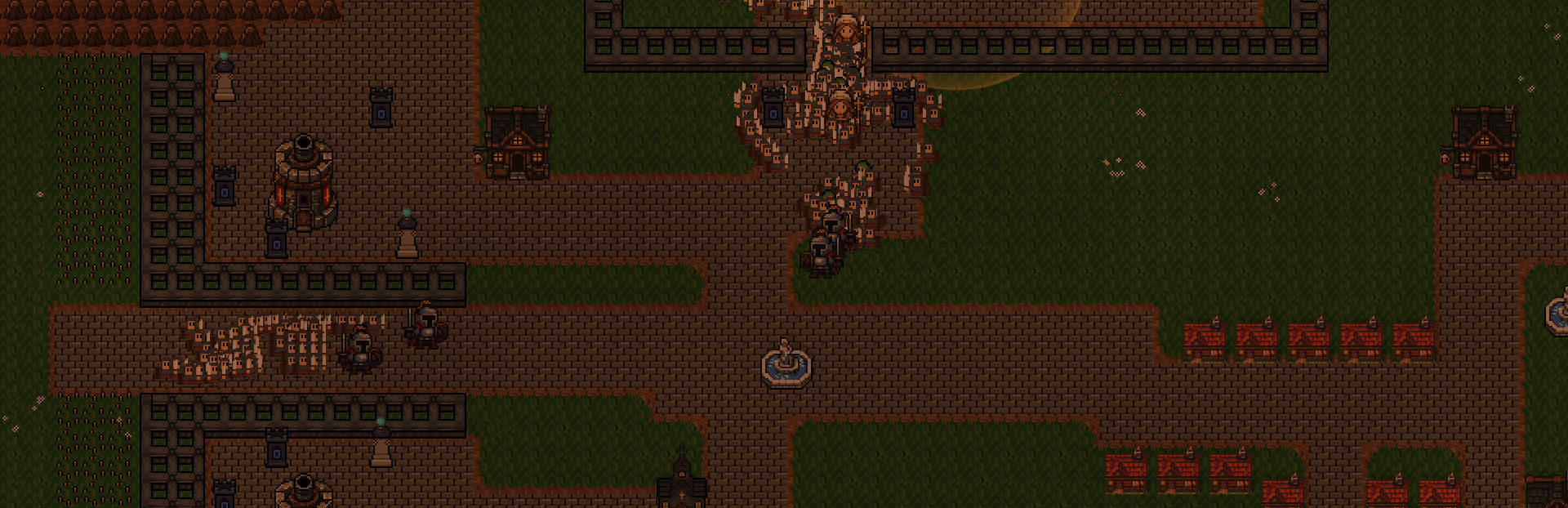
The rally command is now context-aware: rally onto a resource and free-handed minions go harvest it, rally onto a chest and they deposit (if they're empty handed they withdraw), rally onto an enemy and they charge in. Same gesture, different target. Rally flags also show a little breakdown of who's answering the call, so you can see at a glance for example that 3 skeletons and 2 wraiths are on their way.
The routing network got some extra depth too, signposts next to a building can now be set to deposit-only or withdraw-only instead of always doing both, allowing many more setups without filter tomes being required.
Steam post image Minions being rallied to a blacksmith currently on fire.
Quality of life
On top of all that, a long list of smaller improvements:
Keybinds - All kinds of modifier keybind actions have been added such as CTRL+left click to drop and pull items from buildings without opening UI, including CTRL+SHIFT+left click to order minions to do that same for example.
Squad Stance - Allowing the toggling between aggressive, defensive and passive.
Smarter enemies - hero commanders now have their own temperaments, patrolling and defending their home settlements, and human peasants have started to learn the ways of a minion and are starting to develop their own logistics solutions.
Plus bridges to span rivers, hazard stakes, terrain that slows movement, and a pile of combat fixes so melee units stop fumbling around walls and corners.
Looking forward
A lot of this month was quieter, foundational work. Sharpening the art and tightening how the game feels to actually sit down and play. There's a bigger picture coming together behind the scenes that I'm looking forward to showing once it's settled. The goal I'm working towards still is opening Lichworks up to public playtests through Steam in the coming months. If you'd like to play early builds today and help steer where the game goes, come join us on Discord for access to the private playtest: https://discord.com/invite/xBqD9Ureca Thanks to everyone who's wishlisted Lichworks! See you in the next update!
Source
Changelog.gg summarizes and formats this update. How we read updates.