
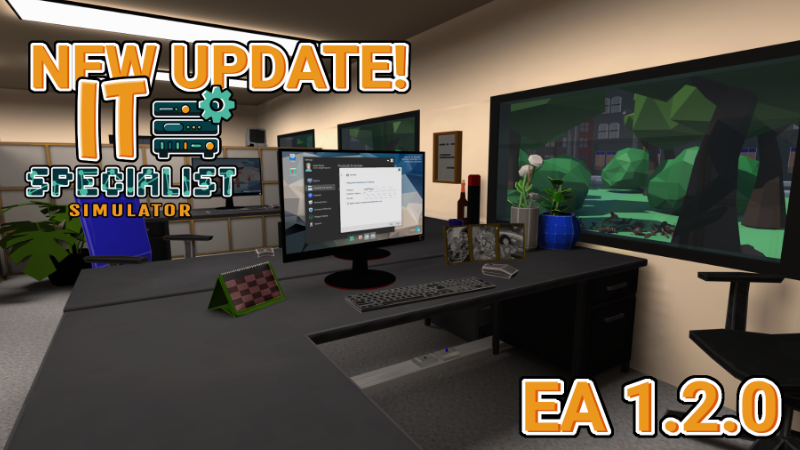
In this update5
Full notes
Full IT Specialist Simulator update
Read the full published notes in a cleaner layout. The original post stays linked below.
What changed
- Gameplay
- Store
- Server
- Events
- Maps
- UI and audio
IT Specialist Simulator changes
Hello!
Two months of hard work are behind us. We have added many new features and fixed several bugs that were making gameplay frustrating. We have also added many new tasks. Check them out for yourselves!
Support Pack DLC
Additionally, if you would like to support us or simply have your own fish, we encourage you to purchase the Support Pack! Remember, however, that the fish needs to be cared for and fed every day, otherwise unfortunately you will lose it.
IT Specialist Simulator Support Pack
Update video
The update video is now on the channel! Check out this quick summary yourselves
Added:
new features added to payApp – from now on it is a functional and necessary application in the gameplay. Payment via code and application personalization have been added
added the ability to select text, this option has been limited to specific texts, use the mouse scroll wheel to scroll pages
added an application for extracting ZIP files
DNS has been added to devices – from now on if it is incorrect (no connection to DNS servers) some applications and websites may not work
new websites added
added a new category "Information" in Settings -> System
added the ability to change the computer name
added Bluetooth and Devices category in Settings
added the ability to manage office printers
added the ability to perform a test print on office printers via the computer or directly from the diagnostic application on the office printer
added quick inventory – 6 inventory slots that will appear during key moments
photo viewer application – from now on you can also download images from various websites and emails
added a home page for the event log, previously it was just a blank page
new commands in terminal (cmd):
devmgmt.msc
chkdsk
mkdir
netsh
shutdown
tracert
weather
wmic
python (experimental feature)
new commands in powershall:
devmgmt.msc
TaskManager
wmic
weather
added device manager, including driver management,
added teleportation to the warehouse – launched from the pause menu
added new file types: png, zip, inf
added new emails
added a new file type in email attachments: png
added new pdf files
added notification about reaching the next level
added music to the menu
added access to settings on Level 1
Changed:
the TV in the Intro has been changed – now channels must be searched
the tutorial in the Intro has been updated for the new TV startup
the tutorial step about watching TV has been shortened by 30%
a margin has been added to procedures on the wiki
procedures have been updated with the latest information
the content of several emails has been changed
increased the amount of experience required to reach the next levels
Level 2 - 30
Level 3 - 55
each subsequent level +25 experience, for example level 10 will require 230 experience – calculated using the formula 30 + ( required level - 2) * 25
tasks have been divided into experience levels – previously there could be confusion when a player received a very difficult task without instructions at the very beginning of the game
map colors have been changed according to device type
menu background has been changed – updated to match the current graphics
most of level 1 (Junior IT Support) has been graphically updated
patchcords can now be damaged
connecting patchcords is now handled by the 'quick inventory'
the LAN network now supports damaged patchcords
the player in free play mode now has level 100 set
Numerous bugs have been fixed, including those related to among other :
fixed the mail application on the computer – the game now saves data in cache so it does not reload all emails from scratch
improved map performance – the map now works more smoothly
fixed the button used to close the shutdown options
fixed several translation issues
the button on the Error No Network page now correctly opens network settings
displaying folders in the top bar of the file explorer
displaying folder names when they are too long
lamps in rooms are now illuminated
fixed a bug related to being unable to close applications on the tablet when the player was looking at any monitor
in the printer menu the texts no longer act as buttons
the command ping [ip] -m 100 caused the application to freeze
the input used to confirm login in the authentication application was incorrectly adjusted
the person icon in the task information has been changed to avoid confusion
buttons in payapp have been properly adjusted
Source
Changelog.gg summarizes and formats this update. How we read updates.