
In this update3
Full notes
Full IT Specialist Simulator update
Read the full published notes in a cleaner layout. The original post stays linked below.
Repeated intro
Hello everyone!
What changed
- Fixes
- Store
- UI and audio
- Maps
- Server
- Gameplay
IT Specialist Simulator changes
Thank you for reporting the bugs. We’ve noticed that some issues appear on the following in-game days — we’re investigating this and will continue working on it. For now, we’ve fixed several problems.
Fixed:
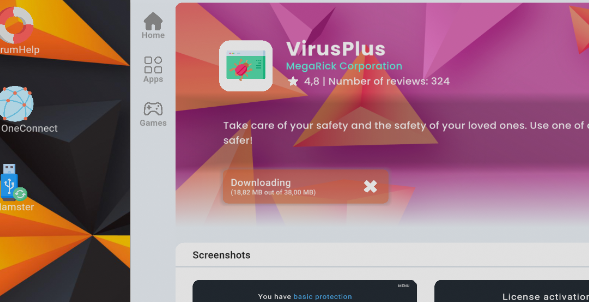
Fixed an issue with missing translation in the app store when downloading an application
Fixed the interface of the Properties, Permissions and Advanced Permissions apps — the text now adjusts properly to the length of the file path
If the player has no save files, the game now automatically opens the New Game tab. The Play button is hidden in the Load Game tab until a save file is selected
The button linking to the Avocado project now works correctly on every computer The link warning — we corrected the text on one button that could be misleading
Fixed an issue in the RACK cabinets — addressing now displays correctly for every device
Fixed the infinite BootMenu loop — the issue was caused by a USB drive that the system treated as faulty
A large number of tasks did not save internal variables, which caused the map or tasks to not load properly after loading a save, or tasks displayed incorrect values
Task achievements did not work correctly
Removed an unnecessary “Button” label in the PDF app on the tablet
Added saving of cloud data — we accidentally overlooked this part of the save system
PDF files now save correctly on the tablet (remember: to open a PDF file, you must do it through the app, not the tablet’s file system)
Fixed an incorrect password that appeared in the hints for one of the tasks
Fixed assigning correct drive letters for external drives — the USB stick often lost its letter and turned into the cloud drive, causing the cloud to stop working on day two
Fixed Terminal and PowerShall — pressing the numpad Enter key previously caused consoles to freeze
Fixed an issue when shutting down the computer — some applications didn’t close in time and couldn’t be used the next day
Fixed a system installation issue — installation should now run smoothly. We are not restoring system-installation tasks yet — we want to ensure everything works perfectly
Fixed an issue with system repair via USB drive — the system would freeze on the data verification screen
In network-related office printer tasks, addressing in the step-by-step instructions now displays correctly
Fixed a blur effect that sometimes persisted throughout the whole game if the player created a new save
Improved loading — it is now split into several stages. Additionally, the 99% loading freeze should no longer occur. The Play button no longer appears when no save is selected.
Changes:
We removed the ability to shut down the computer using the function key (default P) — many of you reported accidentally turning off the computer, even though we added text-field focus in the last update. We decided that shutting down through system options is enough.
Updated the “help” command in cmd with missing lines and changed system names to OScypek
When pressing F1 (Restart) during boot, the computer now proceeds with a normal startup (previously it saved options from Advanced Startup Settings)
Limited the number of lines in cmd and powershall to 100
Raised the browser window by 25px — it’s now aligned with the top edge of the monitor
In office printer tasks, task info no longer refers to a specific person
Added:
Added the ability to type ' in cmd and powershall — previously you couldn’t type names like Olivia_O'Neill
We added new object models including:
6 corkboard models
corkboard pins
power adapter plug
coffee machine model with a display
Source
Changelog.gg summarizes and formats this update. How we read updates.