
In this update6
Full notes
Full Gust of Wind update
Read the full published notes in a cleaner layout. The original post stays linked below.
What changed
- Performance
- Gameplay
- Fixes
- UI and audio
- Maps
Gust of Wind changes
A couple of months have passed just twiddling my thumbs, but not in an idle way! I got myself a Steam Deck, which definitely makes the game more fun for me to test. With numerous iterations of test builds, I've gotten the game to a great shape with optimization improvements and other polish.
The game is now in a state where I'm happy to shift my full focus on just making new content after this update. However, here's what it contains:
Steam Deck readiness
While the "Steam Deck Verified" badge will have to wait for possible approval process whenever Valve may have time for it in the unforeseeable future, the game runs well on my Steam Deck (which has the original, 1280x800 screen) with a certain adjustment done in the device's options.
In these videos, the colors are a bit blown out due to my camera, or skills of using it.
I optimized the game's Medium quality to run well on the Deck. I'd say the frame rate stays above 30fps 90% of the time. The moments it doesn't are lag spikes that happen when opening doors (caused by a group of objects being enabled and/or post processing volume getting changed), and some moments in missions that contain more complex lighting. However, those situations aren't ones the player has to linger in, and are often caused by characters with carried torches. Most of the time, especially indoors, it stays in 40-60fps range.
However, one thing has to be changed in the Steam Deck's settings. TDP Limit has to be cranked to maximum, 15 Watts, from the Performance tab of Quick Settings. It's a setting that limits the power use to improve battery life. Without doing this change, the device can start "throttling" its CPU and GPU. They get dramatically slower and the frame rate drops to 1. However, I optimized the Medium Quality (default on Steam Deck) so that it doesn't happen with that TDP Limit set to maximum.
I've only tested on the original 1280x800 screen. The game is clearly GPU capped, so with the 1920x1200 screen upgrade it would surely not run as well. Anyway, I guess players could balance at will between resolution and setting the quality to "Low" in options (which definitely eases the GPU's burden a lot, while also looking a lot worse).
Text input on Steam Deck also works.
AI fighting AI
Another change in this update that I consider quite big, is modifying the AI so that some friendly AI characters can now fight enemies. There are two points where this can happen and they’re in the second and third mission.
Still smoothened the mission flow a bit
Having watched many gameplay videos of the game, it has seemed to be a recurring thing that the player stops after the first mission. To try and make them likelier to continue after the first meters, I did some changes to the flow of the missions:
Removed a couple of long, pointless boat trips, cutting them by a fade that loads the next scene
Removed some unnecessary conversations with captains that mainly just summed up what the player had done.
Shortened some conversations and removing clutter, with a mentality that the point of every conversation is just to tell the player what to do next and why. There are still some conversations that also hint some background of the world or side characters, but those are kept very short.
Steadier first person camera
There are also lots of smaller fixes. Improvements on the first person camera deserve a special mention. There used to be moments where the camera was fully following the movement of the head, like opening a door, or picking up an object. I’ve limited the camera movement on those to be much more smooth and pleasant. This allowed me to include some slight head bob by default, which adds some immersion without much of a tradeoff of motion sickness in my opinion. However, you can adjust and disable it from options.
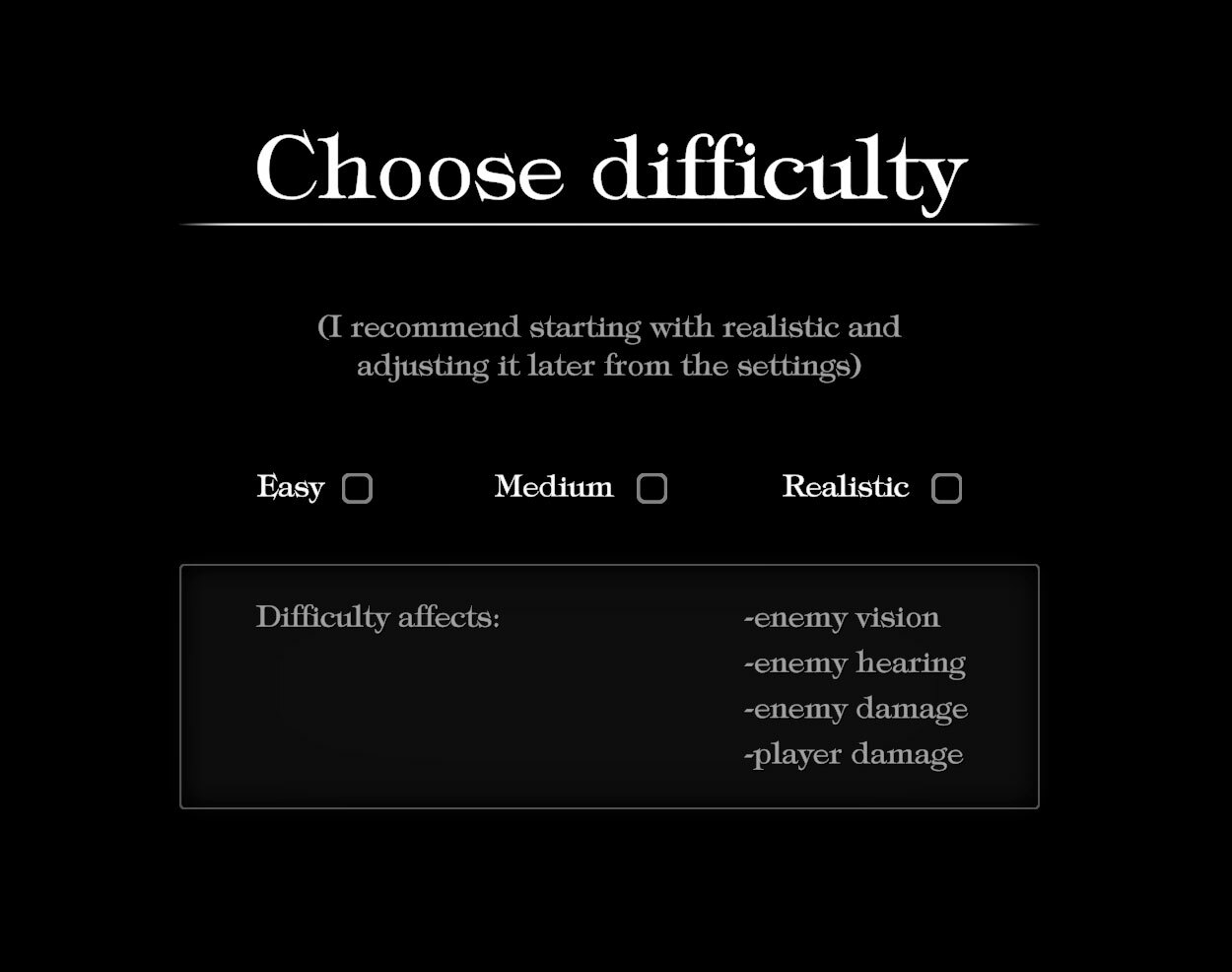
Levels of difficulty
I guess this screenshot says it all:
List of other changes in this update:
Changed the default pad control layout to feel more convenient (it can be changed in options though)
fixed some bugs related to carrying bombs and placing torches on wall holders
worked on the quality settings a bit, making the "medium" and "low" lighter, with adjustments like shadow quality, reducing the grass view distance and reducing the number of particles according to the quality setting in some cases
Some UI elements were misplaced in different aspect ratios than 16/9
Improved the way camera works in climbing stairs (still not perfect though)
There were weird character scale problems, sometimes making it taller after vaulting to a crowsnest
New objects are now shown in the middle of the screen, making them super clear
A small change to swapping climbables: it now happens with the Use button (instead of Jump, which can be used to detach to freefall), and vaulting on a predetermined spot happens the same way
Improved the mechanic of "tumbling down" with physics
Jump takedown looks less janky
Improvement in browsing maps with pad
Numerous small fixes/adjustments to missions
Source
Changelog.gg summarizes and formats this update. How we read updates.