
In this update4
Full notes
Full Garenburg Woods update
Read the full published notes in a cleaner layout. The original post stays linked below.
Repeated intro
Hello all!
What changed
- Performance
- UI and audio
- Gameplay
- Fixes
- Store
Garenburg Woods changes
This update is a pretty big one at the same time as pretty simple; it massively improves some features with the update at the same time as being not that different. If you already played through Garenburg Woods, you don't need to worry much about this update. That said, there is something planned you should still see that'll be coming!
Engine Improvements
This main update puts us on EasyRPG Player, a project that allows the game to run much better on modern platforms. This will mean that this should run more smoothly than before, have much more options and settings and features for toggling, and make it overall a better and less archaic experience. Huge thanks to EasyRPG Player for their great work with everything!
Thanks to EasyRPG Player, the following settings and features are now present...
Video settings: Toggle full screen, window zoom, FPS counter, V-Sync, stretching, scaling methods, resolution, and pausing when focus is lost. I recommend leaving "Pause when focus lost" on. You no longer need to select windowed or full screen at launch, you can just toggle whenever you'd like!
Audio settings: You can manually toggle the volume of sound effects and music now.
Input settings: You can now change key bindings and gamepad support. And you can also use Fast Forward, which will make your movement and the game speed way quicker if you want to!
Additionally, the following has been adjusted...
Fixed various typos and grammar issues
C8:
Fixed the color of dialogue text when Vincent is speaking to match his prior dialogue; this was an unintentional oversight
Save Files
If your save files don't appear to be loading, sorry, that's an unfortunate side effect of this change; they're just in a different folder! Fortunately, follow these steps and they will be back and running as they haven't been deleted.
Right click the game in your library, go "manage" and then "browse local files."
Navigate to the "Data" folder.
Your save files should be there as Save.lsd! Drag it to the main folder and the game will detect them properly!
Sorry for the inconvenience! The folder structure moved slightly which offset things a little...
Achievements Plan
Finally, there IS a planned update that will add in Steam Achievements! You'll be able to finally have the achievements you earn ingame on Steam! This only wasn't in it before because, well, the game is made in RPG Maker 2000. But I'm currently investigating the potential integration of Steam with it through EasyRPG Player. As of such, you may see some achievements for the game but it also showing nobody having them and them being unusable... If this doesn't work out, I'll adjust this post, but hopefully it ends up getting added because I'd really love to have them in this!
Merchandise
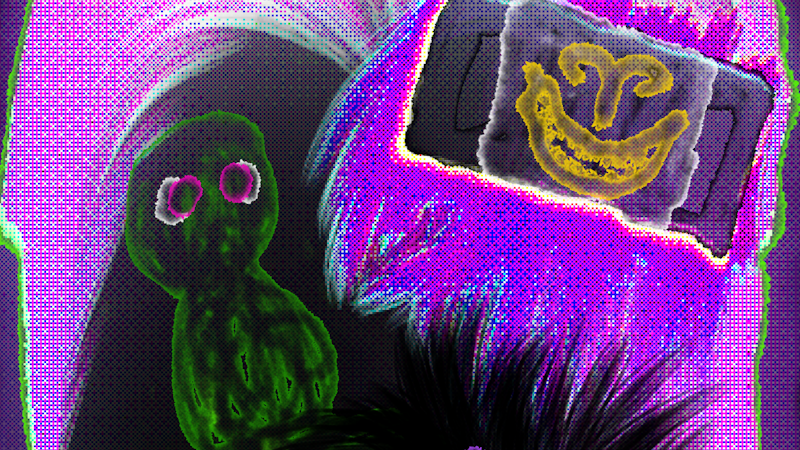
Other than that, if you were curious of the art for this little update, here it is below. It's actually for a t-shirt; we're now selling merchandise at a little online shop! For more information, you can check it out here. The merchandise is made-per-order and it was mainly set up because I wanted my own merch, so...
Other than that, thank you for reading! Garenburg Penitence is still in development and should have its own news very soon...
Stay tuned for more information!
Source
Changelog.gg summarizes and formats this update. How we read updates.