What changed
0 fixes1 addition4 changes0 removals
changedHi Survivors!❄️ In our first dev diary , we already mentioned building, but since then, a lot of work has been done and we have refined the building system. Today, we want to tell you more about the Shelter. ❗ Please keep in mind that the game is still in progress, so it may not reflect the final version. The graphics and GIFs we’re showing today represent the current state of the game.❗ https://store.steampowered.com/app/3054950/Frost_Survival_VR/
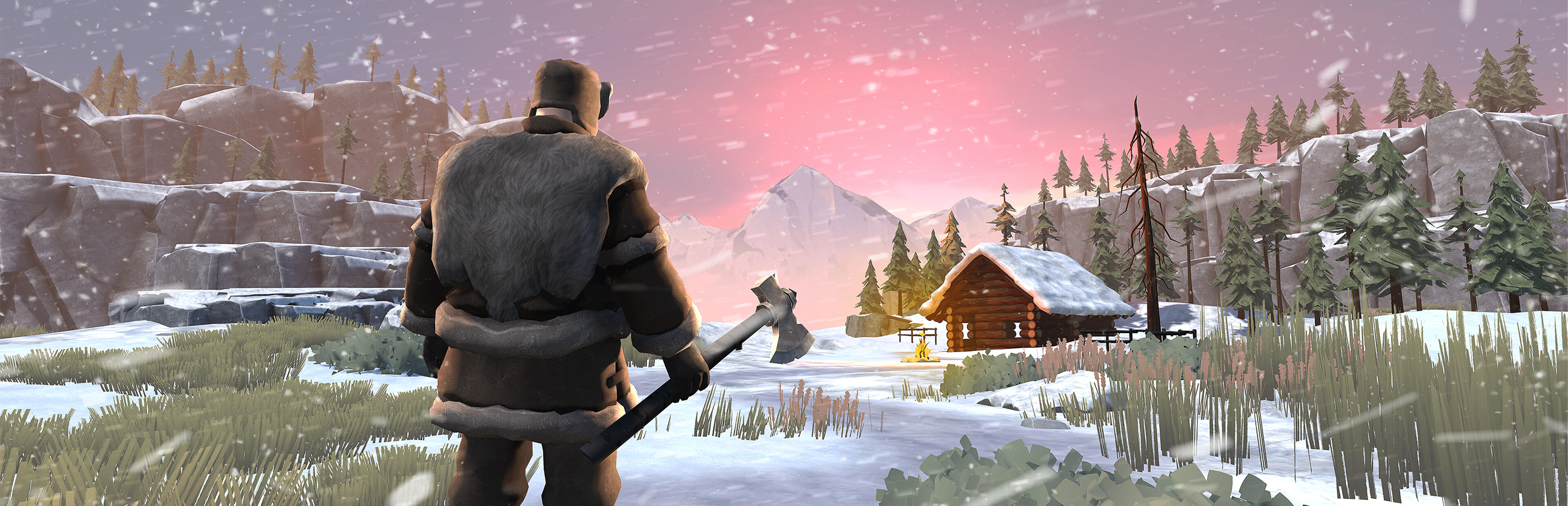
changedShelter 🏠In the Shelter, you will be able to warm up, protect yourself from wild animals, wait out a snowstorm, store resources, and craft necessary equipment. Most importantly, you can b uild and arrange it however you want - we’re leaving room for freedom and creativity! Of course, you must also remember about other needs, such as thirst and hunger, so you will need to plan your construction work wisely to survive. Steam post image
changedBuilding 🛠️To start building, you will need to open the notebook, located on the left side of the chest. In the building tab , you can choose a blueprint for the structure you want to build. The most important thing is to start with the foundation . Our development team has recently been working on the foundation-building mechanics. Now, you can adjust the foundation to the height of the terrain. Each element can also be rotated , just the way you want. You can destroy any blueprint you have already placed. Steam post imageOnce the foundations are placed, the player will need to fill the blueprints with the appropriate wooden logs . From there, you can design your shelter and room layout as you like. Steam post image
changedFurnishing 🛋️In addition to rooms, the player will be able to furnish their shelter with different equipment items. These are divided into categories and subcategories. The two main categories are Utility and Decorations . 🔹 Storage - Players will need various ways to store their collected resources. Depending on the type of resource, a different form of storage will be required. That’s why we’ve prepared different types of storage. 🔹 Fire - In this category, the player will find items such as campfires and standing torches. 🔹 Crafting Stations - We mentioned crafting stations in Dev Diary #4. These will be stations where players can craft various items, including tools, weapons, and clothing. 🔹 Processing - The player will have access to different elements to help process resources automatically, eg, a water filter. 🔹 Tool Rack - This will be a place where players can store their tools. Additionally, the player will be able to build more elements from the following categories: Farming, Traps, and Decorations . Steam post image
addedInsulating 🌡️The player will be able to upgrade many tools, and the same applies to the Shelter. The building can be insulated with a special mixture to provide better protection from the cold . The mixture for insulation can be created in the Insulation Mixer . As new resources are discovered, the quality of the insulation can be improved. Steam post image Stay tuned for more updates, and let us know your thoughts on this news! Add the game to your wishlist!🌟 👇Join us on our Discord and Socials 👇
Frost Survival VR changes
changedHi Survivors!❄️ In our first dev diary , we already mentioned building, but since then, a lot of work has been done and we have refined the building system. Today, we want to tell you more about the Shelter. ❗ Please keep in mind that the game is still in progress, so it may not reflect the final version. The graphics and GIFs we’re showing today represent the current state of the game.❗ https://store.steampowered.com/app/3054950/Frost_Survival_VR/
changedIn the Shelter, you will be able to warm up, protect yourself from wild animals, wait out a snowstorm, store resources, and craft necessary equipment. Most importantly, you can b uild and arrange it however you want - we’re leaving room for freedom and creativity! Of course, you must also remember about other needs, such as thirst and hunger, so you will need to plan your construction work wisely to survive. Steam post image
changedTo start building, you will need to open the notebook, located on the left side of the chest. In the building tab , you can choose a blueprint for the structure you want to build. The most important thing is to start with the foundation . Our development team has recently been working on the foundation-building mechanics. Now, you can adjust the foundation to the height of the terrain. Each element can also be rotated , just the way you want. You can destroy any blueprint you have already placed. Steam post imageOnce the foundations are placed, the player will need to fill the blueprints with the appropriate wooden logs . From there, you can design your shelter and room layout as you like. Steam post image
changedIn addition to rooms, the player will be able to furnish their shelter with different equipment items. These are divided into categories and subcategories. The two main categories are Utility and Decorations . 🔹 Storage - Players will need various ways to store their collected resources. Depending on the type of resource, a different form of storage will be required. That’s why we’ve prepared different types of storage. 🔹 Fire - In this category, the player will find items such as campfires and standing torches. 🔹 Crafting Stations - We mentioned crafting stations in Dev Diary #4. These will be stations where players can craft various items, including tools, weapons, and clothing. 🔹 Processing - The player will have access to different elements to help process resources automatically, eg, a water filter. 🔹 Tool Rack - This will be a place where players can store their tools. Additionally, the player will be able to build more elements from the following categories: Farming, Traps, and Decorations . Steam post image
addedThe player will be able to upgrade many tools, and the same applies to the Shelter. The building can be insulated with a special mixture to provide better protection from the cold . The mixture for insulation can be created in the Insulation Mixer . As new resources are discovered, the quality of the insulation can be improved. Steam post image Stay tuned for more updates, and let us know your thoughts on this news! Add the game to your wishlist!🌟 👇Join us on our Discord and Socials 👇
Hi Survivors!❄️ In our first dev diary, we already mentioned building, but since then, a lot of work has been done and we have refined the building system. Today, we want to tell you more about the Shelter. ❗ Please keep in mind that the game is still in progress, so it may not reflect the final version. The graphics and GIFs we’re showing today represent the current state of the game.❗ https://store.steampowered.com/app/3054950/Frost_Survival_VR/
Shelter 🏠
In the Shelter, you will be able to warm up, protect yourself from wild animals, wait out a snowstorm, store resources, and craft necessary equipment. Most importantly, you can b uild and arrange it however you want - we’re leaving room for freedom and creativity! Of course, you must also remember about other needs, such as thirst and hunger, so you will need to plan your construction work wisely to survive. Steam post image
Building 🛠️
To start building, you will need to open the notebook, located on the left side of the chest. In the building tab, you can choose a blueprint for the structure you want to build. The most important thing is to start with the foundation. Our development team has recently been working on the foundation-building mechanics. Now, you can adjust the foundation to the height of the terrain. Each element can also be rotated, just the way you want. You can destroy any blueprint you have already placed. Steam post imageOnce the foundations are placed, the player will need to fill the blueprints with the appropriate wooden logs. From there, you can design your shelter and room layout as you like. Steam post image
Furnishing 🛋️
In addition to rooms, the player will be able to furnish their shelter with different equipment items. These are divided into categories and subcategories. The two main categories are Utility and Decorations. 🔹 Storage - Players will need various ways to store their collected resources. Depending on the type of resource, a different form of storage will be required. That’s why we’ve prepared different types of storage. 🔹 Fire - In this category, the player will find items such as campfires and standing torches. 🔹 Crafting Stations - We mentioned crafting stations in Dev Diary #4. These will be stations where players can craft various items, including tools, weapons, and clothing. 🔹 Processing - The player will have access to different elements to help process resources automatically, eg, a water filter. 🔹 Tool Rack - This will be a place where players can store their tools. Additionally, the player will be able to build more elements from the following categories: Farming, Traps, and Decorations. Steam post image
Insulating 🌡️
The player will be able to upgrade many tools, and the same applies to the Shelter. The building can be insulated with a special mixture to provide better protection from the cold. The mixture for insulation can be created in the Insulation Mixer. As new resources are discovered, the quality of the insulation can be improved. Steam post image Stay tuned for more updates, and let us know your thoughts on this news! Add the game to your wishlist!🌟 👇Join us on our Discord and Socials 👇
The project is co-funded by the MEDIA strand of the European Union’s Creative Europe Programme. Steam post image