
In this update9
Full notes
Full FOUNDRY update
Read the full published notes in a cleaner layout. The original post stays linked below.
Repeated intro
Hello everyone!
What changed
- Gameplay
- Store
FOUNDRY changes
This is the final FOUNDRY Friday before we’re launching Update 4 “Rails & Reactors” on Tuesday, April 28th. Therefore today we’re covering the update’s content in general, and are looking more deeply into one of the core features: Trains!
Update 4 Main Content Pieces
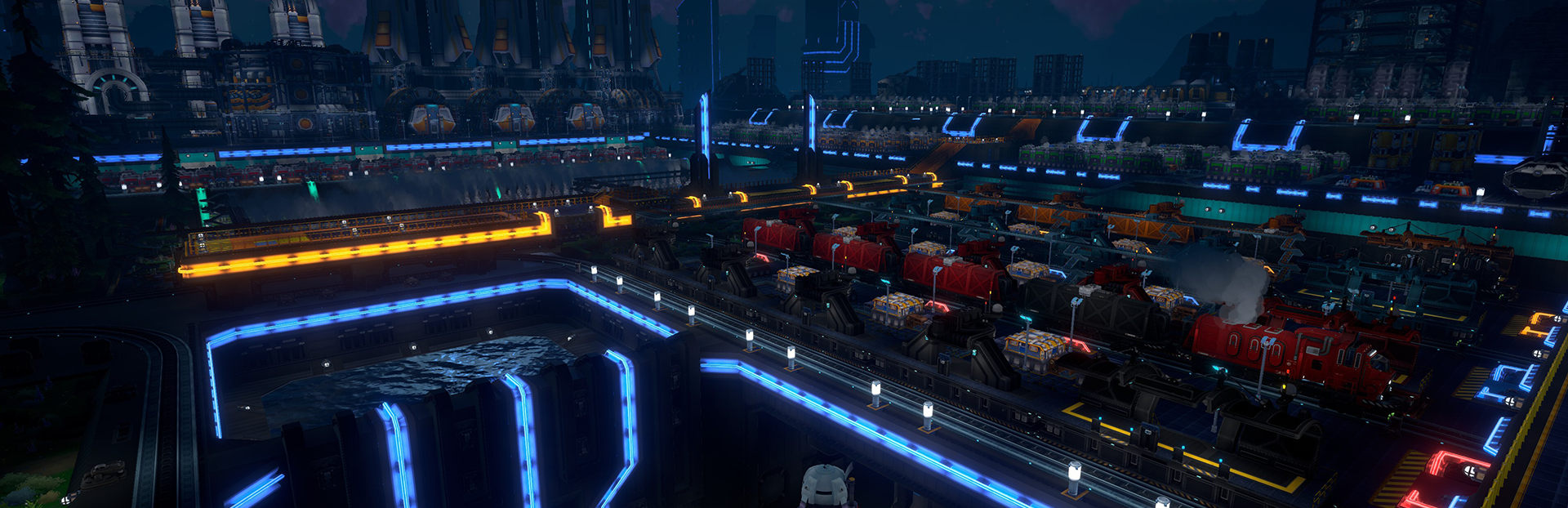
Trains: Expand your factories with trains. From small end-to-end lines to complex multi-track rail networks, we’ve got you covered.
Xeno Power Plant: Endless power from a complex power plant made out of multiple modular buildings. More details here.
More Science Pack 5 Content: Three more assembly line robots and some new components.
Information Overlay: More information about your factory with a brand new info overlay showing various machine states. More details here.
Construction Drone: A remote controlled construction drone which makes building your factory more convenient. More details here.
New decoratives: A set of glowing neon tubes.
Polishing and Improvements: Lots of polishing, bugfixes and improvements.
Trains
I’m thrilled that we’re finally able to deliver trains. They have been highly requested for a very long time, and we’ve been working on them for quite a while. Some of you might have tried them already on the experimental branch, but for everyone else here are the details. Let us start by looking at the individual parts of the Train System.
Tracks
This is where your trains will drive on. You place it with a drag mode similar to how belt dragging works. They snap to a 4x4 voxel grid, and we do support a wide range of shapes: differently sized curves, slopes for going up and down, diagonals.
Obviously we support branching and merging, and also tracks crossing each other.
Train Stations
This is where your trains stop at, you place them adjacent to tracks and automated trains will be able to stop there. More details below when we’re talking about the scheduling.
Train Loading Stations
Loading Stations are supposed to be placed next to the Train Station itself. You need one per wagon and it can either be set to Load or Unload mode. A Loading Station has an internal inventory which can be filled or emptied while the train isn’t present, which allows for faster train loading/unloading. The building itself has two input and two output belt connections to connect your factory to.
Signals
We decided to go with a widely used solution of having two signal types: The regular and chain signal. Signals divide your tracks into so-called track segments and trains will only ever enter empty segments. The regular signal lets trains pass whenever the upcoming segment is empty, and the chain signal lets the train pass only when the next segment after the upcoming segment is also empty.
It is the same solution most factory games and many simulation games with trains use. I know it needs a bit of time to understand for a beginner, but ultimately we wanted to ensure that complex train solutions will work and that the player has the control needed to make interesting builds. We’ll have an info database page where we’ll try to explain the basics to get started.
We also have helper visualization showing the segments (while having a signal equipped):
Train Engines & Wagons
The train engine is what makes your train move. It needs to be at the front of your train, and if you want your train to be bi-directional, you need an engine on each side facing outwards. For this update, we have decided that trains will not require fuel. It’s something we want to change eventually, but we didn’t want to rush it and therefore delayed it.
For cargo transportation we have a wagon for solid items and one for liquids/gases.
Manual Mode & Autopilot
You can drive your train manually from the screen panel, but this isn’t very useful for automating freight transportation in your factory, so there is an autopilot mode.
For the autopilot you can create train schedules, which are a list of stations the train should go to, and a related set of conditions for how long a train should stay in the station. The typical conditions are “Wait until full” and “Wait until empty”, but there are also timers or data signal conditions. You can combine multiple conditions with “AND” or “OR” logic.
Work in progress
Advanced Features
I won’t go into too much detail here, but we do also have advanced features like train limits per station, support for multiple stations sharing the same name or creating shared schedules for multiple trains. There is also a bunch of data system support in case you want to do more complex things.
This concludes today’s episode and I hope you’ll have fun with Update 4!
See you at the next one, -mrmcd
Follow us on socials:
Stay tuned for more news! https://store.steampowered.com/app/983870/FOUNDRY/
Source
Changelog.gg summarizes and formats this update. How we read updates.