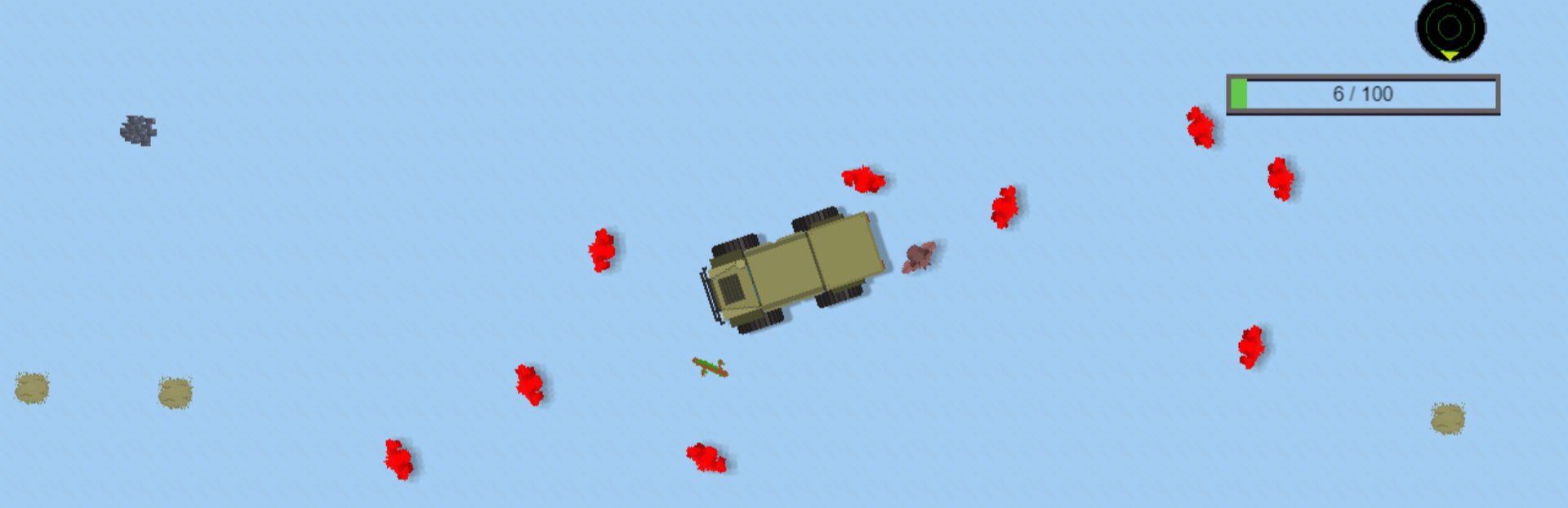
A new update for Fortified Space is now available! The Endless Mode Update (v0.1.3) adds new features designed to make base building missions much more replayable.
In this update5
Full notes
Full Fortified Space update
Read the full published notes in a cleaner layout. The original post stays linked below.
What changed
0 fixes2 additions4 changes1 removal
Gameplay
UI and audio
Events
addedA new update for Fortified Space is now available! The Endless Mode Update (v0.1.3) adds new features designed to make base building missions much more replayable. I'm happy to introduce the all-new Endless Mode and an improved Restart function.
changedEndless ModeThe Endless Mode toggle button will now appear as a reward after you successfully finish each particular planet mission. Switching on Endless Mode will activate unlimited enemies that will attack you and your base nonstop. When activated, they no longer come in waves; there are no pauses and no end until you decide to toggle Endless Mode off again. With this new mode, you can keep returning to each planet mission to see how long your base can survive and how large you can expand it under this relentless assault. You can also use it to increase your career kill count and to enjoy the ASMR of your base's turrets pummeling enemies.
addedRestart Button ChangesThe Restart button now results in a full reset of that particular planet mission, even if you already completed it. In the past, if you had already finished the mission, the Restart button would maintain the researched base parts and the “+100 Materials” button that appeared after mission completion. In this new update, all of those elements will reset in order to let you replay the mission fully. Your inventories will return to zero, and you will need to re-unlock all base parts. This means you can redo individual missions, using new resource gathering and building strategies without having to nuke your save with an entire New Game.
changedPut It All Together And...Yes, if you've already completed the mission, you can hit Restart (resetting inventory/unlocks), then activate Endless Mode right away if you want a real challenge.
removedOther ChangesI've eliminated the “+100 Materials” button, effectively removing the sandbox mode that used to appear after mission completion. Endless Mode is its replacement. I think a lot of the gameplay loop involves gathering materials and building within the limitations of the resources you have, so I felt that having unlimited materials discouraged replayability.
changedOther ChangesFleet battle NPC behaviors have been improved.
Fortified Space changes
addedA new update for Fortified Space is now available! The Endless Mode Update (v0.1.3) adds new features designed to make base building missions much more replayable. I'm happy to introduce the all-new Endless Mode and an improved Restart function.
changedThe Endless Mode toggle button will now appear as a reward after you successfully finish each particular planet mission. Switching on Endless Mode will activate unlimited enemies that will attack you and your base nonstop. When activated, they no longer come in waves; there are no pauses and no end until you decide to toggle Endless Mode off again. With this new mode, you can keep returning to each planet mission to see how long your base can survive and how large you can expand it under this relentless assault. You can also use it to increase your career kill count and to enjoy the ASMR of your base's turrets pummeling enemies.
addedThe Restart button now results in a full reset of that particular planet mission, even if you already completed it. In the past, if you had already finished the mission, the Restart button would maintain the researched base parts and the “+100 Materials” button that appeared after mission completion. In this new update, all of those elements will reset in order to let you replay the mission fully. Your inventories will return to zero, and you will need to re-unlock all base parts. This means you can redo individual missions, using new resource gathering and building strategies without having to nuke your save with an entire New Game.
changedYes, if you've already completed the mission, you can hit Restart (resetting inventory/unlocks), then activate Endless Mode right away if you want a real challenge.
removedI've eliminated the “+100 Materials” button, effectively removing the sandbox mode that used to appear after mission completion. Endless Mode is its replacement. I think a lot of the gameplay loop involves gathering materials and building within the limitations of the resources you have, so I felt that having unlimited materials discouraged replayability.
A new update for Fortified Space is now available! The Endless Mode Update (v0.1.3) adds new features designed to make base building missions much more replayable. I'm happy to introduce the all-new Endless Mode and an improved Restart function.
Endless Mode
The Endless Mode toggle button will now appear as a reward after you successfully finish each particular planet mission. Switching on Endless Mode will activate unlimited enemies that will attack you and your base nonstop. When activated, they no longer come in waves; there are no pauses and no end until you decide to toggle Endless Mode off again. With this new mode, you can keep returning to each planet mission to see how long your base can survive and how large you can expand it under this relentless assault. You can also use it to increase your career kill count and to enjoy the ASMR of your base's turrets pummeling enemies.
Restart Button Changes
The Restart button now results in a full reset of that particular planet mission, even if you already completed it. In the past, if you had already finished the mission, the Restart button would maintain the researched base parts and the “+100 Materials” button that appeared after mission completion. In this new update, all of those elements will reset in order to let you replay the mission fully. Your inventories will return to zero, and you will need to re-unlock all base parts. This means you can redo individual missions, using new resource gathering and building strategies without having to nuke your save with an entire New Game.
Put It All Together And...
Yes, if you've already completed the mission, you can hit Restart (resetting inventory/unlocks), then activate Endless Mode right away if you want a real challenge.
Other Changes
I've eliminated the “+100 Materials” button, effectively removing the sandbox mode that used to appear after mission completion. Endless Mode is its replacement. I think a lot of the gameplay loop involves gathering materials and building within the limitations of the resources you have, so I felt that having unlimited materials discouraged replayability.
Fleet battle NPC behaviors have been improved.
The UI on planet missions was slightly improved.
Want to Support Development Further?
If you've already bought the game and would like to support development even further, consider leaving a Steam review! Steam's algorithm boosts the visibility of games with 10 reviews or more, which would allow Fortified Space to reach more players and gather more feedback during this Early Access phase. It would mean a lot and would help this game become much better.