
Full notes
Full Following Seas update
Read the full published notes in a cleaner layout. The original post stays linked below.
What changed
- Maps
- Fixes
- Balance
- Gameplay
- UI and audio
- Performance
Following Seas changes
Fixes:
Fixed issue with Tathun's Pit and Weeping Isle that would cause frequent desync of terrain and detail objects.
Fixed incorrect text prompts on brace points.
Fixed issue that would cause parenting issues on Square rigged xebec near the rigging ladders.
Fixed numerous issues with the brace points that could cause the player to become stuck, or interacting with multiple objects at once.
Fixed numerous minor mesh issues on new Xebec hull and rigging.
Fixed several ropes on the Corsair Xebec that would have no end points set by default, allowing them to boing off into the horizon when released.
Improved colliders on the Corsair Xebec to reduce chances of falling through gaps.
Changes:
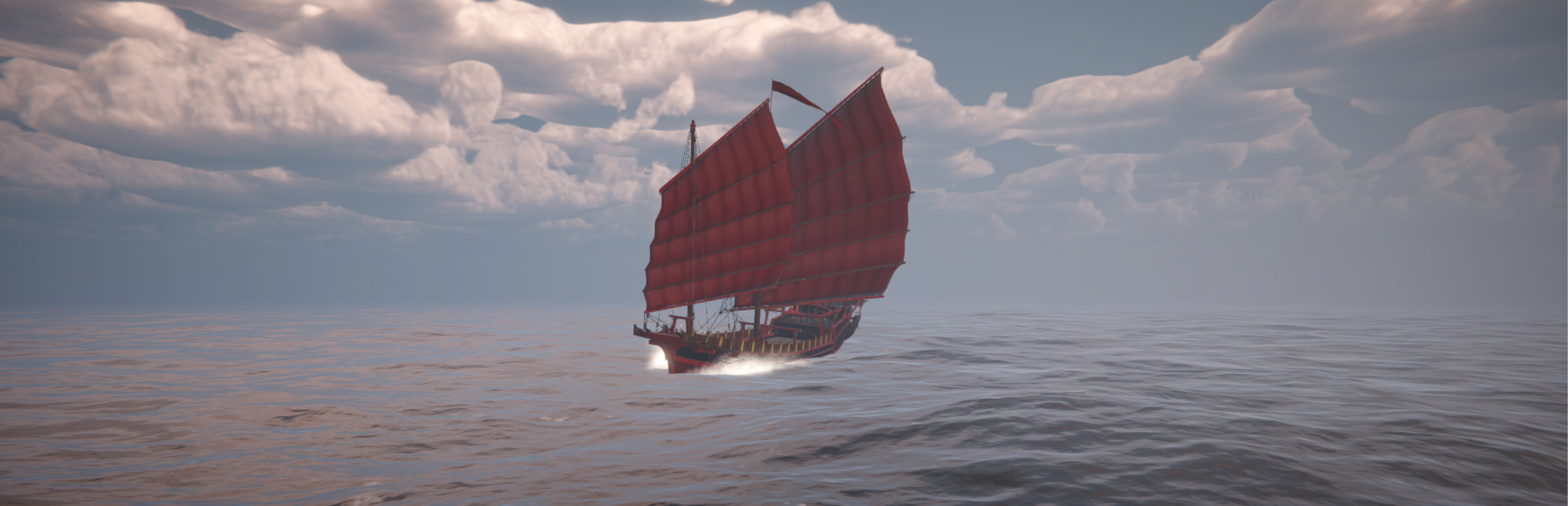
Significantly improved the square sail system. Should be much more stable, and behave much more predictably, especially when close hauled.
Rewrote the heeling mechanic specifically for square sails -- ship should reliably heel in the correct direction, and now accounts for the additive pressure of stacked/tiered sails.
Significantly improved the brace mechanic, allowing clearer indication of what each point controls, better disengagement, and a UI prompt to indicate what the point effects.
Improved ability for ships to travel in reverse or sideways when the sails are positioned in a way to cause this.
Improved the hullspeed limits to account for the strong downwind performance of the square rigs. Under good conditions she can catch anything.
New Content:
Debug mode: For those interested in a closer look at the nuts and bolts, as well as allowing numerous debug/cheat functions, I've added a debug toggle. This can be accessed from the option menu, and will fully take effect after reload or scene transition. Consider this system in progress - right now it adds an overlay displaying current ship and world condition, along with several hotkeys for altering weather/etc.
Realtime -> The current world time at the camera position.
Real Coordinates -> The current coordinates at the camera position.
Ship Speed -> Hull speed through water in m/s.
Wind Speed -> True wind speed in m/s.
Wave Intensity -> This is a numeric scale and doesn't directly translate to a measurement, just consider it a scale from 0-140, with 0 being perfectly flat, and 140 being uh oh.
HeelX/Z -> Displays the current center of gravity offset applied to the hull from the various effectors. The actual values will vary ship-to-ship, and doesn't directly relate to a specific range. For x, negative values will indicate a heel to port, positive values to sb.
Also adds visible debug rays to the camera. These will indicate the following:
Unified hull Travel -> This is the current direction the ship is heading, accounting for all sources of thrust, current speed, and hydrodynamic forces.
True Wind Direction -> The current direction of true wind hitting each sail.
Wind Reflection -> This is the reverse angle of the wind force applied to the sail. Will generally be similar to wind direction, but biased towards the stern.
Apparent Wind Direction -> Global direction of apparent wind for the given ship.
Ship Tints:
Most ships can now choose the color of their sails and nameplates. This function can be accessed from the ship-naming interface, where a color picker has been added that allows player to choose a color, or input a desired hex code.
You want hot pink sails, you get hot pink sails. Eventually I'd like to expand to sail decals -- but I better not see any waifus.
Coming Soon:
For the next while I plan to reduce the flow of new content, as I worry I'll end up building too much technical debt before getting the existing content to the point it needs to be at. So I'll be focusing on bug fixes and improving existing systems for a while. If I haven't responded or addressed a particular bug -- I am listening, its just a juggling match at the moment.
That said, one system that is currently progressing (as a mix of old and new) is an in-game manual. While I get that pages of text isn't the most stimulating -- I feel it's definitely better than expecting folks to sort it all out themselves. This will essentially be the same as the current text manual, but split into more digestible segments that can be accessed directly by a tag system.
This will replace, and expand upon, the current handful of tutorial popups, as well as being accessible through the menus.
Source
Changelog.gg summarizes and formats this update. How we read updates.