
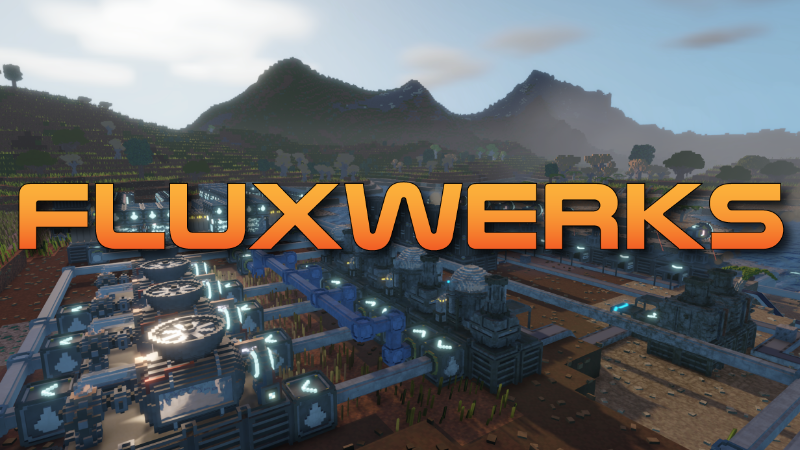
In this update4
Full notes
Full FluxWerks update
Read the full published notes in a cleaner layout. The original post stays linked below.
What changed
- Performance
- Workshop
- UI and audio
- Gameplay
- Maps
- Fixes
FluxWerks changes
This became a HUGE update with a lot of QoL features like blueprints, a lot more later tech content (not in demo), complete tech tree rebalance, but also major visual updates and behind the scenes stability and performance improvements and bug fixes.
Thank you to everyone who helped to test out and hammer those bugs down, I couldn't had done it without you!
FluxWerks v0.4.0 - 01-08-2026
New Features
Saves - Saves from before v0.4.0 will not load. To continue an old game, install the v0.3 branch from the Steam Betas tab.
Area Copy and Blueprints - Mark part of your factory with the new Area Select tool (Alt+7), then stamp it anywhere as construction plans. Tick what comes along, buildings keep their settings and the ground itself can be copied, and hold Ctrl while stamping to clear whatever is in the way. Save a marked area as a blueprint from the Blueprints button on the build bar and place it again in any world.
Automatic Light - Your personal light now turns on by itself at night and underground. On by default, turn it off in Settings under General.
Detailed Voxel Info - Pointing at terrain with a mining, fill or fluid tool selected can now show extra details like hardness, temperature and pollution. Off by default, turn it on in Settings under Interface.
Harvest Yields - Pointing at a tree or other harvestable now shows what it yields and how much.
Fluid Router Temperature Filters - Each side of a fluid router can now filter by temperature. Click the thermometer icon on a router side to set a range or an open-ended limit.
Storage Contents Overlay - Storage containers and fluid tanks now show their main contents and amounts in the building overlay. On by default, switch it off in Settings under Building Overlays.
Chemical Plant - A new machine that runs chemistry recipes.
Oil and Plastic - Pump crude oil out of desert and jungle reservoirs and crack it into plastic sheet.
Aluminum - A new metal, refined from bauxite, sulfuric acid and coal in the Chemical Plant.
Arc Furnace - A new smelter that runs on electricity. It makes steel without coal or water, and takes metal recipes only.
Ore Crushing - The Crusher can now grind iron and copper ore into dust, which the Arc Furnace smelts into twice the metal per ore.
Titanium - A late-game metal. The Chemical Plant turns titanium ore, aluminum and coal into sponge, which only the Arc Furnace can melt into ingots.
Solid Fuel - A new fuel item, pressed from crude oil, or from coal and water.
MK 3 Transports - Belts and pipes now have an MK 3 tier.
Fabricator - A new machine that makes advanced circuits. Those go into the new Electronics Science Pack, which opens up gold, bauxite and oil.
Gold and the Advanced Science Pack - Smelt gold ore and draw it into wire for advanced circuits and the final research pack. It unlocks the top of the tech tree.
Flux Core - A consumable part that drops into a machine's boost slot to run it faster and yield more items.
Fuel Depot - Long-range drones now burn fuel in flight and land here to refuel. Build one and feed it Solid Fuel by belt, and keep it within round-trip range of your drone ports or they stop launching.
Drone Port - A cargo building that flies items automatically between drone ports. Rename it and choose what to keep stocked from its panel, optionally from one named port only.
Transport Statistics - A new Transport tab in the Statistics panel shows total deliveries, volume by item, and a live status table for every drone port. Ports with a lasting problem also send a notification.
Computing and Power Readouts - The top bar readouts now show a small history graph and turn red in a deficit. Right-click switches between stored amount and net rate, left-click opens the full statistics, and hovering shows details like time to empty.
Pin Beacons - A pin can be shown as a marker floating at its spot in the world, showing how far away it is. Toggle it per pin in the map's pin list; warning pins show by default, others are opt-in.
Scanner Materials - The scanner can now find sand, clay and limestone as well as ores. Each unlocks with the research that first uses it.
Improvements
Recipe Names - Every recipe is now named after what it makes, and recipes making the same item from different inputs say which, like Brick (Clay).
Tech Tree - Completely reorganized, with more technologies to research.
Tech Tree Backdrop - Drifting cubes and a wireframe landscape that builds up as you research, with sparks under the tech in progress.
Science Pack Ratios - A technology now costs the same number of each pack it needs.
Demo - The demo now ends at Industrial Science, covering everything up to steam power, computers and solar. The later tiers are in the full game.
Steel - Steel Metallurgy and Steel Working are now a single research called Steel Production.
Detection and Upgrades - Resource detection and player upgrades now sit in the tech tree with everything else, instead of separate rows above it.
Nanobot Swarm - Nanobot Count and Nanobot Travel Speed are now one upgrade, which adds bots and speeds them up together.
Tutorial - Re-ordered to match the new technology order. Steps now check the recipes set in your machines, and a new step covers automating repair packs.
Pipette - Picking a building now copies its full setup, and keeps it if you rotate before placing.
Auto-Chain - Belts and pipes now keep placing connected sections after each one. Switch it off in Settings under Construction, or hold Alt to place just one.
Building Plans - Hovering a plan now shows its construction costs against what you are carrying.
Segment Delete - Removing a whole belt or pipe run with Ctrl now needs the click held, like demolishing a building. Single tiles still go on the click.
Area Select - The separate area toggle tool is gone. Area Select takes its Alt+7 shortcut and gains Pause, Unpause and Build buttons.
Demolish Tool - No longer clears terrain and ore. Mark a volume with Area Select (Alt+7) and hold its Demolish button instead, which can take the buildings too.
Quit Without Saving - Returning to the main menu or exiting to desktop now asks whether to save first.
Cloud Speed - Clouds now move a bit faster.
Smoke and Dust - Now chunky puffs instead of plain circles.
Excavator - The laser head now turns to track the block it is mining.
Inserters - Items handed to and from belts now appear and vanish instantly, instead of fading.
Interface - Panels and on-screen bars are now more consistent in size, style and position, with a cleaner floating look over the world.
Loading Screen - Now shows a progress bar, the window no longer freezes during loading, and the area around you finishes generating before the game starts.
Autosaves - No longer keep a second backup copy of each slot, halving their disk use.
Building Status - Status rows are now colored bars, blue when too cold and orange or red for trouble.
Extraction Rate - Mining drills and excavators now show their output in items per minute, and fluid extractors in units per second.
Computing - Now a reserve you fill and draw down like power and batteries. A shortfall slows machines instead of losing their inputs.
Research Indicator - The top bar and tech tree now show time remaining, or why research is stopped, like missing science packs. Left-click opens research.
Research Progress - Progress now rises smoothly as work is done, instead of jumping only when a batch of science packs finishes.
Top Bar - The Statistics button is now a compact icon, and the temperature and weather readouts line up.
Overclocking - The Overclocking research and its free bonus items are gone.
Overworld Map - Drone ports, fuel depots and their names now show on the map, along with live drone positions.
Scanner Pins - Click a floating ore total from the scanner to pin it on the map with the ore's name and amount.
Scanner Filters - The scanner now takes at most three filters at once. Turn one off to pick a different one.
Map Toolbar - The overworld map's header buttons are now compact icons with hover tooltips, and the map window can shrink to a smaller size.
Pin List - Now opens as a side panel beside the map, with an Edit button on each pin to rename it.
Drone Port List - The map's marker panel has a new Ports tab; click a port or depot to open its inspector and center the map on it.
Map Size - The small and medium map sizes now each remember their own window position.
Pin Categories - Pins are now colored by type (notes, ore, warnings), and the pin list has filter buttons to show or hide each type.
Storage Slot Locks - Lock a storage slot to one item type by clicking the slot's icon.
Inventory Bars - Slot bars now tint by what they hold and animate smoothly when amounts change.
Stored Fluids - Hovering a fluid in your inventory or a building's storage now shows its temperature.
Progress Bars - All progress bars share one style with a bright moving edge and smooth filling.
Statistics Graphs - Graph lines are now thin and crisp with a soft glow.
Camera - Loading a save now restores the exact camera angle and zoom it was saved with.
Flight Height - You can now fly much higher above your factory, well above the top of the world.
Free Camera - The free camera mode is gone, along with its key binding in Settings.
Surface Relief - Terrain, trees and buildings now show subtle surface relief and gentle color variation.
Rocks and Cave Spikes - Ground and cliff rocks are now blocky and squared off, and cave spikes match them and can grow taller in big caverns.
Grass and Flowers - Grass now grows as chunky square stalks instead of flat blades, flowers match them, and grass is a little less dense.
Moss - Moss is now flat blocky carpets with a damp sheen, and only grows in shade.
Hanging Vines - Vines are now chunky ropes that still swing in the wind, and they grow in scattered clumps instead of covering every cave ceiling.
Creeping Vines - Ground vines are now chunky ropes, and the rare stalks grew snapping traps that lunge at flies and clamp shut as you approach.
Terrain - Different ground materials now blend into each other where they meet, instead of switching with a hard seam.
Shadow Distance - New graphics setting for how far buildings and trees cast shadows. Terrain always casts far. Defaults to Medium, raise it for the old look.
Detail Distance - New graphics setting for how far trees and buildings keep their most detailed look. Lower values improve performance, and Unlimited never simplifies them at all.
Clouds - New graphics toggle to turn clouds off for a better frame rate.
Terrain Relief - New graphics setting for the surface relief effect. High by default, Low softens and shortens it, Off disables it.
Terrain Blending - New graphics toggle for the smooth transitions between ground materials. On by default.
Performance Stats - The panel now shows 15 second history graphs of its key readings.
Performance - Large worlds now use several hundred megabytes less memory and run faster.
Save Files - Large saves are now noticeably smaller.
Main Menu - Improved the main menu background visuals and added a short FluxWerks logo intro.
Fluid Router - Now shows a warning icon when a connected side is still off, or when its sides cannot move fluid anywhere.
Bug Fixes
Fixed the world slowly gaining heat over long play sessions.
Fixed moss and hanging vines growing in deserts, including inside pyramids and desert caves.
Fixed Computers breaking down permanently with no repair pack able to fix them.
Fixed pausing doing nothing on storages, belts, inserters and other transport.
Fixed a bug causing large factories to run slower than they should.
Fixed the pipe tool hint showing the wrong axis after you changed the axis lock.
Fixed lightning and other effects leaving black patches and white glare on the screen.
Fixed actions taken while the game was saving being lost, duplicated or going through when you tried to cancel.
Fixed water and lava being invisible in some saved games.
Fixed a slow memory buildup while the world map was open or when switching environment visuals on and off.
Fixed a rare crash with the map open near flowing lava or water.
Fixed the scanner's floating ore totals vanishing while the map window was open.
Fixed heat shimmer appearing over ground that is not hot.
Fixed the unbuilt part of a belt still showing up in fog.
Fixed building animations carrying on while the game was paused.
Fixed belt preview corners pointing the wrong way in chained belt runs.
Fixed pipe plans that turn a corner building as two disconnected pipes.
Fixed saves made when quitting to the main menu sometimes missing distant parts of the world.
Fixed autosaves sometimes being skipped.
Fixed sand on desert cave floors not being compacted like the rest of the desert.
Fixed rare ore patches near bedrock that never ran out and that mining drills refused to mine.
Fixed the maintenance coverage overlay heavily dropping the frame rate in large factories.
Fixed far terrain flickering in a band where the detailed terrain ends.
Fixed trees and buildings switching back and forth between their detailed and simple versions.
Fixed some graphics and camera settings not applying after starting a new game or loading a save.
Fixed the music player's volume resetting when you resumed the game.
Fixed the crafting queue jamming on a craft when you no longer had the materials for it.
Fixed holes in the terrain that sometimes never loaded in around large factories.
Fixed distant machines not heating or polluting their surroundings until you came close.
Fixed the scanner's ore filter toggles being missing after loading a save.
Fixed some frame time spikes happening on large factories once per second.
Fixed seeing through terrain overhead when looking straight up while fully zoomed in.
Fixed smoke and other effects staying dark and fully visible through fog.
Fixed the lower part of distant clouds disappearing against the foggy horizon.
Fixed a bright outline around anything seen against the clouds.
Fixed an error that could appear when starting a new game.
Fixed crashes while mining or near flowing fluids.
Fixed save files growing larger than they needed to be.
Fixed the scanner's floating totals reading as exact when the deposit continued past the scanned area.
Fixed fluid you moved or drained returning to its original state after loading a save.
Fixed fluid losing its temperature when drained by hand or moved between your inventory and a machine.
Fixed wet ground during rain forming large squares with straight edges.
Fixed rain and snow being invisible against the sky, appearing only in front of terrain.
Fixed buildings and belts lighting up and showing their details as you turned the camera past them.
Fixed fluid vanishing when the same pipe line was connected to two sides of a fluid router.
Fixed hold-to-confirm actions still going through after Escape dismissed the panel they were on.
Fixed a copied recipe being pasted onto machines that cannot run it.
Fixed an error when laying pipe across an existing pipe run near a fluid router.
Fixed a false Computing Shortage alert appearing right after starting or loading a game.
Balance Changes
Inserters - Transfer speed raised 2.5 times at every tier. Two now fill a belt of their own tier instead of five.
Sulfur - Now more common in the volcanic biome.
Crude Oil - Fuel value reduced from 15000 to 8000 kJ. Refining it into Solid Fuel yields 50% more energy.
Excavator MK 1 - Digging speed reduced from 0.5 to 0.375 blocks per second, matching the Mining Drill. Construction cost changed from 2 Circuits to 2 Motors.
Brick & Concrete - Now used in buildings as construction material.
Bricks - Now also fired from 4 Dirt and 2 Water, not just 2 Clay. The clay recipe is faster.
Concrete Production - Now researched from Fluid Handling instead of Industrial Science, and required for Power Generation II and Material Crushing.
Gold Refining - Now researched in the industrial age alongside chemistry, much earlier than it was.
Advanced Circuit - Now wired with 2 Gold Wire instead of 4 Copper Wire.
Steel Production - Now also requires Brick Processing.
Foundry MK 2 - Now unlocked by Steel Production instead of Automated Mining. Construction cost changed from iron parts to 10 Steel Plates, 8 Steel Frames, 6 Steel Gears and 12 Bricks.
Foundry MK 3 - Renamed to the Arc Furnace, and moved to the new Arc Smelting research.
Computer MK 1 - Construction cost raised from 10 to 12 Circuits, and now also costs 10 Concrete. No longer has to be sheltered to run at full rate.
Battery MK 1 - Construction cost raised from 4 Steel Frames and 10 Copper Wire to 6 Steel Frames, 16 Copper Wire and 4 Circuits.
Wind Turbine MK 1 - Construction cost changed from 10 Steel Plates and 20 Glass to 20 Aluminum Plates, 10 Glass, 6 Advanced Circuits and 20 Concrete.
Repair Packs - Advanced Repair Packs are now a late-game item. Every machine before that runs on Basic Repair Packs.
Mining Hardness - Rebalanced so blocks vary more from the early game to the late game.
Limestone - A block now holds 10 units instead of 1, and the quarried limestone in desert pyramid ruins holds 200.
Jungle Clay - A block now holds 10 units instead of 1.
Alien Biome - Now starts around 10,000 blocks from spawn instead of 1,200.
Oil Reservoirs - Deposits are now much rarer and further apart, and grow with distance from spawn, from around 5,000 units near the start to over 100,000 far out.
Carry Capacity - The first two tiers now go to 3 levels each, up from 1 and 2, and the last two drop to 2 levels each, down from 3 and 4. Still 20 extra slots in total, just more of them earlier.
Science Pack Assembly - Each pack is now assembled at half the speed of the one below it, so every tier needs twice the assemblers of the last.
Source
Changelog.gg summarizes and formats this update. How we read updates.