
Full notes
Full Endless ATC update
Read the full published notes in a cleaner layout. The original post stays linked below.
What changed
- UI and audio
Endless ATC changes
Changelog for v5.8.6:
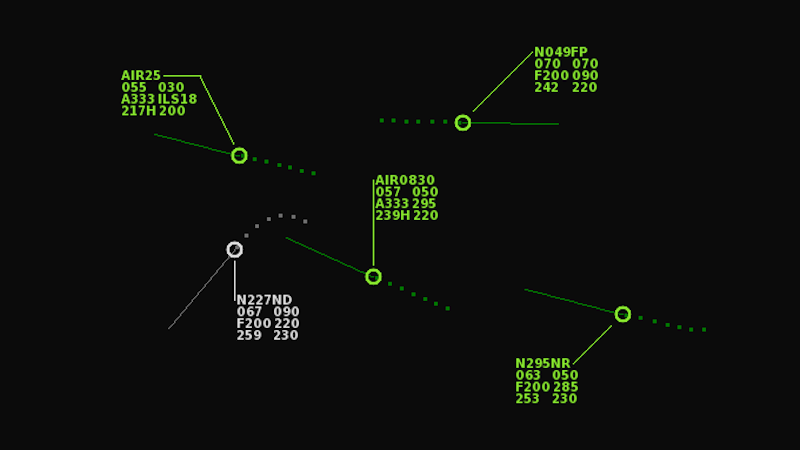
Plane labels can be moved around freely, using the Shift key + left mouse button. This can be handy to avoid overlapping labels in busy areas. The default label position of all planes can also be adjusted using the Ctrl key + left mouse button. The keys can be customized in the Controls menu (press F7, see page 2 and 6). To reset the position back to default, simply press the Label button in the Display menu.
For custom airports:
All routes in an [approach] section are now available in-game by pressing the APP button multiple times. In earlier versions, just 1 route was selected (it would select the route which best matched the 'bearing' given for that route, meaning you could only choose 1 route per runway). Now all routes are available, sorted from best to worst bearing.
Approach routes can intercept the ILS as low as a height of 300 feet.
Departures on a route can resume their route, for example after a plane had been given a heading. Or it can get a shortcut to a waypoint further ahead on the route. This is only possible when the location of a certain waypoint of the route matches another defined beacon/sid point in the file. You can then drag a heading onto that waypoint, and SID mode will be enabled with the route continuing from that waypoint.
Fixed a bug where the custom maximum altitude of a plane on a departure route did not always apply (this is regarding the 'above' override feature for routes, that was introduced recently in v5.8.4 to allow for lateral handoffs).
Fixed incorrect drawing location of 'text' and 'label' in the [background] section. To make sure older custom airport files look unchanged, the corrected properties have been renamed to 'bgtext' and 'bglabel'.
Source
Changelog.gg summarizes and formats this update. How we read updates.