
In this update3
Full notes
Full Embers Adrift update
Read the full published notes in a cleaner layout. The original post stays linked below.
What changed
- Events
- Gameplay
- UI and audio
- Fixes
- Balance
- Server
Embers Adrift changes
This month we are introducing a new type of content to Embers Adrift we refer to as "Challenges". These are timed events held within sealed locations throughout the world, and represent our approach to brining instanced-style content to a non-instanced game world. There are also a handful of updates and fixes included!
Updates
Doubled the Chat and Combat queue message limit.
Reduced Knave set count requirement from 5 to 4.
Venom Strike tooltip now indicates that it does chemical damage.
You can now hold shift while viewing an item comparison tooltip for items that have an alternate slot (earring, rings, etc) to view the alternate equipped item.
Updated ability ground indicators to show the AoE radius for others when the AoE emanates from your target (i.e. Halt).
Fixes
Fixed Central Ibaxus icon assignments for some items.
Fixed trained wolves calling friendly NPCs to attack the player.
Fixed spiced tea not being prefixed with "Spiced".
Fixed targeting reticles not showing on Grimstone Canyon rocks.
Fixed a bug with lights that get disabled never re-enabling their shadows.
Fixed some potential Skybox bugs that may have been causing black screens on macOS. This should reduce the frequency of this occurring.
Fixed some issues with the Dryfoot Stronghold nav mesh.
Fixed spelling error on foreclosure notice in Newhaven City.
Fixed audio playing on startup for switches, doors, etc.
Fixed Lingering Strikes from triggering itself.
Fixed some wood planks not showing wetness/snow.
Fixed a potential race condition with NPCs that would allow the player to immediately loot the animal as if it were skinned, even if the player did not have the skinning profession.
Challenges
Each challenge can be entered by one player, or a group of up to six. Entry requires a key, dropped by NPCs within the same zone. Keys are "unique" meaning that you can only carry one of each at a time (each challenge requires a different unique key). Consuming this key for entry locks the challenge to your group, preventing other players from entering for the duration.
Once inside, you will face a series of timed steps. Some challenges present clear objectives; others simply require you to push forward to the next area. Complete each task and you will earn additional time. Run out of time and your group will be removed and the challenge will be reset, making it available for others.
Clear all steps and you will find an individual chest with loot tailored to your specific class or potentially a Vanity Pet.
Upon first entering a challenge you will have 60 seconds to prepare; this time allows for buffing up and getting everyone into the preparation area. Challenge content scales to whoever is present when the preparation time has elapsed. Solo adventurers, small groups (2-3 players), and large groups (4-6 players) are all supported. Bringing more people increases the difficulty and improves your chances at better rewards. These challenges are appropriate for players of any level, as the level of creatures spawned will adapt to the highest level adventurer in the group.
Only one key is required for an entire group to enter!
Currently there are three challenges available:
| Name | Location | Level Range | Est. Time Required |
|---|---|---|---|
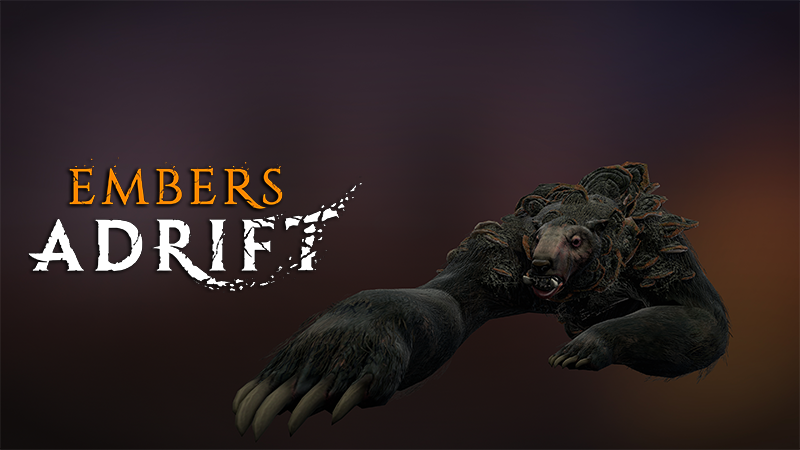
| Blind Bear | Northreach | 10-50 | 15m |
| Ramparts Run | Dryfoot | 20-50 | 30m |
| Stone Breach | Dryfoot Fortress | 36-50 | 50m |
(with more to come in the future!)
Some notes to keep in mind:
One key is required per attempt.
You can only hold one key at a time in your inventory.
The entrance to each challenge will have a tooltip telling you the name of the challenge, required item, and estimated time required to complete. If the challenge is occupied it will state that and the estimated time remaining on the current step.
The server considers the person who consumes their key as the "keymaster" and owner of the challenge.
If for example, the player who used their key is kicked from their group within the prep area before the prep time is concluded, then all other players will be ejected and the challenge will proceed as solo content for the keymaster.
If the player who used their key disconnects during the prep time and does not return, then everyone will be kicked and the challenge will reset.
Once the challenge moves to the "In Progress" phase then the allowed character list is locked.
Using the /stuck or /rope commands within the challenge will remove your character from the challenge. This is to prevent potential exploits with the isolated regions. Try not to get stuck.
Upon entering the challenge a new UI element will appear showing the title of the challenge and the time remaining for the current phase.
Some challenges will also provide instructions here so keep an eye on it.
Keep an ear out for the "quest updated" noise which will fire when something significant happens.
This UI element can be moved by holding down the Move UI key (whatever you have bound).
There is an Exit button (similar to the group window) which will prompt you if you would like to request an exit. Upon accepting the confirmation you will be teleported out of the challenge in 10s and unable to re-enter until the challenge is reset.
You can right click this UI element and select "Request Exit" which has the same functionality as the exit button.
If you log into the game inside of a challenge area then you will immediately be ejected. This includes logging in after a disconnect. This policy is in place to prevent exploits.
Releasing after being knocked unconscious while in the challenge will remove you from the challenge.
If you release during a challenge your backpack will appear outside of the entrance.
Enemies within the challenge:
Do NOT respawn after killed.
Do NOT drop loot.
DO award experience.
Most challenges have a number of "checkpoints" that require the full group to be present. Some examples:
In Blind Bear there is a step that asks you to return to the platform to regroup - this will not proceed until the entire group is on the platform.
In both Ramparts Run and Stone Breach you will find pressure plates within some of the towers. In order to trigger these and move on the weight of your full group is required.
Loot from the chest in each challenge does NOT scale. The loot will be appropriate for the minimum level of the challenge.
Challenges required a number of new technical additions which will help us move forward with other features (i.e. Fishing):
Additive Loot Tables: this is mostly a back-end thing, but it allows Adric to "add" items to existing loot tables saving him immense amounts of time while giving him more fine grained control over drops. This was especially useful when adding challenge keys to different npcs.
Unique Items: these are non-tradable, non-bankable items of which you can only have one at a time. This is to prevent farming them, and to encourage their use upon acquisition. Currently this is only employed for challenge keys, but may be expanded in the future for other purposes.
Unique Loot Chests: these function similar to regular chests, but the contents of which are unique to the individual and hence do not trigger loot rolls. Everyone in your group may get something different at the end of each challenge. This tech will be particularly useful for fishing.
Targeting Layers: while you are participating in a challenge you exist on a different "targeting layer". This means that anyone NOT on the same targeting layer cannot target you, and you cannot target them (including NPCs). This prevents outside interference with challenges (i.e. aggro issues from other areas). The potential to expand upon this tech is huge and we hope to do more interesting things with it.
Source
Changelog.gg summarizes and formats this update. How we read updates.