
HomeGamesUpdatesPricingMethodology
Steam News23 December 20214y ago

DVR Simulator 0.32 is out, Early Access unlocked!

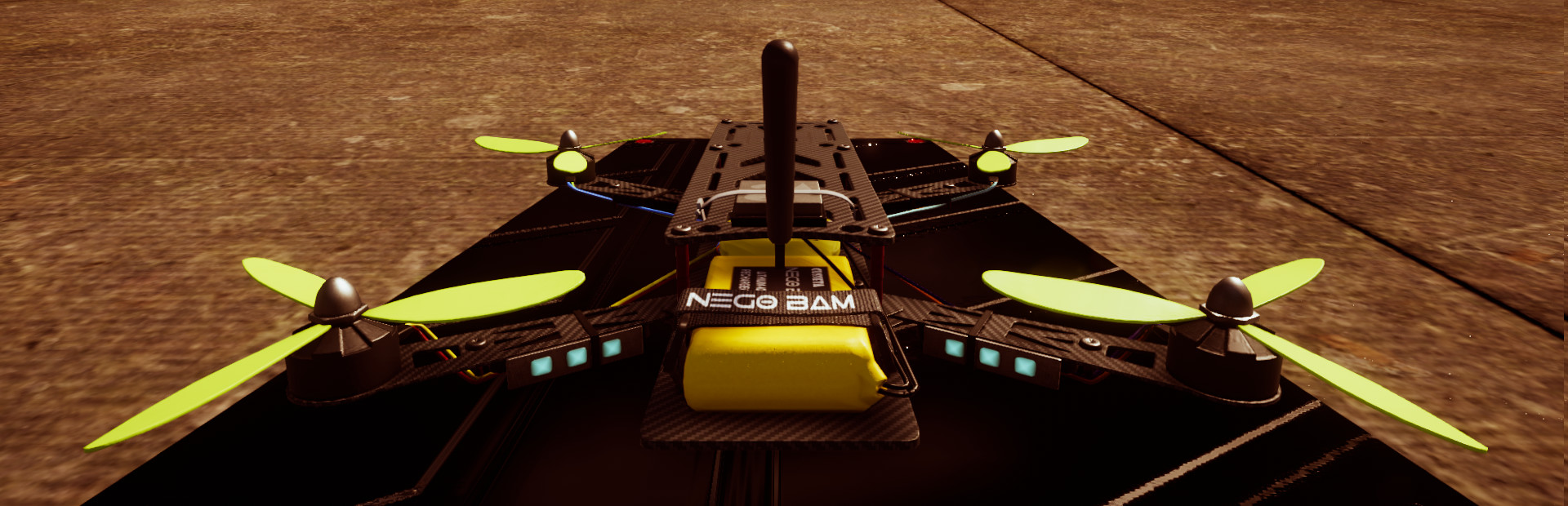
Hello everyone, Today is a great day because DVR Simulator is available in Early Access on Steam! So first what is DVR Simulator ? It's a drone simulator focusing on Virtual Reality.

In this update8

Full notes

Full DVR Simulator update

Read the full published notes in a cleaner layout. The original post stays linked below.

Repeated intro

Hello everyone,

What changed

0 fixes2 additions4 changes0 removals
  • Maps
  • Gameplay
  • UI and audio
changedMapsThere are 5 exterior maps and 1 interior map designed for Tiny whoops. Racing support is still early, so don't expect a great AI for now.
addedVR IntegrationThis new version is limited to the Oculus Rift/Quest support BUT we'll publish an update very soon with OpenXR support, it'll unlock VR for everyone! You need controllers to navigate into the menus, the gamepad is not support when playing in VR. Let me know if it's important for you to use the gamepad instead of the VR controllers.
changedUIMenu: Escape (Keyboard), menu button (VR), Start (Gamepad) - Drone/Helicopter editor: Tab (Keyboard), Menu button then Editor button, Select (Gamepad)
changedDrone controlsArm: E (Keyboard), Button A (Gamepad) - Flip: R (Keyboard), Button B (Gamepad), Secondary Button (Left VR controller) - Mode Toggle: T (Keyboard), Button X (Gamepad), Primary Button (Left VR controller)
changedCamera controlsAngle: Up/Down Arrow keys (Keyboard), DPad Up/Down (Gamepad) - Camera Mode: C (Keyboard), Button Y (Gamepad) - FOV: Left/Right Arrow keys (Keyboard), DPad Left/Right (Gamepad) - Zoom In/Out: +/- (Keyboard), Left/Right Shoulders (Gamepad)
addedWhat next?We're listening to your feedbacks, because there're important for us. We're working on a new update with some fixes and with OpenXR support. This new update will bring VR for everyone.

DVR Simulator changes

changedThere are 5 exterior maps and 1 interior map designed for Tiny whoops. Racing support is still early, so don't expect a great AI for now.
addedThis new version is limited to the Oculus Rift/Quest support BUT we'll publish an update very soon with OpenXR support, it'll unlock VR for everyone! You need controllers to navigate into the menus, the gamepad is not support when playing in VR. Let me know if it's important for you to use the gamepad instead of the VR controllers.
changedMenu: Escape (Keyboard), menu button (VR), Start (Gamepad) - Drone/Helicopter editor: Tab (Keyboard), Menu button then Editor button, Select (Gamepad)
changedArm: E (Keyboard), Button A (Gamepad) - Flip: R (Keyboard), Button B (Gamepad), Secondary Button (Left VR controller) - Mode Toggle: T (Keyboard), Button X (Gamepad), Primary Button (Left VR controller)
changedAngle: Up/Down Arrow keys (Keyboard), DPad Up/Down (Gamepad) - Camera Mode: C (Keyboard), Button Y (Gamepad) - FOV: Left/Right Arrow keys (Keyboard), DPad Left/Right (Gamepad) - Zoom In/Out: +/- (Keyboard), Left/Right Shoulders (Gamepad)

Today is a great day because DVR Simulator is available in Early Access on Steam! So first what is DVR Simulator ? It's a drone simulator focusing on Virtual Reality. You can use a VR headset to simulate the FPV goggles or play in full stereo. Of course you can enjoy the game without VR headset and play on your screen.

Maps

There are 5 exterior maps and 1 interior map designed for Tiny whoops. Racing support is still early, so don't expect a great AI for now.

VR Integration

This new version is limited to the Oculus Rift/Quest support BUT we'll publish an update very soon with OpenXR support, it'll unlock VR for everyone! You need controllers to navigate into the menus, the gamepad is not support when playing in VR. Let me know if it's important for you to use the gamepad instead of the VR controllers.

Game controls

Because the commands panel is not yet integrated, you may want to know how commands works. So here is a list of commands:

UI

- Menu: Escape (Keyboard), menu button (VR), Start (Gamepad) - Drone/Helicopter editor: Tab (Keyboard), Menu button then Editor button, Select (Gamepad)

Drone controls

- Arm: E (Keyboard), Button A (Gamepad) - Flip: R (Keyboard), Button B (Gamepad), Secondary Button (Left VR controller) - Mode Toggle: T (Keyboard), Button X (Gamepad), Primary Button (Left VR controller)

Camera controls

- Angle: Up/Down Arrow keys (Keyboard), DPad Up/Down (Gamepad) - Camera Mode: C (Keyboard), Button Y (Gamepad) - FOV: Left/Right Arrow keys (Keyboard), DPad Left/Right (Gamepad) - Zoom In/Out: +/- (Keyboard), Left/Right Shoulders (Gamepad)

The drone editor

I recommand you to try the drone editor because it contains a lot of settings. When you change something in the editor, a file is created in My Documents/My Games/DVR Simulator/Aircraft Data. You can open and share this file, it's just text inside.

What next?

We're listening to your feedbacks, because there're important for us. We're working on a new update with some fixes and with OpenXR support. This new update will bring VR for everyone.

Have fun!

Source

Steam News / 23 December 2021

Open original post

Changelog.gg summarizes and formats this update. How we read updates.