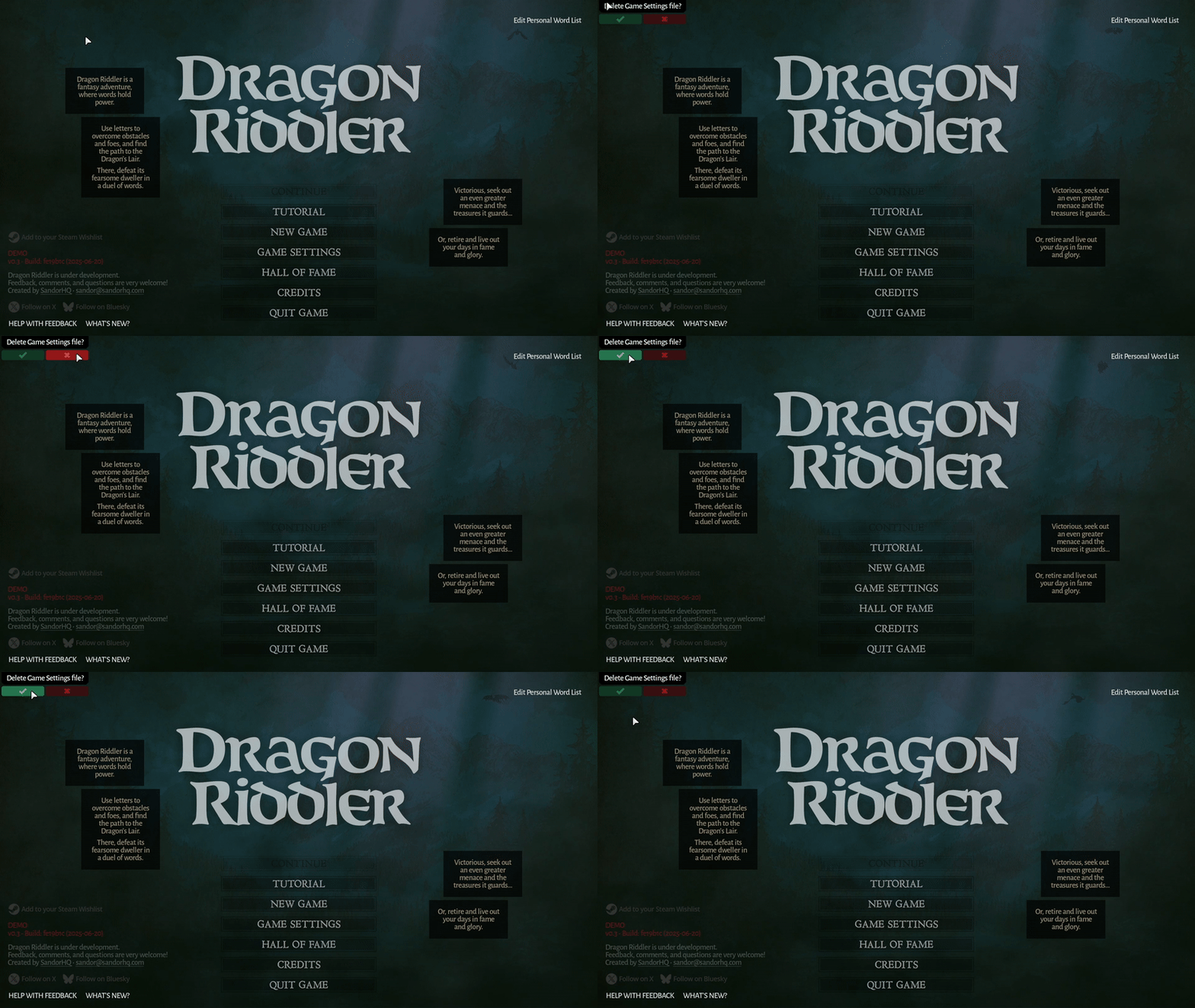
Despite testing thoroughly on Windows, Mac, and Linux, I didn't realize the game was unplayable on Steam Deck. It couldn't detect the correct screen size, so only the top left corner was visible.
Full notes
Full Dragon Riddler update
Read the full published notes in a cleaner layout. The original post stays linked below.
What changed
1 fix0 additions4 changes0 removals
Compatibility
UI and audio
Gameplay
changedDespite testing thoroughly on Windows, Mac, and Linux, I didn't realize the game was unplayable on Steam Deck. It couldn't detect the correct screen size, so only the top left corner was visible.
changedAfter finally getting my hands on a Deck, I discovered the native Linux build was causing the issue. Strangely, the Windows version via Proton worked fine.
changedIt took a lot of investigation and trial-and-error, but I eventually worked out a solution that makes the native Linux version run properly on Steam Deck, while still behaving as expected on desktop platforms.
changedIf you previously launched Dragon Riddler on Deck, your settings might still force the wrong resolution. To reset them, tap the top left corner of the main menu and press the green confirmation button.
fixedThis hotfix should install automatically, so you don't need to configure anything.
Dragon Riddler changes
changedDespite testing thoroughly on Windows, Mac, and Linux, I didn't realize the game was unplayable on Steam Deck. It couldn't detect the correct screen size, so only the top left corner was visible.
changedAfter finally getting my hands on a Deck, I discovered the native Linux build was causing the issue. Strangely, the Windows version via Proton worked fine.
changedIt took a lot of investigation and trial-and-error, but I eventually worked out a solution that makes the native Linux version run properly on Steam Deck, while still behaving as expected on desktop platforms.
changedIf you previously launched Dragon Riddler on Deck, your settings might still force the wrong resolution. To reset them, tap the top left corner of the main menu and press the green confirmation button.
fixedThis hotfix should install automatically, so you don't need to configure anything.
Despite testing thoroughly on Windows, Mac, and Linux, I didn't realize the game was unplayable on Steam Deck. It couldn't detect the correct screen size, so only the top left corner was visible.
After finally getting my hands on a Deck, I discovered the native Linux build was causing the issue. Strangely, the Windows version via Proton worked fine.
It took a lot of investigation and trial-and-error, but I eventually worked out a solution that makes the native Linux version run properly on Steam Deck, while still behaving as expected on desktop platforms.
If you previously launched Dragon Riddler on Deck, your settings might still force the wrong resolution. To reset them, tap the top left corner of the main menu and press the green confirmation button.
This hotfix should install automatically, so you don't need to configure anything.