
Full notes
Full Disminal update
Read the full published notes in a cleaner layout. The original post stays linked below.
What changed
- Performance
- UI and audio
- Gameplay
Disminal changes
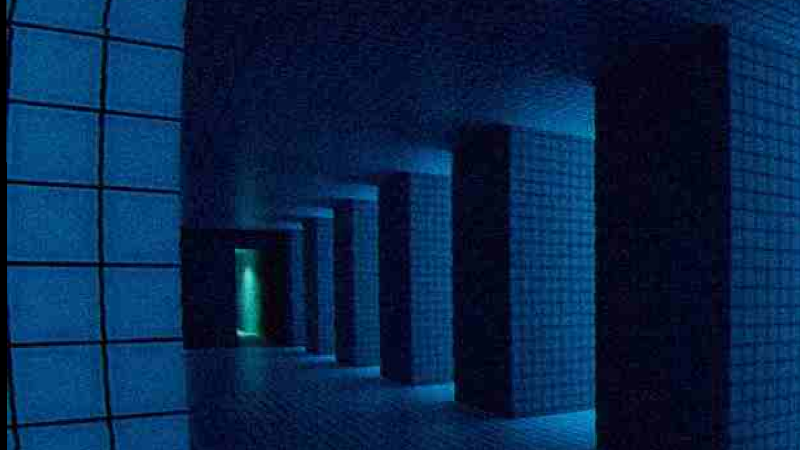
Temporary workaround for the crash in the "Poolrooms Dark" section (while passing through the Poolrooms Arches area, image below).
Poolrooms Arches:
Steam post imagePoolrooms Dark:
If you're on Windows and using an AMD GPU, you can bypass the crash by replacing your save file:
Close Disminal
On Windows
Pess WINDOWS KEY + R then type/copy and paste: [c]%userprofile%\\AppData\\LocalLow[/c] and hit Enter.
Navigate to
Decretory → Disminal On macOS:
Open Finder, press Cmd + Shift + G, and go to: ~/Library/Application Support/Decretory/Disminal On Linux:
Open your file manager or terminal and go to: ~/.config/unity3d/Decretory/Disminal
Locate the file: game_state (this is your save/progress)
open the game_state file and replace all its contents with: [c]{[/c]
[c] "PlayerTransform": {[/c]
[c] "Position": {[/c]
[c] "x": 317.31146240234377,[/c]
[c] "y": 3.683467149734497,[/c]
[c] "z": -1284.7344970703125[/c]
[c] },[/c]
[c] "Rotation": {[/c]
[c] "x": 0.0,[/c]
[c] "y": -0.2932060956954956,[/c]
[c] "z": 0.0,[/c]
[c] "w": 0.9560492634773254[/c]
[c] }[/c]
[c] },[/c]
[c] "ScenesOpened": [[/c]
[c] "cloudy",[/c]
[c] "poolrooms_gridwall_palms",[/c]
[c] "poolrooms_exit"[/c]
[c] ],[/c]
[c] "LastActiveScene": "poolrooms_gridwall_palms",[/c]
[c] "LastSurface": "pooltiles"[/c]
[c]} [/c]
Save it and restart Disminal.
This will skip the problematic section and spawn you near a doorway.
You may encounter some visual glitches in the underground pools, this is a temporary workaround while I continue investigating the issue with players who have experienced it. Apologies for the inconvenience.
Source
Changelog.gg summarizes and formats this update. How we read updates.