
In this update5
Full notes
Full Digger Online update
Read the full published notes in a cleaner layout. The original post stays linked below.
What changed
- Gameplay
- UI and audio
Digger Online changes
Building Tools Update
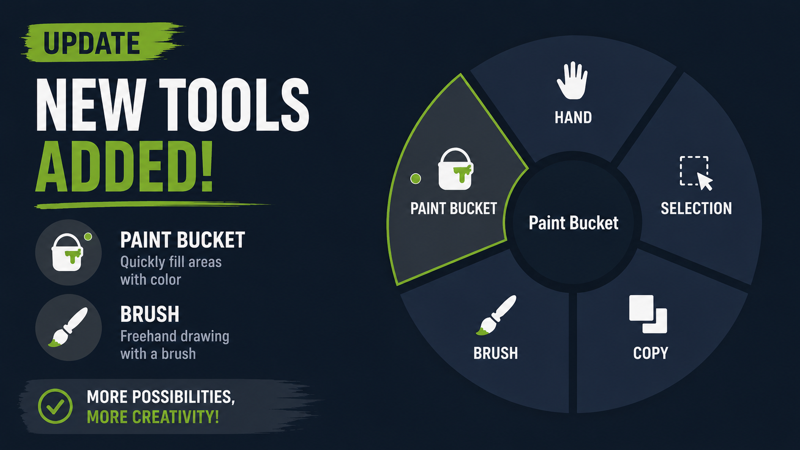
🆕 New Tools
Fill Tool — fills the selected area with the chosen block.
Brush Tool — allows painting block textures onto the surface of other blocks.
📋 Copy Tool
Added:
Mirroring copied schematics along the:
[c]X[/c]
[c]Y[/c]
[c]Z[/c] axes
Gizmo Mode
Activated with [c]Ctrl[/c] while the build preview is active.
Allows precise positioning of the build preview along axes.
New right-click options:
Copy
Save
Cut
Hotkeys:
[c]Ctrl + X[/c] — Cut
[c]Ctrl + C[/c] — Copy
[c]Ctrl + S[/c] — Save to file
Rotation in Gizmo Mode
Added [c]Q / E[/c] rotation controls in World Space mode.
Allows rotating the selected area freely in any direction.
🔲 Selection Tool
Added automatic selection fitting for selected structures.
Pressing [c]Ctrl[/c] will instantly shrink the selection from the side containing only empty space.
🎨 Interface
Tooltips now adapt to the currently active tool mode:
only relevant actions are displayed,
instead of showing every possible action at once.
Added a radial tool selection menu.
Tool modes are now color-coded:
Copy Mode — orange
Selection Mode — blue
Switching modes no longer clears the current selection.
If you opened the wrong mode, you can simply switch tools without losing the selection.
The currently active mode in the radial menu is highlighted with a yellow dot.
Makes it easier to immediately see which mode is active.
The current mode is also displayed on the right side near the keybind hints.
Allows you to quickly identify the active mode at a glance.
Source
Changelog.gg summarizes and formats this update. How we read updates.