What changed
0 fixes2 additions1 change0 removals
- Gameplay
- UI and audio
- Performance
addedValve requires me to make an announcement, but this is nothing new! You can play Dice'n Goblins perfectly on the Steam Deck.
changedThe game is made for the game pad, but you can still touch the screen if you feel like it. You can take notes with the in game keyboard and we display button names in our interface.
addedIt runs nice on Ultra Quality, with 60 FPS and all the shadows enabled. Steam post image If you encounter difficulties keeping the FPS stable in more complex levels, removing shadows or reducing the fidelity, via the in game settings, will improve the performance the most.
Dice 'n Goblins changes
addedValve requires me to make an announcement, but this is nothing new! You can play Dice'n Goblins perfectly on the Steam Deck.
changedThe game is made for the game pad, but you can still touch the screen if you feel like it. You can take notes with the in game keyboard and we display button names in our interface.
addedIt runs nice on Ultra Quality, with 60 FPS and all the shadows enabled. Steam post image If you encounter difficulties keeping the FPS stable in more complex levels, removing shadows or reducing the fidelity, via the in game settings, will improve the performance the most.
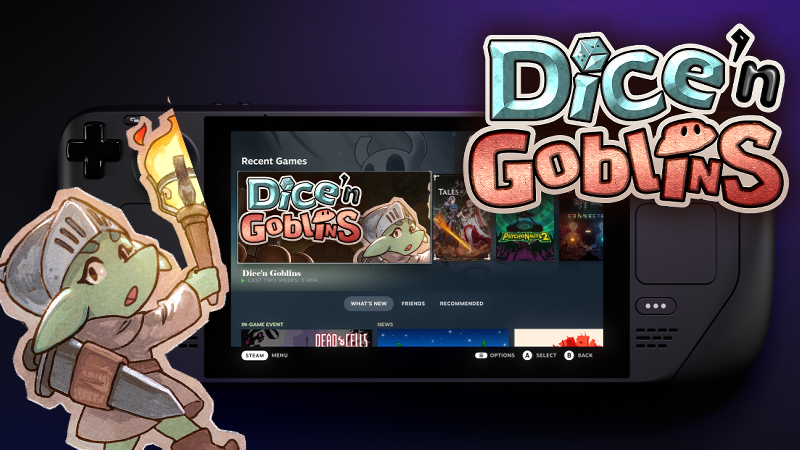
Valve requires me to make an announcement, but this is nothing new! You can play Dice'n Goblins perfectly on the Steam Deck.
The game is made for the game pad, but you can still touch the screen if you feel like it. You can take notes with the in game keyboard and we display button names in our interface.
It runs nice on Ultra Quality, with 60 FPS and all the shadows enabled. Steam post image If you encounter difficulties keeping the FPS stable in more complex levels, removing shadows or reducing the fidelity, via the in game settings, will improve the performance the most.