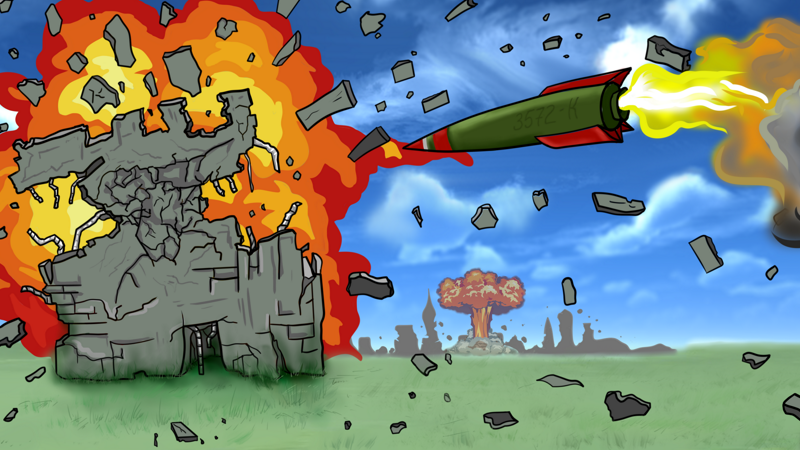
Explosions A new option is now available in the graphics settings, it allows you to choose whether the explosions will be processed on the GPU or CPU.
Full notes
Full Destructive Physics - Destruction Simulator update
Read the full published notes in a cleaner layout. The original post stays linked below.
What changed
1 fix3 additions1 change0 removals
UI and audio
Balance
Gameplay
addedExplosionsA new option is now available in the graphics settings, it allows you to choose whether the explosions will be processed on the GPU or CPU. If GPU - explosions will consist of thousands of particles, at the moment there is a limit of 200 thousand particles from 1 explosion (if you are experiencing performance problems related to their visualization or if you want to see more particles at once - let me know). Whereas on the processor these are animated billboards (up to 200 per explosion).
addedExplosionsMaps from the editor can now be copied to the clipboard, and to load you just need to copy the line to clipboard and press the following button in Editor
changedExplosionsFireworks! (No real damage)
fixedExplosionsFixed some bugs with the interface and loading settings
addedExplosionsI've bought a new headphones to hear all your feedback... Have fun destroying in this game :)
addedA new option is now available in the graphics settings, it allows you to choose whether the explosions will be processed on the GPU or CPU. If GPU - explosions will consist of thousands of particles, at the moment there is a limit of 200 thousand particles from 1 explosion (if you are experiencing performance problems related to their visualization or if you want to see more particles at once - let me know). Whereas on the processor these are animated billboards (up to 200 per explosion).
addedMaps from the editor can now be copied to the clipboard, and to load you just need to copy the line to clipboard and press the following button in Editor
changedFireworks! (No real damage)
fixedFixed some bugs with the interface and loading settings
addedI've bought a new headphones to hear all your feedback... Have fun destroying in this game :)
Explosions
A new option is now available in the graphics settings, it allows you to choose whether the explosions will be processed on the GPU or CPU. If GPU - explosions will consist of thousands of particles, at the moment there is a limit of 200 thousand particles from 1 explosion (if you are experiencing performance problems related to their visualization or if you want to see more particles at once - let me know). Whereas on the processor these are animated billboards (up to 200 per explosion).
Small changes:
Maps from the editor can now be copied to the clipboard, and to load you just need to copy the line to clipboard and press the following button in Editor
Now the mannequin tries to stand straight even harder! Yes, now he almost does not fall
Fireworks! (No real damage)
Fixed some bugs with the interface and loading settings
I've bought a new headphones to hear all your feedback... Have fun destroying in this game :)