
In this update15
Full notes
Full Derail Valley update
Read the full published notes in a cleaner layout. The original post stays linked below.
What changed
- Gameplay
- UI and audio
- Performance
- Balance
- Compatibility
- Fixes
Derail Valley changes
Hi everyone! We've just released build 98, our latest update bringing you a new vehicle, new features, numerous improvements and bug fixes!
BE2-260 Microshunter
The tiny, quirky new battery-electric shunter takes the spotlight! There's two practical functions to it: it's the first vehicle to utilize the all new electric powertrain simulation, and, once unlocked, it can be requested anywhere with comms radio for a small fee!
Microshunter isn't powerful enough to replace a regular locomotive, but it can still pull some load. That, combined with its size and ability to be requested, give it a unique advantage in many situations. Mind how you treat it though, as you'll need to service it, and even charge its battery occasionally.
DE Simulation Revamp
With this update we've also revamped (or rather finished) the diesel-electric powertrain simulation, now vastly more accurate when it comes to governors, generators, currents, voltages, circuitry, transitions, as well as failures from the all new traction motor overspeeding. DE locomotives have received a complete overhaul in terms of behavior and characteristics, with the highlights being:
DE2 – Increased load rating, improved cooling, heavier engine feel, rebalanced wear and tear DE6 – Completely new sounds, more accurate notch distribution, rebalanced wear and tear DE6 Slug - Now can be utilized from both ends and behaves differently
Vehicle Catalog
If you're curious what all those changes mean to the vehicles' performance, their various characteristics and even spawn locations are now listed in the new Vehicle Catalog handbook. The listing also features a series of scores designed to make easy practical comparisons. Generally, the catalog is intended to help players, whether new or experienced, decide what vehicle is best suited for a role they have in mind, with concise info.
What else is new?
Work Train Improvements
Some work trains, such as Microshunter and Slug, are now able to receive damage. The only way to repair them is manually and, being player-owned, they're not covered by insurance. Handcar and caboose are intentionally kept invincible, however, so you don't need to worry about those.
A neat new feature on the career manager allows you to see health status of the work trains you own. The machine also shows coordinates for all vehicles in the world. Additionally, handcar is now a free vehicle, available to request at all times, which is especially helpful when needing to move around in Realistic difficulty.
Adjustable Player Height on the Fly
You can now seamlessly adjust your height both in nonVR and VR. In nonVR you can do this with X+Mousewheel (adjusting your sitting position), and in VR by holding Triggers on both hands and lifting yourself up or down. Another novelty is the ability to save your favorite "cab" and "follow" camera positions.
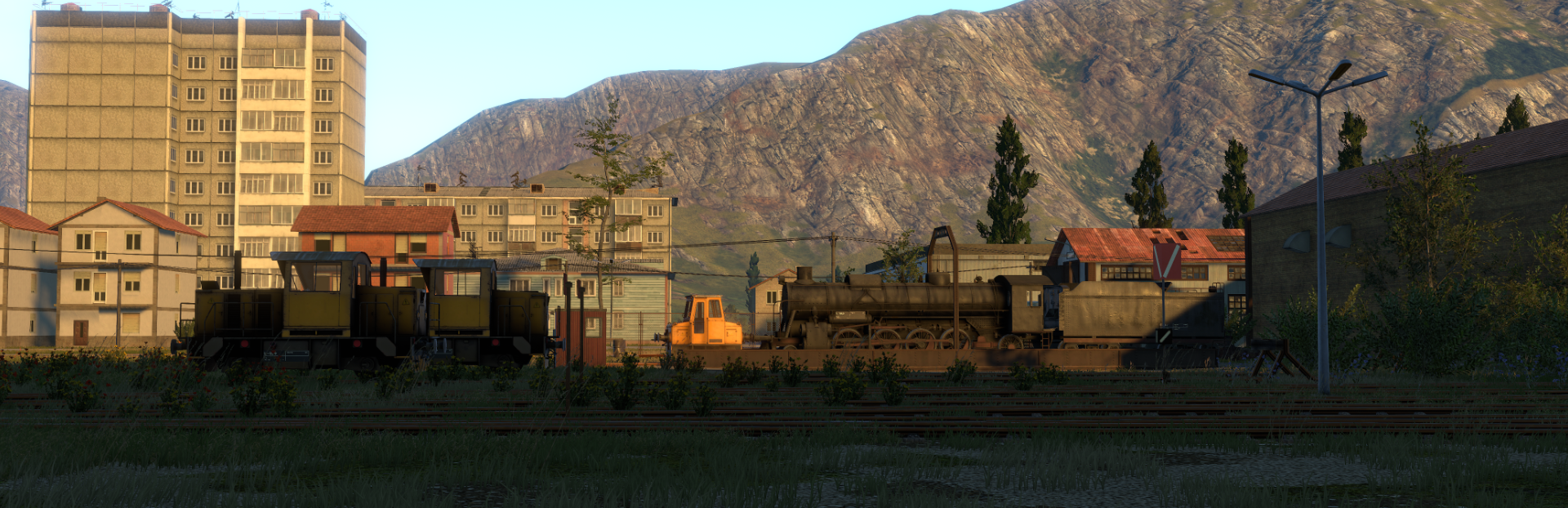
Steam post image ^ Open in a new tab, there's a train hiding there
Performance Improvements
We've put a lot of work into numerous CPU and GPU optimizations for this build. While the improvement may not be drastic for everyone, we've seen FPS rise up to 30% in certain conditions and hardware. Optimizations apply to both PC and VR players, and there's some more coming soon.
Revamped HTC Vive (wand) controls
We've completely reworked the Vive controls, also fixing the weird calibration angle introduced in B97. The new controls no longer block you from walking while holding an item in the left hand and are generally more consistent with all the other controller types. The exact mapping is listed in the changelog below.
Improved Tutorials
Vast improvements have been made to the career tutorial, locomotive tutorials and the manual. Whether you're a new player or a veteran, we strongly recommend you to complete the career tutorial again (in a temporary new session, if needed) – as it teaches of a lot of features and best practices that have been recently added to the game.
More
Apart from all this, numerous other improvements and bug fixes were made in this build. Manuals and various texts have also been updated too – and we'd like to say a big thank you to our dear beta testing and translation friends for being tremendously helpful with everything they do!
The work is ongoing on future updates too, such as on the new industries and cargo types coming in B99, but also further beyond.
Changelog:
Stability:
Made numerous CPU and GPU optimizations, increasing FPS up to 30% in some cases
This affects both VR and PC users
It depends on user hardware and game situation
Fixed a few game-breaking bugs involving tutorials
Fixed hovering over save slots causing jarring hiccups in VR
Fixed rare case where items or vehicles could fall through ground near tunnel entrances
Fixed save files sometimes able to appear in wrong sessions
Train Simulation:
Added BE2-260 Microshunter work train
Microshunter is a tiny locomotive with a special purpose
It’s an emergency tow vehicle, for when no proper locomotives are at hand
It needs to be unlocked before it can be used
The key costs $30k, and it’s found in Bob’s Garage (handcar is no longer there)
Once unlocked, Microshunter can be summoned via comms radio for $2500
It features the all new battery-electric powertrain, with an electric charger socket
Beware of Microshunter not being a great choice to do orders with
See vehicle catalog for more details
Revamped DE powertrain simulation
DE2 and DE6 now behave significantly closer to real-life counterparts
The change shows in notch operation, heat management, sound dynamics
TMs can now break apart if overspeeding
Simulating series and parallel circuitry, proper transitions
Improved governor simulation
TM wear now occurs from running at high temperature in addition to raw mileage
Rheostatic dynamic brake power now peaks at around 35 km/h
Slug can now share power from two locomotives, one at each end
Slug now has less of an impact on top speed
Modified DE6
All new engine sound
Reduced powertrain wear
Updated gauges to fit the new simulation
Swapped large DE6 breaker switch for electrics with a smaller one for TM
Modified DE2
Boosted DE2’s power to its former 400t glory
Reduced powertrain wear
Updated gauges to fit the new simulation
Modified DM3
Fixed DM3 getting frozen if money shifted
Added gear shifting pattern plaque next to the gear levers
Modified DH4
Dynamic brake no longer functions when the engine is off (no pump)
Added a variety of air compressor sounds
Fixed S282 loco and tender sometimes colliding at spawn, causing damage
Fixed wipers squeaking when there’s light rain, but windows are still wet
Gameplay
Added Vehicle Catalog handbook item
This item is always available and can be retrieved to inventory
It condensely lists stats of all motorized and work vehicles in the game, including:
Name, unit count, production years, license info, vehicle type and role(s)
Spawn locations and chance, ability to summon and cost
Load rating on flat, dry uphill and wet uphill track (conservative)
Dimensions, mass full and empty, pricing, wheel and coupler configuration
Vehicle power supply, transmission, brake and other features
Detailed system of scores and effects of vehicles
Turned handcar into a free vehicle
In career mode you can now spawn it for free right from the start
This helps reduce running/teleporting around in the Realistic difficulty preset
Began implementation of player-owned vehicles feature set
Work trains are now player-owned
This means insurance doesn’t cover their servicing - careful!
You can see owned vehicles listed under the “Owned Vehicles” career manager category
You can print them for cost specifics, just like with vehicle fees
Microshunter and Slug can get damaged and need servicing to stay functional
Handcar and Caboose are intentionally made to not acquire damage or need servicing
Player-owned vehicles can only be serviced manually, not adding up to copay
Added electric chargers
Located in towns’ and SM service points, for Microshunter charging
Fast travel now elapses game time, depending on distance traveled
Increased the UI window to show arrival time
Improved sleeping
Extended maximum sleeping duration option from 8 to to 10 hours
Modified the sleeping cooldown logic, now being less restrictive
Added Sleep Cooldown difficulty setting
In the Realistic preset the cooldown is 8h, in Standard 6h and in Comfort none
Added loose world map coordinates next to vehicle ID on career manager
Increased fire damage to vehicles x3
Removed work trains being available in sandbox if they're not unlocked in career
Added more day duration difficulty settings (3, 4, 6, 8 and 12 hours)
UX
Added sitting height adjustment in nonVR
Hold X and use mousewheel to adjust
Added ability to save favorite position in a vehicle
This is a position you’ll be placed into when dashing to a vehicle’s cab
First get into a comfortable position in a vehicle. Then:
In nonVR - in mouse mode (Alt) click the new “Save Camera Position” button
In VR - in inventory top-right corner, click the new “Save Camera Position” button
Favorite positions are saved per particular vehicle type, on the user level
Click the "Reset Camera Position" button to reset to default position
Improvements to mouse mode UI and external camera
Made mouse mode UI accessible by temp-holding Alt, instead of only toggle
Each camera type now has a separate button in mouse mode UI
Photo mode button now features outline when active
Same as for 1p view, you can now save/reset camera offset for the follow camera
Fixed being unable to shovel coal on S282 via driving UI, since B97
Fixed driving UI not showing amount of coal and water in tender properly
Fixed driving UI text being cut off
Increased size of non-alphabetic fonts in Driving UI, for improved clarity
Made improvements to manual and its UI
Added new articles and updated existing ones
Manual headlines now break into multiple lines when they don’t fit
Manual now displays text in tooltip area on mouseover, helps when truncated
Removed text justification for languages with long words (French, Dutch…)
Improvements to item interaction in nonVR
Prevented being able to grab items through walls and objects
Made held items adjust their position proportional to camera FOV
Improvements to nonVR input
Fixed mouse scroll not working on career manager in mouse mode with held item
Added a couple settings for inverting scrolling in Settings/Controls
Fixed “use” action being hardcoded to LMB (mouse0)
Inverted mouse-wheel interaction with loco remote coupler selector knob
Made turntable booths have a dash anchor, like locomotive cabs do
VR
Added seamless height adjustment in VR
Hold both Triggers and move hands vertically to lift/lower yourself
Revamped Vive wand controls and feel
Fixed controller calibration angle, bad since B97
It is now possible to walk while holding an item in left hand
Use Item is now done with Trigger, like on all other controllers
Item scrolling is now Trigger+Touchpad Left/Right, like on all other controllers
To drop an item press Trigger+Grip
Drastically improved hand shakiness and aiming smoothness feel
Fixed missing haptic feedback when interacting with levers in OculusVR mode
Added haptic feedback when aiming at a switch with comms radio
Fixed objects in peripheral vision popping on Oculus headsets
Fixed being unable to tele-interact with item-nested controls
Fixed a bug where item scrolling in VR could get stuck in a certain circumstance
Fixed being able to drop an item in VR with the hand still attached to it
Fixed bad interaction with some vehicle buttons/switches in VR
Improved interaction with fuel hose plug in VR
Cut number of notches on handcar hand crank to make VR haptic feedback less spammy
Shortened inventory long-press wait threshold
Graphics
Fixed sun sometimes shining through mountains when behind player at sundown
Fixed items in player’s home having bad lighting
Fixed glitched lighting on passenger car windows
Fixed rain droplets missing on High graphics setting (merged with Very High)
Fixed shadows being glitchy on the lowest quality setting
Fixed a rare visual glitch with pumpjacks being drawn behind background terrain
Fixed SteamVR loading screen being low-resolution, since B96
Misc
Fixed being able to “man vehicle” oneself into a locked military base
Fixed some short sounds not being affected by the doppler effect (e.g. horn pulse)
Fixed tunnel entrance structures not having collision with player and trains
Fixed CCUR1 license not saying that it removes rerail discount
Reduced career manager text size to fit long words in non-English languages
Fixed VR-intended inventory icons showing up in nonVR inventory, since B97
Fixed inventory hotbar being offset on ultrawide monitors
Middle mouse button is now bindable (as mouse2)
Increased size of weathercast posters
Added coal service marker to CM on world map
Fixed missing collision with harbor military base fence
Made boombox radio signal no longer getting audibly lossy in station offices already
Fixed pocketwatch ticking sound not being 3D when held in hand
Made pocketwatch alarm needle movement increment 12 min to align with minute marks
Numerous improvements to texts and translations
Many other small improvements
Tutorial
Reworked locomotive tutorials to be singular runs again, but with only a short drive
Integrated vehicle catalog, height adjustment, VR remote driving and handcar to career tutorial
No longer showing post-tutorial steps if session was started with tutorial disabled
Added all tutorial prompts to the Localization Test scene
Numerous tutorial improvements, cleanups and bug fixes
Thank you for reading, and we hope you'll enjoy this update!
-Your DV Team
Source
Changelog.gg summarizes and formats this update. How we read updates.