
In this update3
Full notes
Full Dead as Disco update
Read the full published notes in a cleaner layout. The original post stays linked below.
What changed
- Gameplay
- Store
- UI and audio
- Performance
- Fixes
Dead as Disco changes
October Demo Update - Advanced Music Editor, Halloween & More!
Hey Disco Crew,
It’s time for a little terror on the dance floor! The October demo update introduces advanced music editing tools, a spooky new infinite disco arena, new dance emotes and a goodie bag full of quality of life fixes.
We can’t wait to see what tricks you Mad Scientists cook up using these new treats! Got something especially creepy? Post it to the #fright-night-jam channel on our Discord, and you could win a Dead as Disco Goodie bag of your very own!
Halloween Updates
Spooky season is here, and we have some new treats in store for you!
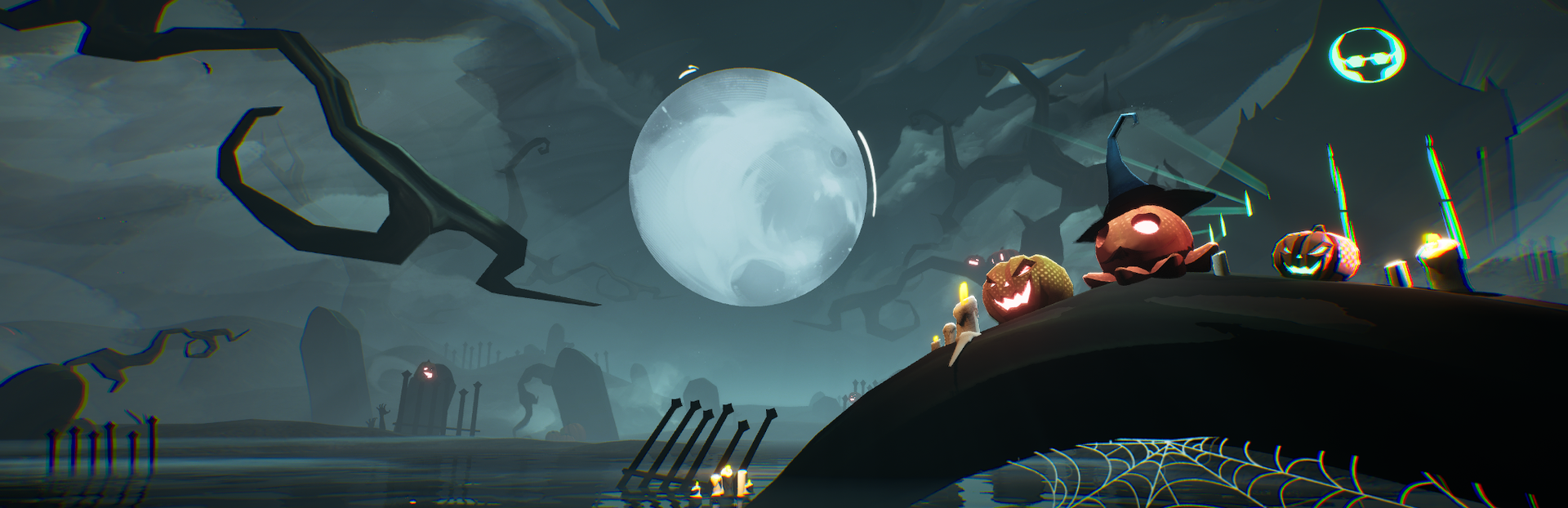
Added a Halloween themed Infinite Disco Arena • Triggering a dance move will now randomly select a dance move to play • Added new dance moves including a few surprises that are real “Thrillers”
Advanced Music Editor
The Advanced Music Editor is now live! This tool gives finer control and visual editing for BPM, Beat Offset, and Start/End times. Please note! This is just the first version of the Advanced Editor. More features are coming, but we wanted to get this into your hands to hear feedback!
Accessing the Advanced Music Editor
To access the Advanced Editor, Add My Music (or Edit an existing custom song) and select “Advanced Editor”.
Advanced Music Editor Features
Advanced Editor controls will work with both controller & mouse+keyboard. • The waveform visualizer will show both the music waveform as well as pink lines that represent the “Beats” that gameplay is mapped to. • Adjusting the BPM can be done by manually typing in the text box at the top, or using the “Adjust Tempo” keybinding. • Zoom level affects how much the tempo adjusts with the keybinding, so zoom in for minor adjustments and zoom out for major ones. • If the BPM is correct, but the beats are off, you can easily adjust the beat offset with the “Adjust Beat Offset” keybinding. • The start and end points of the song can be trimmed by dragging the bars with white tabs at the top - found at the start and end of the song. • The “Metronome” toggle will play a beeping sound on each beat so you can hear it along with the music to make sure everything lines up correctly. • “Calibrate” allows you to tap to the music to set the BPM and offset that way. It’s worth noting that calibration will often get you close, but we suggest using the other tools to verify everything lines up correctly.
Additional Bug Fixes
Bug fix: When playing My Music on loop, there will be no stutter in-between loops. • Bug fix: Artist name is now correctly displayed in My Music Editor.
Combat Updates
Combat changes in this patch are focused on bug fixes and quality of life improvements.
Counter and Dodge indicators now stay visible after a button press for a brief amount of time to give the player more information about when they pressed the button and if it was a perfect. • Removed the !!! icon that would appear during unblockable attacks. • Increased range of drummerang throw and follow up attack. • Fixed some issues where Heavy attack was knocking enemies in unexpected directions. • Fixed an issue where Charlie would sometimes attack the wrong enemy at high BPMs. • Guards (Baton & Shield) attacks are tuned to sync better to the song BPM, and a few more animation variants have been added. • Charlie’s capsule has been tuned to be narrower, preventing him from getting hit when visually it looks like he should not. • When attacking an enemy laying on the ground, that enemy gets juggled back up in the air. • Mosher model has been adjusted to be more distinct from other enemies. • Adjusted enemies to recover from stun a bit later in the recovery animation. • Fallen dolls now give better indication of their attacks and explosion timings. Note: the combat of this section will change with some upcoming mechanic improvements, so stay tuned! • Fallen dolls do not explode when KOed with a takedown or perfect counter - but will explode with other KOs (and chain into other Fallen dolls). Using a heavy attack on a stunned Fallen doll will cause it to explode immediately on impact with the ground. • Fixed issues where sometimes the game wouldn't respond to a basic attack input shortly after a finisher, or during certain basic attack recoveries.
Saved Games
There is now a saved game system in Dead as Disco! This feature currently does not have a lot of functionality, but it will be used as the basis for progression & narrative systems currently under development.
There are 3 save slots to select from now when you create a New Game. • Existing playthroughs will automatically default to the first slot.
Additional Changes
Fixed a crash that could occur when adding a song with AAC codec to My Music. • Removed the early preview enemies (from an unreleased level) from Infinite Disco. • The volume settings should be fixed/improved, which should fix an issue where volume was lowered too aggressively at certain settings.
Thanks again for being part of this journey with us, helping us make Dead as Disco the best it can be! -The Dead as Disco Team
[Full Patch Notes Below]
October Demo Update – Advanced Music Editor, Halloween & More!
Hey Disco Crew,
It’s time for a little terror on the dance floor! The October demo update introduces advanced music editing tools, a spooky new infinite disco arena, new dance emotes, and a goodie bag full of quality-of-life fixes.
We can’t wait to see what tricks you Mad Scientists cook up using these new treats! Got something especially creepy? Post it to the *#fright-night-jam* channel on our Discord, and you could win a Dead as Disco goodie bag of your very own!
---
Halloween Updates
Spooky season is here, and we have some new treats in store for you!
Added a Halloween-themed Infinite Disco Arena • Triggering a dance move now randomly selects a dance move to play • Added new dance moves, including a few surprises that are real “Thrillers”
---
Advanced Music Editor
The Advanced Music Editor is now live! This tool gives finer control and visual editing for BPM, Beat Offset, and Start/End times.
Note: This is the first version of the Advanced Editor. More features are coming, but we wanted to get it into your hands early to hear your feedback.
Accessing the Advanced Music Editor
To access it, add a song to My Music (or edit an existing one) and select “Advanced Editor”.
Advanced Music Editor Features
Works with both controller and mouse+keyboard • The waveform visualizer shows both the waveform and pink lines representing the gameplay beats • BPM can be adjusted manually or with the “Adjust Tempo” keybinding • Zoom level affects how much tempo changes using the keybinding • Beat Offset can be adjusted with the “Adjust Beat Offset” keybinding • Start and end points can be trimmed by dragging the white-tab bars at the top of the timeline • “Metronome” toggle adds a beep to each beat so you can check alignment • “Calibrate” lets you tap along to set BPM and offset, though we still recommend verifying afterward
Additional Bug Fixes (Music Editor)
Fixed a stutter between loops when playing My Music on repeat • Artist name now displays correctly in the My Music Editor
---
Combat Updates
Combat changes in this patch focus on bug fixes and quality-of-life improvements.
Counter and Dodge indicators now stay visible briefly after input • Removed the “!!!” icon during unblockable attacks • Increased range of drummerang throw and follow-up attack • Fixed heavy attacks knocking enemies in unexpected directions • Fixed an issue where Charlie targeted the wrong enemy at high BPMs • Baton and Shield Guard attacks now sync better with BPM; added more animation variants • Charlie’s capsule adjusted to prevent unfair hits • Attacking a downed enemy now juggles them back into the air • Mosher model updated to be more distinct • Enemies recover from stun slightly later in their animation • Fallen dolls now better indicate attacks and explosion timing • Fallen dolls don’t explode if KO’d with a takedown or perfect counter; heavy attack on stunned doll causes immediate explosion • Fixed input issues where basic attacks sometimes wouldn’t trigger after a finisher or during certain recoveries
---
Saved Games
There is now a saved-game system in Dead as Disco! It’s simple for now, but it’s the foundation for progression and narrative systems currently in development.
There are now 3 save slots when starting a new game • Existing playthroughs automatically default to Slot 1
---
Additional Changes
Fixed a crash when adding AAC-encoded songs to My Music • Removed early preview enemies (from an unreleased level) from Infinite Disco • Improved volume settings, fixing an issue where volume dropped too aggressively at certain settings
---
Thanks again for being part of this journey with us and helping us make Dead as Disco the best it can be! – The Dead as Disco Team
Source
Changelog.gg summarizes and formats this update. How we read updates.