
In this update10
Full notes
Full Crosshair X update
Read the full published notes in a cleaner layout. The original post stays linked below.
Repeated intro
Hey everyone!
What changed
- Performance
- Gameplay
- UI and audio
Crosshair X changes
We are kicking off 2025 with another feature-packed update for Crosshair X! From making your designs more customizable to speeding up performance, this update has something for everyone.
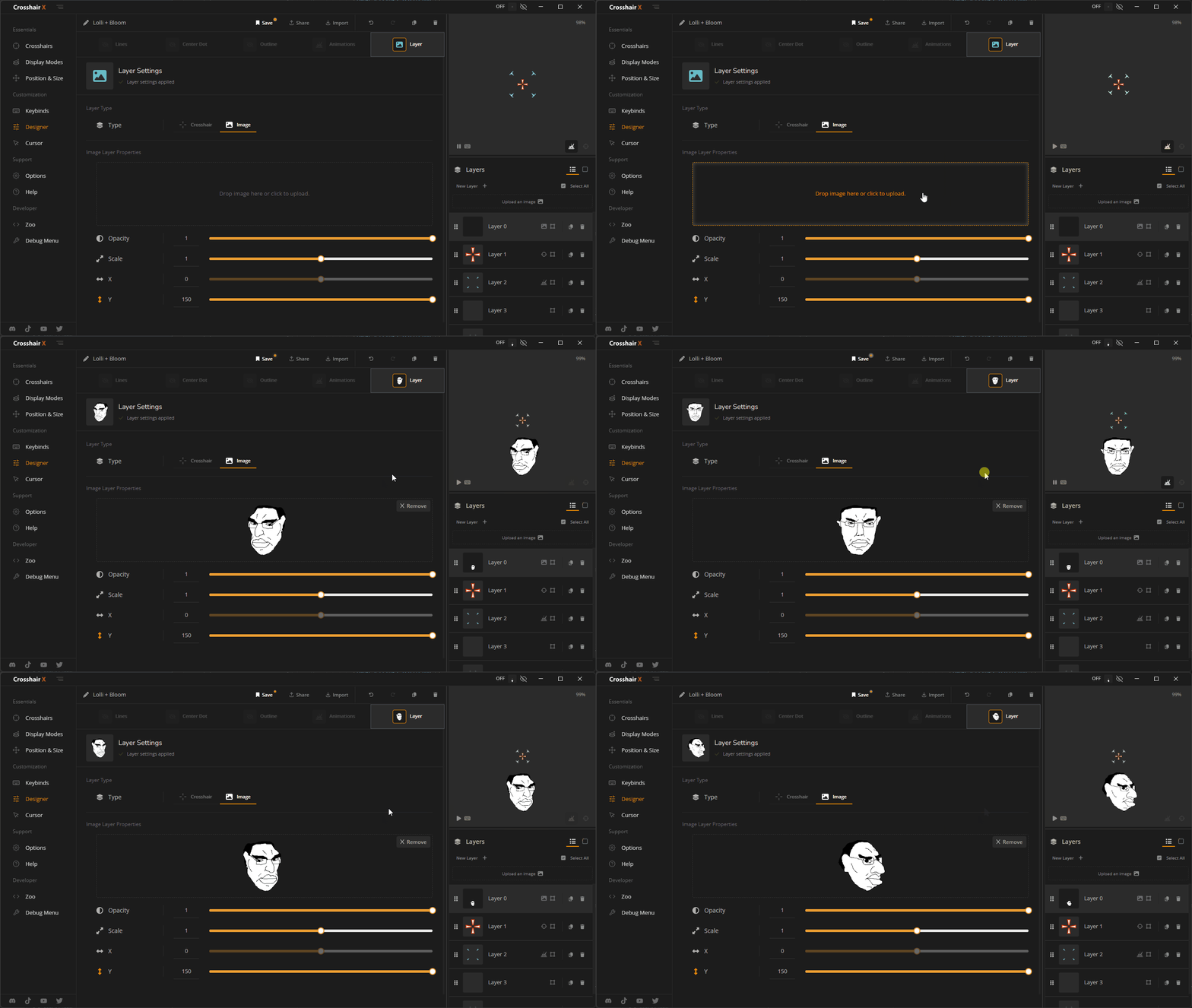
Create Designs with Custom Images!
What's New:
You can now add custom images directly in the Designer.
The old "Images" page has been removed.
Combine images with crosshairs to create unique designs.
A new "Layer Type" setting is available in the Designer.
Saved Crosshairs Changes
What's New:
Removed the old popup for editing saved cards.
Added an actions dropdown with shortcuts to Edit in Designer, Create a Keybind, and Delete.
You can now rename a saved crosshair by clicking its name.
Crosshair Consistency
What's New:
Crosshairs now have unique IDs.
Deleting a crosshair used in a Keybind will remove it from the Keybind.
Updating a crosshair used in a Keybind will automatically update the Keybind to use the latest version.
New Import/Share Experience
What's New:
Added Share and Import buttons to the right of the tabs on the "Crosshairs" page.
Removed the "Share Crosshairs" tab.
New experience for importing share codes.
The Share button now opens a "Share" experience similar to the Designer.
Quality of Life Improvements
Changes:
Faster Load Times: The "Crosshairs" page now loads quicker.
- Sharper CrosshairsImproved rendering for smaller crosshairs -- no more blurriness!
Other minor bug fixes
These changes are designed to make your Crosshair X experience smoother, faster, and more customizable. Dive in, explore the new features, and let us know what you think!
-- The Crosshair X Team.
Source
Changelog.gg summarizes and formats this update. How we read updates.