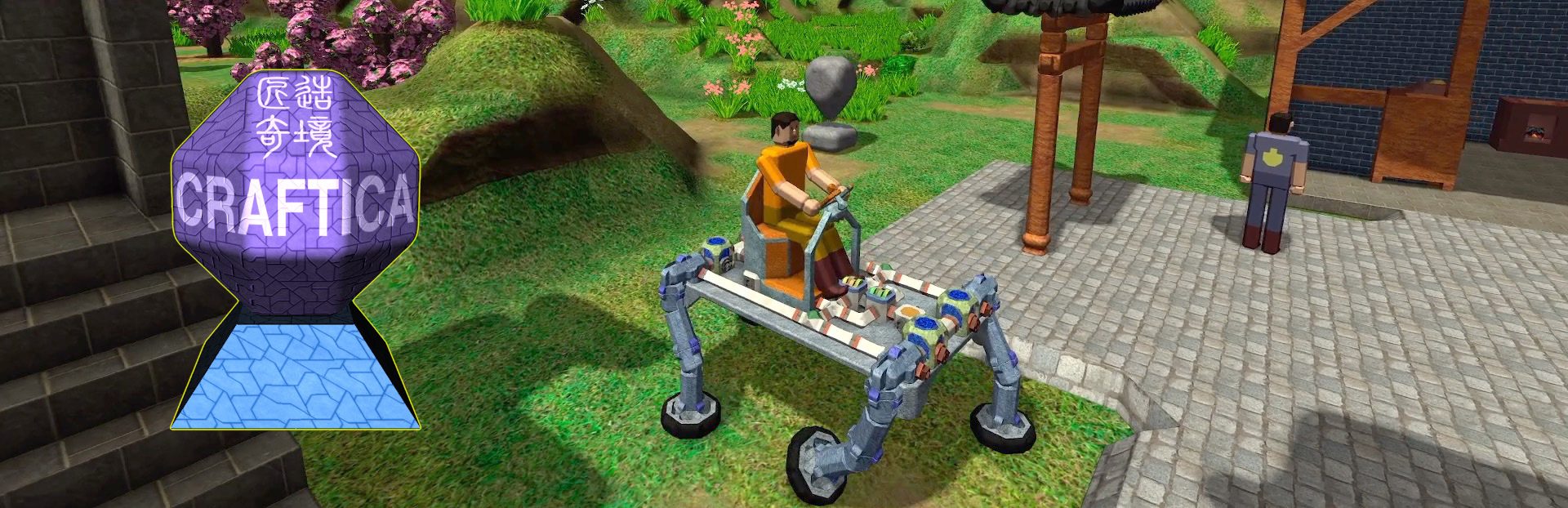
Craftica Major Update: Deformable Voxels, Model Smoothing and New Terrain
This update has made huge improvements in model building and rendering, as well as in terrain generation.
In this update4
Full notes
Full Craftica update
Read the full published notes in a cleaner layout. The original post stays linked below.
What changed
1 fix2 additions4 changes0 removals
Maps
Gameplay
Workshop
Performance
changedThis update has made huge improvements in model building and rendering, as well as in terrain generation. Though these improvements are computationally demanding, the optimizations included in this update alleviates such problem, and some part even smoother. In addition, this update also made a few minor improvement to the internal design of the game.
addedDeformable Voxels and Model SmoothingThis update added smoothing support in mesh building. For mesh smoothing, this game now supports deformable blocks/voxels. Namely, now each block has a roundness property, which takes value from 0 to 15. When a block’s roundness is zero, it will take the default roundness value defined by its material when building the mesh. For roundness from 1 to 15, the higher the value, more round a block becomes. Roundness one means minimum roundness, and for practical reason, it actually means zero/none roundness, such that blocks with rounds one will not be smoothed.
changedDeformable Voxels and Model SmoothingIn the game, players can modify a block’s roundness by striking it with a hammer. If a block get hammered near the center of a face, its roundness will be reduced, making it more cube (whole/partial) like. If it is corner area is hammered, the roundness of the blocks sharing the corner will all be increased, making the the corner more round and the model smoother. The roundness of the corner vertex will be a weighted average of the neighboring blocks’ roundness.
addedTexture Blending and Normal MapsFor rendering, this update added support for texture blending and normal maps. The texture blending is between neighboring blocks with different materials, making gradual and (mostly) seamless texture transition. The support for normal maps makes the materials looking more real.
changedNew Terrain GenerationThe terrain generation is systematically improved in this update. Now the game supports terrain shapes such plain, hill, mountain, plateau, pillar-like and tower-like high hills, as well as arbitrary combination of them.
changedOptimizations and ImprovementsThis update also included optimizations in several aspects. First, the implementation for terrain generation is improved such that terrain generation, building and rendering have become more smooth. Then, the handling of textures for materials is more properly handled to reduce memory usages. There is also optimization to the building of collision shapes, to reduce the vertex and face count in the collision mesh. Additionally, navigation mesh rebuild and world section handling are also improved.
Namely, now each block has a roundness property, which takes value0→15↑Namely, now each block has a roundness property, which takes value increased, buffFor roundness1→15↑For roundness increased, buff
Craftica changes
changedThis update has made huge improvements in model building and rendering, as well as in terrain generation. Though these improvements are computationally demanding, the optimizations included in this update alleviates such problem, and some part even smoother. In addition, this update also made a few minor improvement to the internal design of the game.
addedThis update added smoothing support in mesh building. For mesh smoothing, this game now supports deformable blocks/voxels. Namely, now each block has a roundness property, which takes value from 0 to 15. When a block’s roundness is zero, it will take the default roundness value defined by its material when building the mesh. For roundness from 1 to 15, the higher the value, more round a block becomes. Roundness one means minimum roundness, and for practical reason, it actually means zero/none roundness, such that blocks with rounds one will not be smoothed.
changedIn the game, players can modify a block’s roundness by striking it with a hammer. If a block get hammered near the center of a face, its roundness will be reduced, making it more cube (whole/partial) like. If it is corner area is hammered, the roundness of the blocks sharing the corner will all be increased, making the the corner more round and the model smoother. The roundness of the corner vertex will be a weighted average of the neighboring blocks’ roundness.
addedFor rendering, this update added support for texture blending and normal maps. The texture blending is between neighboring blocks with different materials, making gradual and (mostly) seamless texture transition. The support for normal maps makes the materials looking more real.
changedThe terrain generation is systematically improved in this update. Now the game supports terrain shapes such plain, hill, mountain, plateau, pillar-like and tower-like high hills, as well as arbitrary combination of them.
This update has made huge improvements in model building and rendering, as well as in terrain generation. Though these improvements are computationally demanding, the optimizations included in this update alleviates such problem, and some part even smoother. In addition, this update also made a few minor improvement to the internal design of the game.
Deformable Voxels and Model Smoothing
This update added smoothing support in mesh building. For mesh smoothing, this game now supports deformable blocks/voxels. Namely, now each block has a roundness property, which takes value from 0 to 15. When a block’s roundness is zero, it will take the default roundness value defined by its material when building the mesh. For roundness from 1 to 15, the higher the value, more round a block becomes. Roundness one means minimum roundness, and for practical reason, it actually means zero/none roundness, such that blocks with rounds one will not be smoothed.
In the game, players can modify a block’s roundness by striking it with a hammer. If a block get hammered near the center of a face, its roundness will be reduced, making it more cube (whole/partial) like. If it is corner area is hammered, the roundness of the blocks sharing the corner will all be increased, making the the corner more round and the model smoother. The roundness of the corner vertex will be a weighted average of the neighboring blocks’ roundness.
Texture Blending and Normal Maps
For rendering, this update added support for texture blending and normal maps. The texture blending is between neighboring blocks with different materials, making gradual and (mostly) seamless texture transition. The support for normal maps makes the materials looking more real.
New Terrain Generation
The terrain generation is systematically improved in this update. Now the game supports terrain shapes such plain, hill, mountain, plateau, pillar-like and tower-like high hills, as well as arbitrary combination of them.
Optimizations and Improvements
This update also included optimizations in several aspects. First, the implementation for terrain generation is improved such that terrain generation, building and rendering have become more smooth. Then, the handling of textures for materials is more properly handled to reduce memory usages. There is also optimization to the building of collision shapes, to reduce the vertex and face count in the collision mesh. Additionally, navigation mesh rebuild and world section handling are also improved.
Additionally, this update added some new things, such as shrubs, flowering peach trees and maple trees. There is also a new device item: Bell, which can be used in combination with the Controller device to encode and play music. Of course, this update has fixed various problems.