
In this update15
Full notes
Full ConsoleMe update
Read the full published notes in a cleaner layout. The original post stays linked below.
What changed
- UI and audio
- Events
- Fixes
- Maps
- Balance
- Performance
ConsoleMe changes
Media Centre
What is the Media Centre?
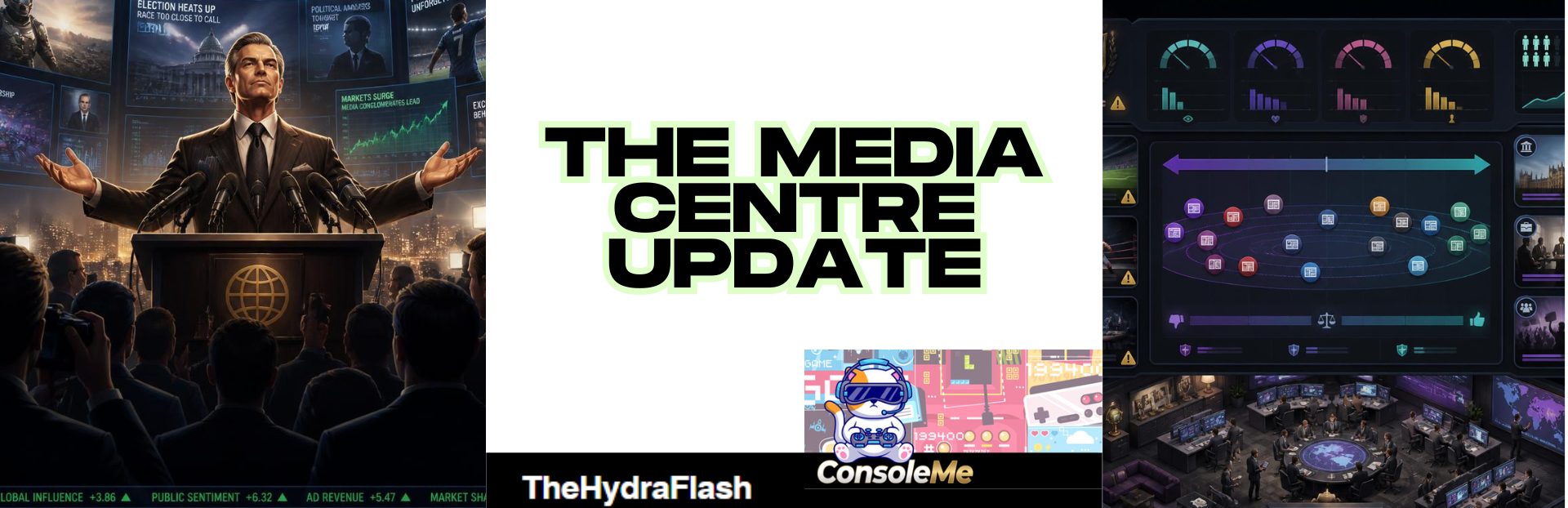
The Media Centre is your press desk. It tracks how the press sees you, lets you fight hostile stories, schedule press conferences, take interviews, court individual outlets, and read what rival editors are saying about your empire.
It sits alongside the Newsstand (factual wires) and your own newspaper (if you run Newspaper Mogul). Those are separate. The Media Centre is where you manage press relationships and respond to coverage.
Getting started
First time setup
Advance at least one week in the game.
Go to Daily → Media → Media Centre.
The hub comes online on your first advanced week. Before that you will see:"Advance a week to bring the Media Centre online."
Other ways in
Newsstand → Rival Press Room tab → Open Media Centre
Empire Command Centre (risks and actions can deep-link you here when something needs attention)
Calendar (when a scheduled press conference is due)
Press desk bar on venture screens (Company, Politics, Football, Wrestling, and others) via Media Centre link
Newsstand unlocks separately at Week 4. The Rival Press Room inside Newsstand opens when you have enough media visibility, or from around Week 10, or once rival articles start appearing.
Your four core press stats
Shown at the top of the Media Centre on every tab:
| Stat | What it means |
|---|---|
| Visibility | How much press attention you are drawing |
| Sentiment | Whether coverage is broadly favourable, mixed, or hostile |
| Scrutiny | How hard journalists are digging. Very high scrutiny can trigger investigation storylines |
| Narrative control | Your ability to push back. Spent on rebuttals, exclusives, and some courtship moves |
These move every week based on what you do (and what you ignore).
Media Centre tabs (9 sections)
Path: Daily → Media → Media Centre
1. Overview
Your at-a-glance dashboard.
Core meters with progress bars
Sentiment trend sparkline
Warning if a hostile outlet is running pieces against you
This week: spin wars active, pending interview, conferences booked, your friendliest outlet
Compact Media bias spectrum chart (rival outlets only; wires hidden here to reduce clutter)
Link to full spectrum on Outlets tab
Latest coverage from rival press
If you own a newspaper: quick jump to Newspaper Mogul → The Daily
2. Newsroom
Where you fight back when a story turns hostile.
Spin wars: active narrative battles with a momentum bar (hostile framing vs your framing)
Per-outlet framing cards showing how each rival is spinning the story
Your options per battle:
Issue rebuttal (costs narrative control)
Leak to [friendly outlet]
No comment (lets hostile framing run)
What rival press is saying: standing editorials on politics, labour, scrutiny, and your on-record quotes
Latest from rival press: live article feed
Path: Daily → Media → Media Centre → Newsroom
3. Interviews
When a journalist wants a one-on-one.
Shows if an interview is waiting
Tells you which outlet and interviewer
Directs you to the interview dock (bottom-right of screen) to answer or decline
Tracks how many interviews you have done this year
Path: Daily → Media → Media Centre → Interviews
4. Conferences
Schedule and review press conferences.
Schedule a conference: title, how many weeks ahead (1 to 8), pick up to 3 agenda topics (Empire, Studio, Markets, Politics, Scandal, Football, Film & TV, Culture)
Prep the room optional checkbox ($25,000; your PR Specialist helps if you have one)
Official briefing formats (when Politics is on the agenda and you are in the political layer):
Official Government Briefing (when you are in government)
Official Opposition Briefing (when you are in parliament but not in government)
Conference ready banner when it is time to take the podium
Past conferences history (last 8)
Path: Daily → Media → Media Centre → Conferences
5. Topics
See which beats the press is covering most (article counts per topic).
Hint: drop comments on venture screens via the Press desk to steer coverage toward topics you care about
Path: Daily → Media → Media Centre → Topics
6. Outlets
The full press landscape.
Media bias spectrum chart (full size, with Show wires toggle)
Click any outlet logo to open its profile (relationship, courtship, recent coverage)
Rival outlets grid: slant, hostility, relationship, reach, credibility
Centrist wires grid (Industry Gazette, Market Wire, Statecraft Wire, Sport Wire, etc.)
Path: Daily → Media → Media Centre → Outlets
7. Executives
How the press is treating your leadership team.
Executive scrutiny: 8 roles (CFO, Marketing, Studio, Engineering, Operations, People, Platforms, PR) with media ratings and recent quotes
Rival leadership in the press: competitor media ratings and notoriety
Path: Daily → Media → Media Centre → Executives
8. Wires
Quick read of centrist wire coverage (factual, neutral tone).
Recent articles per wire
Open Newsstand button to read the full wire experience
Path: Daily → Media → Media Centre → Wires
9. Archives
Your press history.
Media log (last 30 events, colour-coded good/bad)
Resolved spin wars (last 10)
Ongoing storylines (media arcs with stage and heat)
Path: Daily → Media → Media Centre → Archives
Floating docks (bottom-right of screen)
When something needs your attention, a card appears bottom-right. Multiple docks stack if several are active.
Interview dock
Triggers: A journalist requests an interview (from newsworthy events during the week).
What you see:
Outlet logo, topic, interviewer name and slant
Decline or Answer
In the Q&A modal: 2 to 4 answer choices with trade-off summaries
Floating emoji reaction when you pick an answer (their single reaction to your line)
Confirm to lock in your answer
After answering: Toast:"Your answer is in tomorrow's headlines."
After declining: Toast:"You declined the interview."(small scrutiny bump, no hard penalty)
Press conference dock
Triggers: A scheduled conference becomes ready.
What you see:
Title, round count, prep quality %
Special styling for Official Government or Official Opposition briefings (Union flag lectern visuals, gold/red theming)
Each round:
Journalist byline with outlet logo
HOSTILE badge on tough questions
FOLLOW-UP badge if the press pushes again after you dodged
Press Secretary Brief (on political questions): live data to help you answer
Answer choices with label and summary
Floating emoji burst showing how the room reacted to your answer
No comment button (see below)
Leave the podium button (see below)
Wrap-up screen:
Verdict: Commanding performance, A rough outing, A workmanlike turn, or Cut short (if you walked out early)
Sentiment, reputation, and visibility totals
Per-outlet reaction log with badges:
Off-message (you contradicted your manifesto or party line)
Pledge made (you promised something while in government)
No comment (you dodged that round)
Chips for No comments, Follow-ups, Left early when applicable
After finishing: Toast:"Press conference wrapped."or"You left the podium early — expect rough coverage."
Press Secretary Brief (political conference questions)
When it appears: On political questions during a press conference (government or opposition briefings, or any politics-topic question).
What it shows (depends on the question):
Standing
Government approval bar
Your party support bar (if you have a party)
National mood
Polling (on poll-focused questions)
Top 3 parties by support
Economy (on economy or cost-of-living questions)
GDP, growth, inflation, unemployment, debt/GDP
Shown as real percentages (e.g. inflation as annual CPI %, unemployment as jobless rate %)
Trend arrows and sparklines
Since [party] took office comparison (e.g. was 2.1% at election)
Plain-language story line (e.g."Inflation has eased from 2.1% to 1.5% since Liberty took office"
In the news (on liability questions)
Active political liabilities with severity
Path to see it: Schedule a conference with Politics on the agenda → take the podium when ready → political questions show the brief above the answer buttons.
Press conference: No comment and early exit
No comment
Path: Press conference dock → any Q&A round → No comment (below the answer buttons)
Dodge the question with real consequences
Scrutiny and visibility rise; sentiment and narrative control take a hit
A hostile editorial lands immediately in rival press coverage
The room reacts negatively (disapproving emoji burst)
~55 to 80% chance the press forces a follow-up round (same journalist or a rival outlet piling on)
Dodging a follow-up hits harder and does not trigger a third round
Wrap-up marks those rounds with a No comment badge
Leave the podium
Path: Press conference dock → any Q&A round → Leave the podium → confirm in the dialog
End the briefing before all questions are answered
Penalty scales with how many questions you left hanging
Extra penalty if you walk out on a hostile question
Wrap-up verdict: Cut short
Unanswered questions dominate the coverage narrative
Manifesto and pledge accountability (political conferences)
Your political conference answers are not just words. They are tracked.
Off-message
If your answer contradicts your party manifesto or compass position
Party unity and manifesto trust take a hit
Hostile press call-out article appears immediately
Off-message badge on the wrap-up screen
Pledge made (when in government)
Specific policy answers create a tracked pledge with a 12-week deadline
Deliver it: unity, manifesto trust, and mood boost plus positive press
Break it: liability, broken pledge fallout, hostile coverage
View open pledges: Politics → your party platform panel (Party unity bar + Conference pledges list)
Governance alerts: Pledge fallout and Party unrest on the political status bar when things go wrong
Path to see pledges: Politics tab → your party platform panel → Conference pledges section.
Media bias spectrum chart
Where to find it:
Daily → Media → Media Centre → Overview (compact version)
Daily → Media → Media Centre → Outlets (full version with wire toggle)
What it shows:
Horizontal axis: editorial lean from Strong Left to Strong Right
Vertical axis: reliability (More reliable at top, Less reliable at bottom)
Outlet markers: coloured logo badges placed by slant and credibility
Party rail (bottom panel): where the current government, official opposition, and your party sit on the same left-right scale (lean only, not reliability)
Label inside the rail:"Same left–right scale · lean only"so parties are clearly a different view, not outlets sitting outside the chart
Positions drift slowly over time as outlets react to your actions
Hover any outlet for name, slant, reliability score, and lean zone
Click an outlet to open its profile
Show wires toggle (Outlets tab only): include or hide centrist wire services on the chart.
Outlet courtship
Path: Daily → Media → Media Centre → Outlets → click any rival outlet
Outlet profile shows:
Relationship, reach, credibility, hostility
Beats they cover and named journalists
Recent coverage of you
Your on-record lines on their beat
Courtship methods:
| Method | Cost | What it does |
|---|---|---|
| Wine & dine the editor | $8,000 | Relationship boost; success chance shown |
| Access & advertising deal | $15,000 | Relationship up, hostility down |
| Hand them an exclusive | 14 narrative control | Pick a scoop; always lands; 6-week cooldown per outlet |
| Place a sympathetic op-ed | $20,000 | Needs relationship ≥40 and hostility ≤20 |
Cash plays can be rebuffed (toast:"[Outlet] wasn't biting.")
Cooldown after each attempt on that outlet
Success toast:"You worked [outlet]."
Spin wars (narrative battles)
How they start: High-severity news events (severity 55+) can spawn a spin war. Up to 4 can be active at once.
Path: Daily → Media → Media Centre → Newsroom
What you do:
Watch the momentum bar tilt hostile or toward your framing
See how each rival outlet is framing the story
Issue rebuttal (costs 10 narrative control, tilts momentum your way)
Leak to friendly outlet (needs an outlet with hostility ≤20)
No comment (lets hostile momentum build)
Resolved battles move to Archives.
Press desk on venture screens
A Press desk bar appears on many venture screens (Company, Politics, Football, Wrestling, and others).
Quick statements:
Upbeat, Measured, or Defiant tone
Pick a suggested quote or write your own
Lands in centrist wires and relevant industry feeds
Political statements also feed your political career log
Link to Media Centre from the same bar.
Three press ecosystems (do not mix them up)
| Ecosystem | Where | Tone |
|---|---|---|
| Centrist wires | Newsstand (Industry Gazette, Market Wire, Statecraft Wire, Sport Wire) | Factual, neutral |
| Rival Press | Media Centre + Newsstand Rival Press Room | Slanted, relationship-driven |
| Your newspaper | Newspaper Mogul tab (if you own one) | Your editorial line; influences wider press - Note: we still plan to integrate / expand this into the media layer in future updates. |
Alerts and nudges
Tab badges on Media Centre
Newsroom: count of active spin wars
Interviews: [c]![/c] when an interview is waiting
Conferences: [c]![/c] when a conference is ready, otherwise count scheduled
Sidebar attention (Daily → Media)
Interview request waiting
Press conference ready
Hostile narrative unanswered (momentum very negative, you have not responded)
Media scrutiny very high (≥75)
New coverage this week (info)
Weekly Brief lines
Press conference ready
Interview request waiting
Scrutiny intense
Hostile narrative dominating
Glowing public sentiment
Empire Command Centre
Risks: scrutiny spiking, hostile narrative unanswered, conference underprepared
Actions: answer interview, hold conference, respond to spin wars
Spectacle: press conference day; narrative battle at peak
Political crossover (from conferences)
Pledge fallout on governance status bar (broken or overdue conference pledges)
Party unrest when party unity drops after off-message answers
Quick reference: common player paths
| I want to... | Go to... |
|---|---|
| See my press stats | Daily → Media → Media Centre → Overview |
| Fight a hostile story | Daily → Media → Media Centre → Newsroom |
| Answer an interview | Bottom-right interview dock (or Media Centre → Interviews) |
| Schedule a press conference | Daily → Media → Media Centre → Conferences |
| Take the podium | Bottom-right conference dock when ready |
| Court an outlet | Daily → Media → Media Centre → Outlets → click outlet |
| See the bias chart | Daily → Media → Media Centre → Outlets |
| Read rival articles | Newsstand → Rival Press Room or Media Centre → Newsroom |
| Drop a public statement | Venture screen → Press desk bar |
| Check conference pledges | Politics → party platform panel |
| See press history | Daily → Media → Media Centre → Archives |
Source
Changelog.gg summarizes and formats this update. How we read updates.