
In this update3
Full notes
Full BitCraft Online update
Read the full published notes in a cleaner layout. The original post stays linked below.
What changed
- Events
- Compatibility
- Store
BitCraft Online changes
A new Twitch Drop campaign has arrived, celebrating the arrival of spring with a fresh, seasonal theme!
Be sure to tune into participating streamers between April 17th and May 4th to snag some sweet rewards.
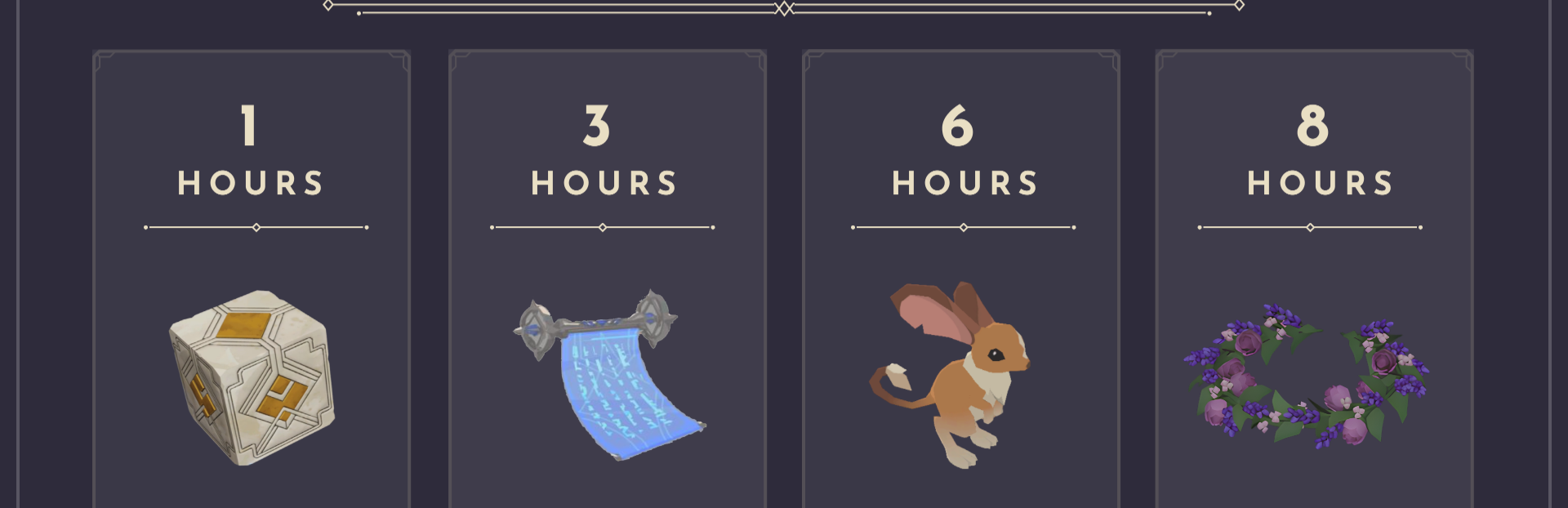
1 Hour Watch Time: 1 Beta Cubes
3 Hours Watch Time: In-game Title “Blooming”
6 Hours Watch Time: 1 Uncommon Lusul Egg (Guaranteed Uncommon or better)
8 Hours Watch Time: Lavender Flower Tiara
Don't miss out!
How to Participate
To earn your exclusive in-game rewards, you must first link your Bitcraft Online Hub account with your Twitch account and then watch participating Twitch streamers who have Drops enabled.
1. Link Your Accounts
Log in to your Bitcraft Online Hub account on our official website.
Navigate to the Settings page.
To earn rewards by watching, select Connect as a Viewer.
We are also running a campaign called “ Bit by Bit.” If you are a streamer, click Connect as a Streamer, and you and the viewer will be able to earn hextite shards in-game when a viewer cheers bits. Hextite shards are premium currency in Bitcraft Online that can be spent in the premium store to buy pets, player cosmetics, and empire cosmetics.
Follow the on-screen instructions to authorize the connection between your accounts.
2. Watch and Earn
Watch any streamer playing Bitcraft Online in the BitCraft Online Game Category section who has Twitch Drops enabled.
Meet the watch time requirement for the reward you wish to claim. Progress is tracked automatically on your Twitch Drops Inventory Page.
Once the required time is met, you must claim the reward from your Twitch Drops Inventory.
3. Claim Your Rewards BitCraft Hub Account and In-Game.
After claiming your reward on Twitch, it will be automatically added to your Bitcraft Online Hub account and also added to your in-game Vault on the next login. Beta Cubes need to be opened on the website before you will get the contents in-game.
Important Notes:
Make sure your accounts are linked before you start watching! Watch time accumulated before the link is established may not count.
You must claim the reward in your Twitch inventory before it is delivered to your game account.
Source
Changelog.gg summarizes and formats this update. How we read updates.